What to prioritise when choosing a flight device setup
Start with the devices you need to use, then check battery conditions and the size of the complete packed bag against your booking.
| Concern |
What to check when buying |
Who this matters to |
| Power bank carriage and use |
Check the marked Wh rating, battery condition and operating carrier’s quantity, storage and use rules. |
If I need power between sockets, I want to know how the bank must be packed and whether its use is allowed on my itinerary. Around 31% of consumers put permitted and usable battery reserve first. |
| Phone readiness |
Charge and test the phone; match its connector to the cable or integrated connector. |
If my phone is essential, I want it charged and able to switch on when requested, with a charging connection that fits. Consumers who prioritise phone readiness make up around 25%. |
| Laptop charging |
Check whether the laptop accepts charging through the proposed port and compare its documented requirements with the bank’s single-port output. |
When I travel with a laptop, I need a charging arrangement that suits that particular device rather than relying on a capacity label alone. Around 19% of consumers prioritise laptop charging compatibility. |
| Bag fit and device protection |
Check device fit and the complete packed bag’s external dimensions against the allowance on your booking. |
If I want my device protected and easy to retrieve, I also need the packed bag to fit my booked allowance. Consumers who put cabin fit first account for around 13%. |
| Camera and spare battery |
Confirm the battery matches the exact camera model, protect spare batteries from short circuits and check carrier conditions. |
For a camera trip, I want a spare that fits my camera and can be packed as required. Around 12% of consumers prioritise camera and spare-battery compatibility. |
Relevant brands to consider
These examples illustrate different device and charging needs; a brand’s inclusion does not establish that a particular model is available on Joybuy.
Anker
Anker’s UK-listed Nano A1259 is a phone-oriented power bank with an integrated USB-C cable and a specified 30W maximum output.
- The cable type and stated output give you details to compare with a compatible device’s charging requirements.
- The integrated USB-C cable will not replace a different connector your device needs. The stated 30W maximum does not establish suitability for a particular laptop or permission to carry the bank on a flight.
UGREEN
UGREEN’s UK-listed Nexode 20,000mAh 100W model, SKU 25188, is an option to assess for compatible laptop or multi-device charging.
- UGREEN specifies 72Wh and a 100W maximum USB-C1 output for this model.
- These are manufacturer specifications, not independent performance measurements or airline permission. Check that the exact model is the 100W version and that its output suits your device.
Belkin
Belkin’s BoostCharge 10K BPB021hqBL combines an integrated USB-C cable with a specified 20W output for phone or tablet top-ups.
- Belkin says the model can connect a second device and carries a two-year warranty.
- Belkin’s compatibility note says an iPhone 13 or 14 requires a separately sold USB-C-to-Lightning cable. Check device compatibility and the warranty terms.
Canon
Canon’s UK camera-battery range includes the LP-E10 spare for selected EOS cameras.
- Canon lists compatibility with the EOS 2000D, 4000D, 1200D, 1100D and 1300D, and lists the LC-E10E charger for the LP-E10.
- That compatibility applies to the listed camera models, not every Canon camera. Check the carrier’s conditions for packing spare batteries.
Related products on Joybuy
These Joybuy options relate to portable battery charging, camera batteries, USB-C charging cables and laptop carrying; check each model’s compatibility and your flight’s conditions before choosing.
 No image available
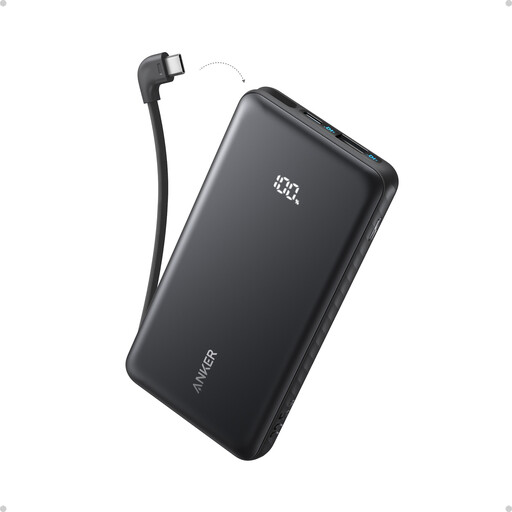
Anker Zolo Power Bank, 10,000mAh, 22.5W, with built-in USB-C cable
A portable battery option for a compatible USB-C device that needs a top-up away from a socket.
10,000mAh; 22.5W; built-in USB-C cable. For UK flight use, check the marked Wh rating and the operating carrier’s current conditions.
View on Joybuy
 No image available
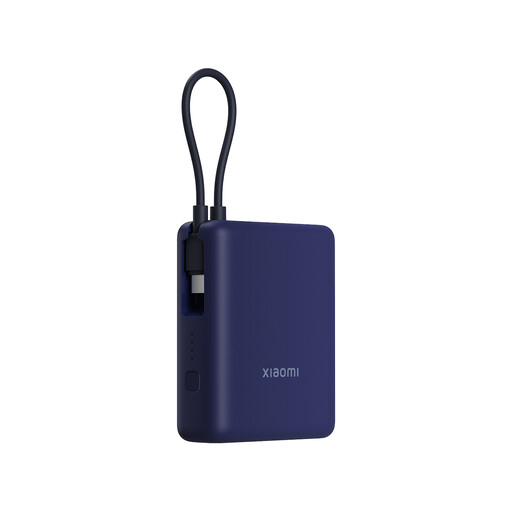
Xiaomi 33W Power Bank, 10,000mAh, integrated cable, Ice Blue
An integrated-cable bank to consider when a compatible device needs charging away from a socket.
33W; 10,000mAh; integrated cable. Check that the connection suits your device and review the marked Wh rating and carrier rules before a flight.
View on Joybuy
 No image available
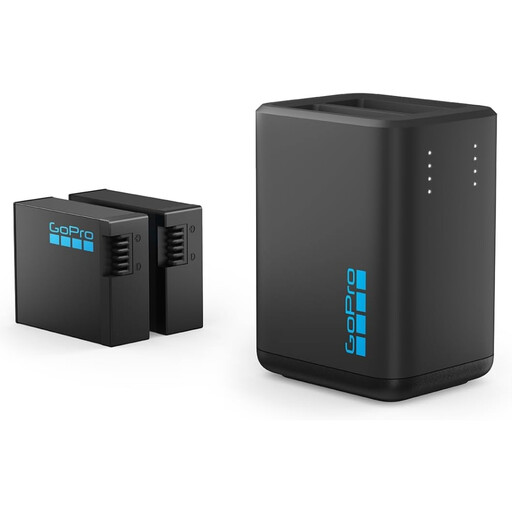
GoPro HERO13 Dual Enduro Battery and Charger, Black
A camera-specific battery and charger option for someone carrying a GoPro HERO13.
Check the carrier’s current conditions for spare-battery carriage and keep batteries protected in the cabin.
View on Joybuy
 No image available
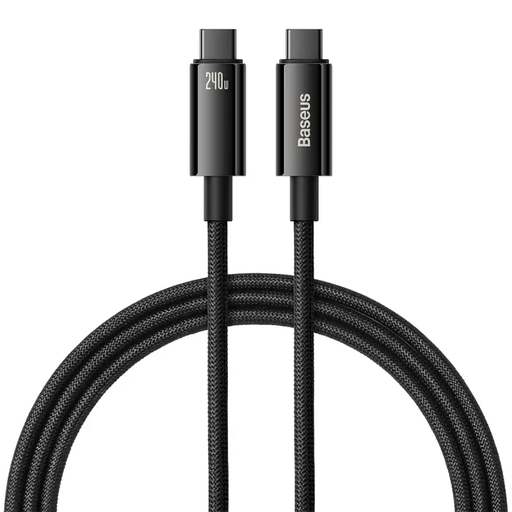
Baseus Tungsten Gold USB-C to USB-C Cable, 240W, 1m, Black
A cable option for a compatible USB-C charging arrangement; it does not directly connect to a Lightning port.
USB-C to USB-C; 240W; 1m.
View on Joybuy
 No image available
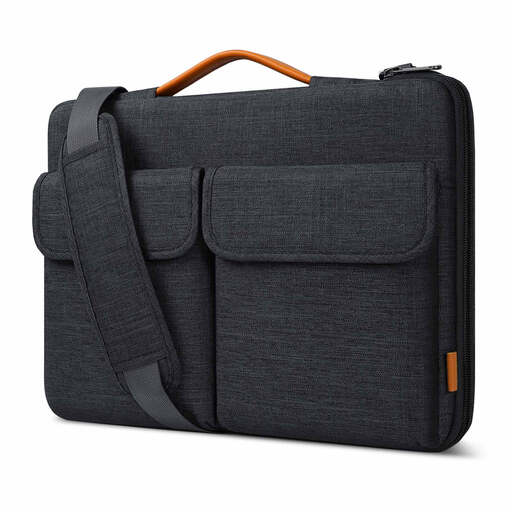
Inateck LB03008-15BG 15.6-inch Laptop Bag Sleeve
A laptop carrying option for a compatible 15.6-inch device; compare the complete packed bag with the allowance on your booking.
For example, Ryanair’s help page lists a 40 × 30 × 20 cm small-bag allowance, while easyJet lists 45 × 36 × 20 cm. These are carrier-specific allowances, not a universal fit rule.
View on Joybuy
Frequently asked questions
Must my phone, laptop or tablet switch on at the airport?
GOV.UK advises charging electronic devices before travel and says a device that does not switch on when requested may not be allowed onto the aircraft. Test essential devices before leaving, and check the relevant departure, connection, destination and carrier conditions for your itinerary.
Can I pack a power bank in checked luggage or recharge it on board?
Under CAA passenger guidance, keep a power bank in the cabin and remove it if your cabin bag is taken for the hold. The guidance limits passengers to two power banks and says not to recharge them on board. Check the operating carrier’s additional conditions, including whether using a bank to charge another device is permitted.
Does a power bank’s mAh label establish that I can fly with it?
No: check its marked Wh rating and the operating carrier’s policy as well. CAA passenger guidance, with changes effective from 27 March 2026, says airline approval is required for batteries in the 100Wh-to-160Wh category and batteries over 160Wh are prohibited in passenger baggage. A carrier may impose additional conditions, so a manufacturer’s travel claim is not itinerary-specific approval.
Can I take a camera and a spare camera battery?
GOV.UK says camera equipment can usually go in hand or hold luggage but notes possible restrictions for specialist equipment. Keep spare batteries in the cabin, protect them against short circuits, check they match the camera and confirm the operating carrier’s battery conditions.
Will a laptop sleeve or organiser count as an extra cabin bag?
That depends on how it is carried and the allowance on your booking. easyJet publishes a 45 × 36 × 20 cm small under-seat bag allowance, while Ryanair’s current help page publishes 40 × 30 × 20 cm. Measure the complete packed bag and check your booking rather than assuming an additional laptop bag is included.


