Buying priorities
Identify the limiting part of the workstation first, then check that any accessory fits the laptop, desk and working routine.
| Priority |
What to check |
Your needs |
| Sustainable laptop posture |
Check whether the laptop screen can be raised while leaving room for a separate keyboard and mouse. For a separate monitor, check screen placement, viewing height and desk depth. |
I need to avoid working for long periods with a low laptop screen or awkwardly placed input devices. Health and Safety Executive guidance pairs a raised laptop screen with separate keyboard and mouse use. |
| Dock compatibility |
Confirm the laptop’s exact port implementation, supported display count and resolution, charging input, operating system and the dock’s power-delivery requirements. |
I want one connection for a fixed desk, but only if it can run my intended displays, peripherals and charging setup. Kensington notes that USB-C describes a connector, not guaranteed video, data or power capability. |
| Call setup |
Check whether the issue is camera framing, a privacy shutter, microphone placement, household noise or freedom to move. Match connection type and device compatibility to the calling setup. |
My calls need a better-positioned camera or more suitable audio, rather than duplicate equipment I will not use. |
| Lighting and desk space |
Adjust screen and room lighting first, then check task-light positioning, monitor-clamp fit, USB power and cable routing where a monitor light is considered. |
I need documents lit clearly without making reflections or glare worse, and I may have little free desk surface. |
Joybuy product options
Joybuy product options for the identified call, lighting, display and docking needs of a regular home workstation.
 No image available
Targus Webcam with Auto Focus
Consider this for frequent calls when the laptop camera’s framing is the limitation and a physical privacy slider is useful.
Stated features include auto-focus, a 67° field of view, USB-C connection and an adjustable monitor or laptop clip. The technical specification lists Full HD 1080p at 30 fps; confirm the native resolution and clip fit for your screen.
Joybuy
 No image available
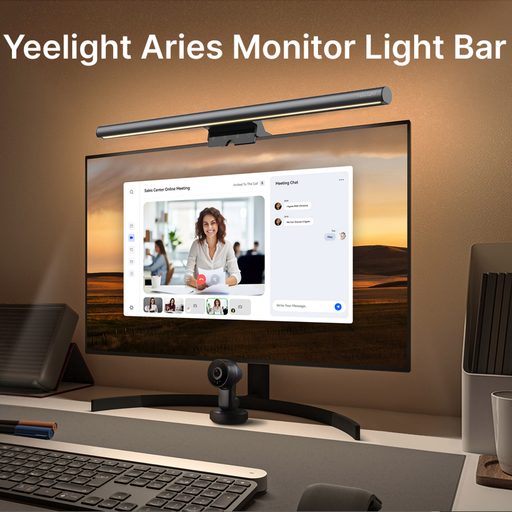
Yeelight Aries USB-C Monitor Bar Light
Consider this when desk documents need local lighting and a monitor-mounted design suits a space-constrained workstation.
The listing states USB power, brightness adjustment, 2700K–6500K colour-temperature adjustment, Ra95 CRI and a clip range for monitors 0.3–1.4 inches thick. Check the monitor’s rear profile, USB power source and room reflections.
Joybuy
 No image available
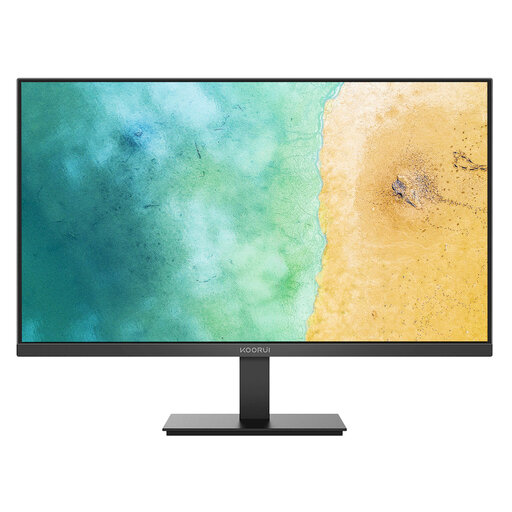
KOORUI MB27V29FS2 27-inch IPS Monitor
Consider a separate display when a laptop screen does not provide the workspace or independent positioning your fixed desk needs.
The listing specifies a 27-inch Full HD IPS display, HDMI and VGA inputs, tilt adjustment and VESA 100 × 100 mm mounting. Check desk depth, source-device output and whether a VESA arm or riser is needed for viewing height.
Joybuy
 No image available
Targus USB-C Dual HDMI 4K Docking Station
Consider this for a fixed home desk when reconnecting displays, peripherals, network and power is the recurring problem.
The listing specifies USB-C Alt Mode, two HDMI 2.0 outputs, Gigabit Ethernet, SD and MicroSD readers, and 100W pass-through charging. Confirm the laptop’s display support, operating system, charger and USB-C capabilities before purchase.
Joybuy
 No image available
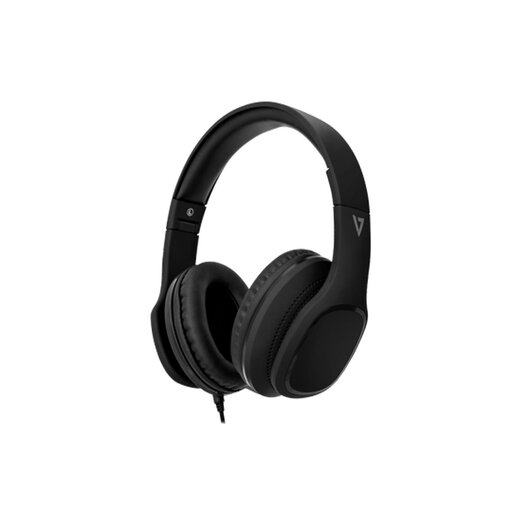
V7 HA701-3EP Wired Over-Ear Headphones
Consider these when call audio or microphone placement is the identified issue and a wired desk-based setup is suitable.
The listing specifies a 3.5 mm connection, detachable 1.8 m cable, inline call controls, integrated MEMS microphone and stated Windows, macOS, iOS, Android and ChromeOS compatibility. Check that your device has a compatible audio connection or adapter.
Joybuy
Frequently asked questions
Does every UK home worker need an external monitor or office-style desk equipment?
No. The Health and Safety Executive says home workers may not need office furniture or equipment at home to achieve a comfortable, sustainable posture. An individual assessment should determine whether the existing setup is suitable and whether extra equipment is needed.
When can UK DSE rules apply to a home or hybrid worker?
The Health and Safety Executive says the regulations can apply to permanent or long-term home workers and people who routinely split time between workplace and home. Its guidance describes DSE users as people using display-screen equipment daily for continuous periods of an hour or more, rather than occasional short-term home use.
Can an employer charge a worker for equipment identified by a DSE assessment?
Where a DSE workstation assessment indicates action is needed, including providing DSE equipment, the Health and Safety Executive says the worker cannot be charged. This depends on the assessment and applicable duties; it does not mean every optional home-office accessory must be employer-funded.
Will any USB-C dock run multiple monitors and charge a laptop?
No. Kensington states that USB-C is a connector description and that speed, video and power-delivery capabilities depend on the manufacturer’s implementation. Check the exact laptop port, operating system, dock specification, display count, resolution and charging requirement before buying.
What should be checked before buying a laptop stand?
For prolonged laptop use, the Health and Safety Executive advises using a separate keyboard and mouse so the screen can be raised on a laptop riser or similar. Check that the stand holds the laptop securely, reaches a usable viewing height and leaves room for external input devices.


