Joybuy e-readers to consider
These two Bigme e-readers offer Android-based routes to investigate if your library provides a compatible lending app. Check that the app, your account and the e-books you want work on the exact model; neither is presented as a Kobo with built-in Libby borrowing.
 No image available
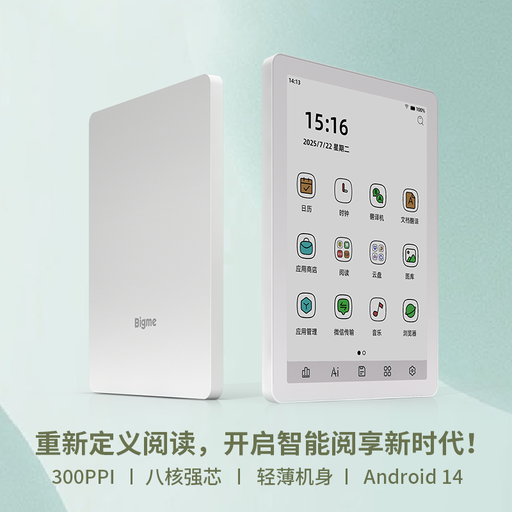
Bigme B6 E-Book Reader, White, 4+64GB
Consider this dedicated reader if you want to investigate an Android-app route for your library’s e-books.
Its listed features include a 6-inch E Ink screen, a 36-level front light, Android 14 and built-in Google Play.
Before buying it for library use, confirm that your lending app, account and intended loans work on the B6; test the download route if you need to read offline.
View on Joybuy
 No image available
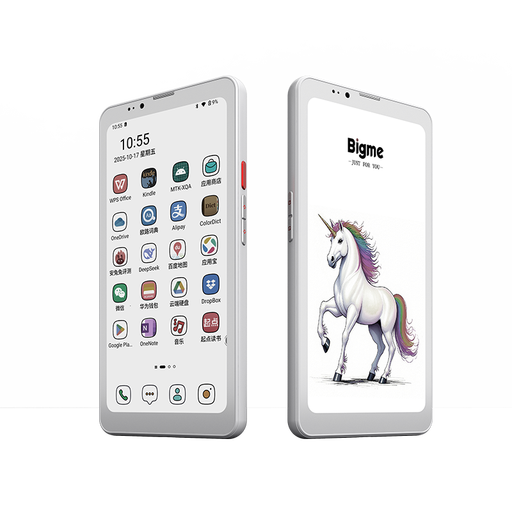
Bigme HiBreak Pro Color, 8GB+256GB
Consider this e-reader if you want a colour e-paper device and are assessing an app-based route to your library’s books.
The product name specifies a 6.13-inch E Ink display and Android 14.
Check the exact model against your library’s app and loan formats, including how loans are downloaded if offline reading matters.
View on Joybuy
Common questions
Do I need a library card before choosing a reading device?
You need working library-account access for the borrowing routes described here. BCP Council’s BorrowBox service uses a library ID and PIN, while Rakuten Kobo describes borrowing from a participating library with a card; sign in to your own service before buying a device principally for its books.
Can I read my library’s Libby books directly on a Kobo?
Yes, if your library participates in Libby or OverDrive, your Kobo model supports built-in borrowing and the particular e-book can sync. Libby Help says some e-books will not sync and that Libby audiobooks and magazines are not supported on Kobo e-readers.
Will a Kindle e-reader work with UK Libby loans?
Do not assume it will: Libby Help describes Kindle-book delivery as US-only. Norfolk County Council says Fire tablets, but not Kindle e-readers, work with its OverDrive service; ask your own library about the exact Kindle model and lending route before purchase.
Can I read borrowed e-books without an internet connection?
You can read offline where your library’s supported route allows you to download the loan first. uLibrary describes offline use of downloaded titles, whereas Kobo’s direct Libby or OverDrive borrowing and syncing require Wi-Fi; try a download before depending on it for travel.
Which accessibility features should I check?
Check the lending app and device together using the settings you rely on. Libby Help documents larger text, display adjustments, reduced motion, an OpenDyslexic font option and support for named screen readers; try navigating, borrowing and reading a title rather than assessing the screen alone.


