Who needs which kit?
Ofcom measured unreliable connectivity on sampled rail journeys in England, Scotland and Wales in 2026. The equipment worth carrying depends on what would interrupt your work: losing a connection, running out of power or being unable to open a file.
Workers who need to stay reachable
If messages, calls and cloud documents are part of your journey, plan for periods without usable service. A separate mobile-data device offers another way to connect, not a guarantee that a signal will be available.
Commuters carrying several devices
If your phone, tablet or laptop must last beyond the train journey, check its charging requirements before choosing a power bank. National Rail says many train companies offer power outlets, so check your service rather than making a socket your only plan.
Travellers who can prepare files in advance
If you can download essential documents before departure, local storage can keep them accessible through a connection outage. A portable drive is an option for larger files, provided it works with your device and your work-storage rules.
What matters when choosing?
Decide which interruption would affect your work most, then check the device and service requirements for that need. Portable power, mobile data and offline files solve different problems; headphones address listening and calls, not connectivity.
| Concern | What to check | Who this matters to |
|---|
| Access during coverage loss |
Download essential files before travel; check available local storage and, if using a drive, device compatibility. |
If I must open work files even when the connection drops completely, offline access comes first. About 31% of consumers put uninterrupted access to essential work ahead of their other kit needs. |
| Power through the day |
Match the charging port, required input and cable to the power bank; consider what you will carry between journeys. |
A phone or laptop running flat before I reach a dependable socket would stop my work. For about 31% of consumers, keeping devices powered is the primary need. |
| Separate mobile data |
Check the intended provider’s route coverage, SIM and tariff compatibility, and how many devices need a connection. |
When train Wi-Fi is unusable, I want my own data connection for a work device or several devices. That is the main buying priority for about 23% of consumers, although it still depends on mobile signal. |
| Calls and focus |
Consider call-microphone features and comfort, while keeping a way to hear announcements. |
In a noisy carriage, I need to hear a call or concentrate without losing awareness of the journey. About 15% of consumers make that their primary equipment concern. |
Joybuy products for different needs
These selections cover portable power, a mobile hotspot, local storage, headphones and a cellular tablet for working on train journeys. Choose by the interruption you need to prepare for, rather than treating the products as interchangeable.
 No image available
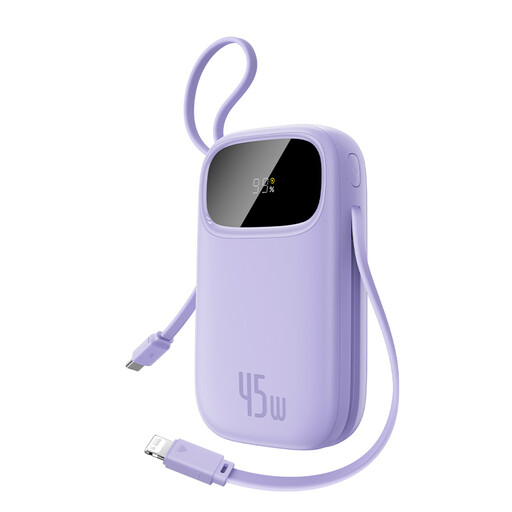
Baseus EnerFill FC31 Qpow 3 Digital 10,000mAh 45W Power Bank, Nebula Purple
Consider this for a portable power reserve when a phone or compatible USB-C device may run down before arrival. Its product name specifies built-in USB-C and iP cables; check your device’s charging requirements and the output available when several devices are connected before relying on it for a laptop.
View on Joybuy
 No image available
D-Link DWR-932W 4G LTE AX300 Wi-Fi 6 Mobile Hotspot
Consider a separate hotspot when you want to connect devices without relying on train Wi-Fi. Check SIM, provider-band and tariff compatibility, as well as coverage on your regular route: the hotspot cannot create a mobile signal where reception is weak.
View on Joybuy
 No image available
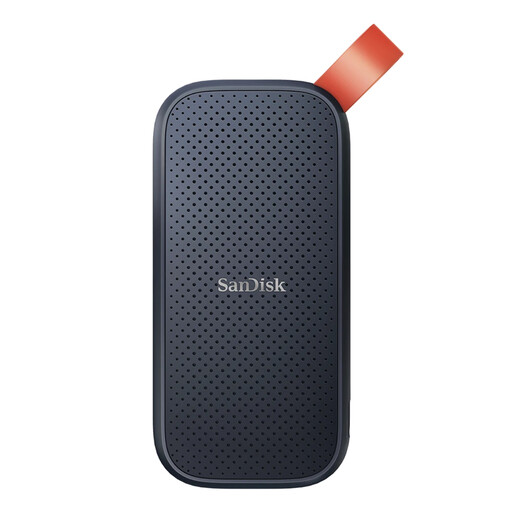
SanDisk Portable SSD 2TB
A portable 2TB drive is relevant when you need large work files available without retrieving them from the cloud. Confirm its connection and file format work with your device, and keep a separate backup rather than making one travel drive your only copy.
View on Joybuy
 No image available
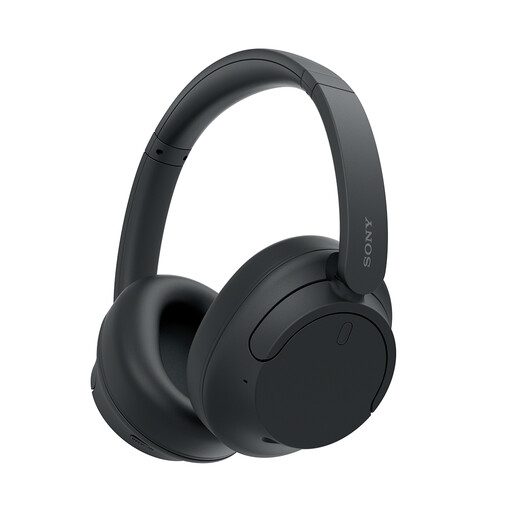
Sony WH-CH720N Noise-Cancelling Over-Ear Headphones, Black
These are a choice to consider if carriage noise makes listening or calls difficult, but noise cancelling cannot remedy a poor call connection. Choose a way of wearing or removing them that lets you hear stops and announcements.
View on Joybuy
 No image available
TECLAST ArtPad Pro 2025 Edition, 12.7-inch 2K 4G LTE Tablet, 256GB
This tablet combines a stated dual-SIM 4G LTE option with local storage for files you prepare before travelling. Its product name also specifies a 10,000mAh battery, 18W input and an included stylus. Confirm its LTE bands, SIM arrangement and tariff with your intended provider; mobile service will still depend on the route.
View on Joybuy
Frequently asked questions
Can I count on Wi-Fi and a power socket on every train?
No. National Rail says many train companies offer Wi-Fi and power outlets, so check the facilities for your service. In Ofcom’s February–March 2026 measurements across sampled rail journeys in England, Scotland and Wales, onboard Wi-Fi performed well in only 1% of tests; keep time-critical files available offline.
Will a mobile hotspot improve reception on a train?
A hotspot can share its SIM’s connection with your devices, but it cannot fix weak underlying mobile coverage. It is more relevant if you need a separate data plan or device sharing; check your intended provider’s coverage along the journeys you take.
Can I take the same power bank on a train and a flight?
Check the battery’s Wh marking before a flight. UK Civil Aviation Authority guidance says power banks must travel in cabin baggage and batteries from 100Wh to 160Wh require airline approval; check the airline’s current instructions too. On a train, keep your bag clear of doors and aisles, as National Rail advises.
What should I check before using my own hotspot or drive for work?
Check your employer’s current IT, security and expenses policies before buying for work use. In particular, confirm whether personal SIMs, removable storage, cloud synchronisation and confidential calls are permitted for the tasks you intend to do on the train.


