What to check before buying
Check socket fit and mains input first. Then decide whether your existing charger meets your needs, several devices need one charger, or you need power away from a socket.
| Concern | Buying check | Who this matters to |
|---|
| Plug and mains compatibility |
Match the plug to every destination socket; read the input rating on the charger or device. A plug adaptor does not convert voltage. |
If my existing charger is otherwise suitable, I need to know it will connect to the sockets and accept the supply where I am staying. Around 36% of consumers put that compatibility check first. |
| Several devices, limited sockets |
Compare the ports and total output with the devices used together; check plug heads and cables. |
When my phone, tablet and laptop compete for one socket, I want a charger that can serve the devices I actually connect. For around 29% of consumers, charging several devices is the primary need. |
| Portable power |
Check the Wh marking and the operating carrier’s current rules for each flight, including quantity and baggage placement. |
On a long journey without a dependable socket, I may need battery backup that I can also take on my flights. Around 21% of consumers prioritise portable power and its flight conditions. |
| Cables and device-specific fit |
Match both cable ends and the device’s charging requirements; check a replacement charger’s input and plug. |
If a missing or unsuitable cable prevents my camera or laptop from charging, I need the replacement to fit that particular setup. Getting the device-specific connection right comes first for around 14% of consumers. |
Joybuy products for travel charging
These choices cover a multi-port charger, a single-port charger and replacement cables. Match any charger’s plug to your destinations, and check cable connections and charging requirements against your own devices; a cable alone cannot connect a charger to a wall socket.
 No image available
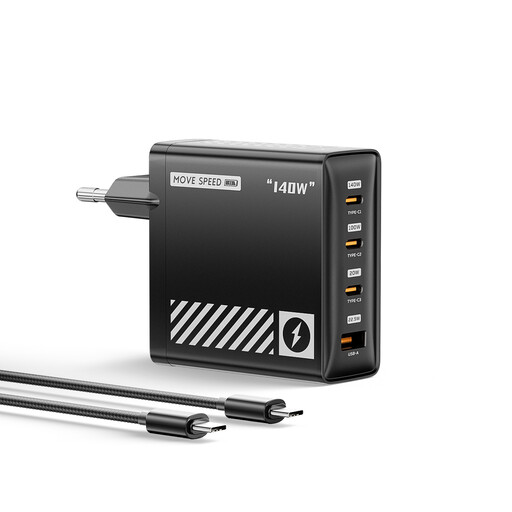
MOVESPEED HC-TR271A-EU 140W four-port GaN EU charger, black
Consider this charger if several USB devices need to share a socket where its EU plug fits.
The product name states four ports and PD 3.1. Check the exact port layout, output available when ports are used together, and whether you need to bring cables.
Joybuy
 No image available
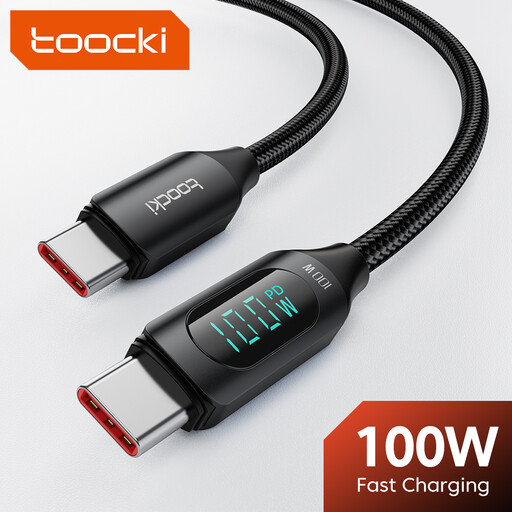
toocki 3.3ft 100W USB-C cable with LED display
This may suit a traveller replacing a cable for a compatible USB-C charging setup.
The product name gives a 3.3ft length, 100W rating and LED display. Check the connectors at both ends; charging at the stated maximum also requires a compatible device and a USB-C PD charger rated for 100W or higher.
Joybuy
 No image available
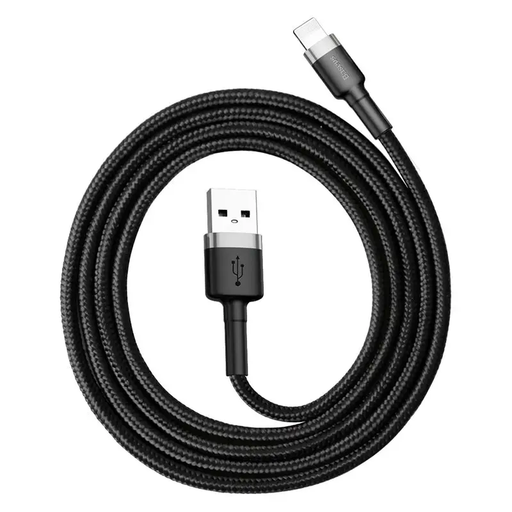
Baseus Cafule 3A USB-to-USB-C cable, 1 m, grey and black
This cable is for a setup with a USB-A charging source and a USB-C device, rather than USB-C connectors at both ends.
Its stated rating is 3A and its length is 1 m. The listing cautions against using it for high-wattage laptop charging; check your device’s requirements.
Joybuy
 No image available
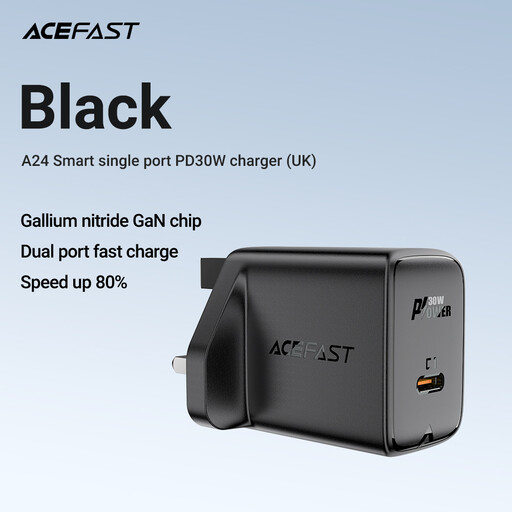
ACEFAST A24 USB-C charging plug, black
This single-port charger may suit one compatible USB-C device when its plug fits the destination socket.
Check its stated output against the device’s charging requirements, as the listed output figures need clarifying. Confirm plug fit and whether you need to bring a USB-C cable.
Joybuy
 No image available
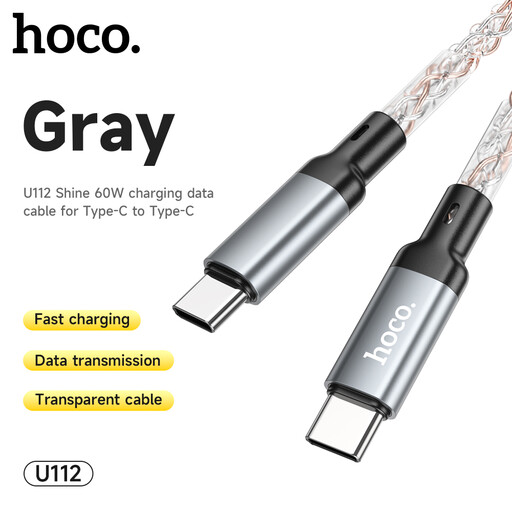
HOCO U112 60W USB-C-to-USB-C cable, grey
This cable may suit a traveller whose device and charging source both use USB-C.
It has a stated 60W rating. Check the power required by your device and whether the cable length suits where you expect to charge it.
Joybuy
Travel charging questions
Will one travel adaptor work at every European destination?
Not necessarily: match the adaptor to each country on your itinerary. World Standards lists widespread C, E and F socket use across continental Europe, but also different arrangements in Switzerland, Liechtenstein, Denmark and Italy; Ireland and Malta use type G sockets familiar to UK travellers.
Does a travel adaptor change the voltage?
No: it changes plug fit, not voltage. Read the input marking on your own charger or device before using it; Anker gives 100–240V, 50/60Hz as an example of a wide-range charger input, not a rating to assume for every product.
What safety details should I check on a mains charger or adaptor?
Check that the product is clearly identified and has usable ratings and instructions; do not treat a marking alone as proof that an individual item is safe. The Department for Business and Trade’s Great Britain guidance covers the Electrical Equipment (Safety) Regulations 2016 and the continued recognition of relevant EU product requirements, including CE marking. The Office for Product Safety and Standards has also reported an individual travel adaptor with accessible live parts, so check current product-safety alerts for the item you plan to buy or use.
Can I put a power bank in checked baggage?
Do not pack it on that assumption: the International Air Transport Association treats power banks as spare batteries and directs passengers to carry spare batteries in cabin baggage. Check the current policy of every operating carrier for your itinerary before packing.
What should I check on a power bank before flying?
Check that its Wh rating can be verified and that its capacity and the number you carry meet each operating carrier’s rules. The International Air Transport Association’s 2026 guidance limits passengers to two power banks for personal use; confirm any additional baggage, storage and onboard-use conditions with the carriers on your trip.


