
24/7 Customer Support

Free returns

Same-day & Next-day Delivery

Quality Guaranteed

Unlock Your Welcome Offers: FREE Delivery | Up to 80% OFF | Free 30-day JoyPlus trial
Download the APP
An ultrawide gaming monitor can replace a dual-screen setup, broaden your in-game field of view and make multitasking more comfortable. However, the largest screen or fastest number on the specification sheet is not automatically the right choice for your desk or graphics card.
UK buyers commonly encounter three purchasing traps:
A 34-inch QHD gaming monitor commonly uses 3440 × 1440 resolution in a 21:9 format. It provides more horizontal workspace than a standard 16:9 display while remaining easier to drive than a 5120 × 1440 49-inch screen.
A 49-inch model with Dual QHD resolution, such as 5120 × 1440, offers a very broad workspace for simulation games, racing titles, timelines and several windows side by side. It also demands considerably more graphics performance. Confirm that your PC can deliver suitable frame rates at the monitor’s native resolution.
For console players, check compatibility carefully. A console may not use the full ultrawide aspect ratio, and some games display side borders or a cropped image. HDMI 2.1 can be useful for compatible high-bandwidth devices, but the console, cable and monitor must all support the required mode.
A high refresh rate monitor updates the image more frequently, which can make camera movement and fast gameplay appear smoother when the system produces enough frames. A 165Hz or 165Hz gaming monitor is a practical fit for many PC gaming setups, while 240Hz is more relevant to competitive players with suitably powerful hardware.
Adaptive-sync technologies, including AMD FreeSync variants and G-SYNC compatibility, can help align the display’s refresh cycle with the graphics card’s output. This may reduce visible tearing and uneven motion, but it cannot compensate for an underpowered system.
Always check which input supports the advertised refresh rate. For example, the Dahua 34-inch UWQHD model lists up to 200Hz through DisplayPort, while its HDMI inputs are specified for lower refresh rates at the same resolution.
VA panels typically offer strong contrast, which can suit dark game environments and films. IPS panels are often selected for viewing angles and general-purpose colour consistency. An OLED gaming monitor can provide very deep blacks and rapid pixel response, but static interface elements may increase burn-in risk over time.
HDR labels should also be read alongside brightness and certification details. A monitor marked HDR10 or DisplayHDR is not necessarily equivalent to another model with the same label. For creative work, check colour-gamut information such as sRGB or DCI-P3 coverage, and consider whether the display has the connectivity required for your laptop or workstation.
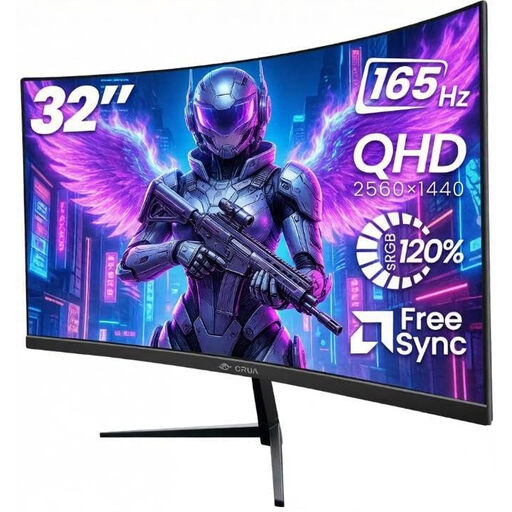
Why This Fits Their Persona: A sensible starting point for UK home offices, bedrooms and console-friendly gaming desks where a larger screen is wanted without moving to a 34-inch ultrawide or 49-inch format.
Its specification identifies 2560 × 1440 resolution, 165Hz refresh rate and dual HDMI and DisplayPort inputs, helping buyers compare the complete setup rather than one headline figure.
32-inch 1500R curved VA panel, 165Hz refresh rate, 100% sRGB listed colour gamut and VESA 100 × 100mm support.
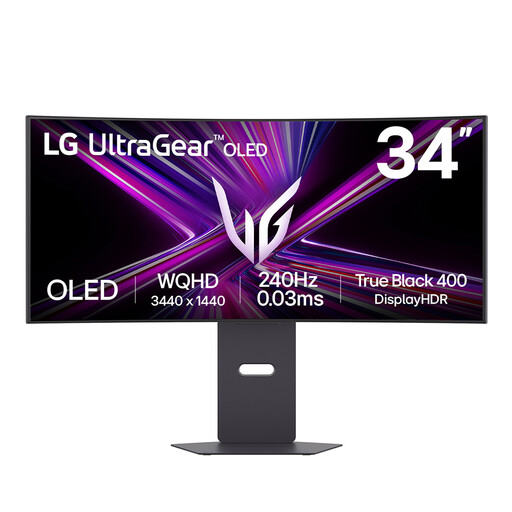
Why This Fits Their Persona: Suits PC players and content viewers who prioritise OLED contrast, a curved 21:9 view and a fast refresh rate for demanding games.
The specification pairs 240Hz with 3440 × 1440 resolution and identifies HDMI 2.1, DisplayPort and USB-C connectivity. OLED care features should still be enabled to manage static-image exposure.
34-inch OLED panel, 240Hz refresh rate, 0.03ms listed GtG response time and USB-C with up to 65W power delivery.
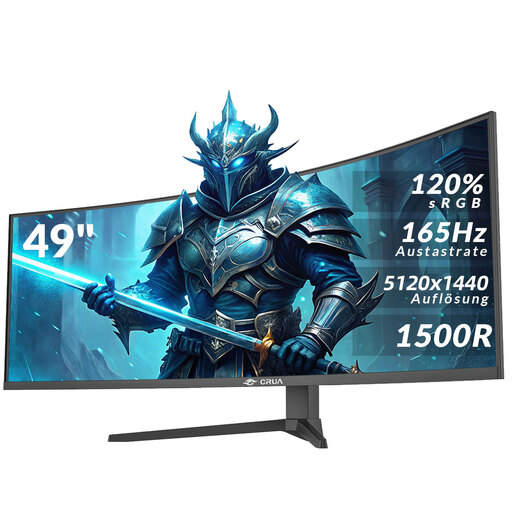
Why This Fits Their Persona: Designed for simulation players, traders, editors and home-office users who want one very wide screen for multiple applications.
The product information states the 32:9 ratio, 5120 × 1440 resolution and required HDMI 2.1 or DisplayPort 1.4 cables. Its substantial width means two-person handling and a suitable desk are essential.
49-inch 1500R VA panel, 165Hz refresh rate, AMD FreeSync, two HDMI 2.1 ports and two DisplayPort 1.4 ports.
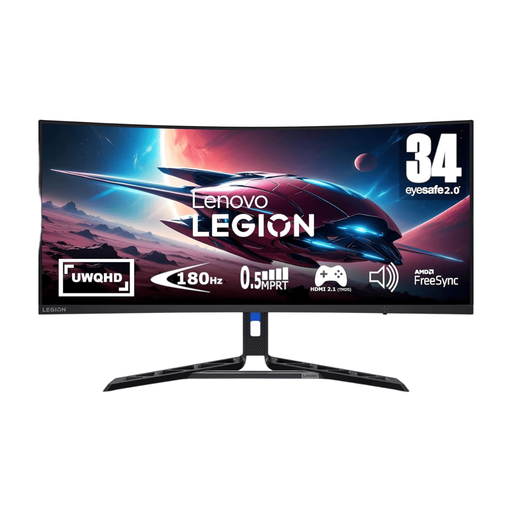
Why This Fits Their Persona: A balanced 34-inch curved gaming monitor for UK users splitting time between games, study, office work and media.
The listed features combine UWQHD resolution with 180Hz operation, AMD FreeSync Premium and an adjustable stand, rather than focusing only on response time.
34-inch UWQHD VA display, 180Hz refresh rate, HDR 400 certification and lift, tilt, pivot and swivel adjustment.
We have compiled a complete, real-time list of products that fully satisfy these strict selection criteria and UK safety regulations.
Before delivery, measure the desk width and depth, including space for the stand and cable bends. Large curved screens should be lifted by two people, and a monitor arm must be rated for the display’s weight and VESA pattern.
Use DisplayPort where the specification requires it for the highest refresh rate. Enable adaptive sync in both the monitor menu and graphics settings, then select the native resolution in Windows or your chosen operating system. For an OLED gaming monitor, use pixel-shifting, logo-dimming and other panel-care functions where available.
A monitor with USB-C can simplify laptop setups, but check the power-delivery wattage and whether the port supports DisplayPort Alt Mode. USB-C charging capacity differs between models and may not be sufficient for every laptop.
It can be connected through HDMI, but console support for 21:9 or 32:9 output varies by console and game. Check the manufacturer’s compatibility details before buying if console gaming is your main use.
Potentially. Power use depends on panel technology, brightness, HDR mode and connected devices. OLED models can have different consumption patterns from LED-backlit VA or IPS screens. Check the product’s stated power figures and use standby or automatic sleep settings when the monitor is not needed.
Lifespan depends on operating hours, ventilation, brightness and handling. LCD models do not have OLED burn-in considerations, while OLED owners should avoid leaving static desktop elements visible for extended periods and use the supplied panel-care functions. Keep the screen dry, well ventilated and free from direct pressure.