
24/7 Customer Support

Free returns

Same-day & Next-day Delivery

Quality Guaranteed

Unlock Your Welcome Offers: FREE Delivery | Up to 80% OFF | Free 30-day JoyPlus trial
Download the APP
Stepping into the world of ultrawide gaming monitors can feel like navigating a minefield of technical specifications and marketing claims. You know you want a more immersive experience, a wider field of view and the performance to match your high-end PC, but choosing the right display can be a challenge. From refresh rates and response times to panel types and curvature, every detail matters.
As a Joybuy Product Recommendation Officer, my role is to help you cut through the clutter. This guide provides clear, practical advice to help you understand the key features of an ultrawide gaming monitor. We will explore what makes a great display and highlight a few standout models that cater to different needs and budgets, so you can make a confident and informed decision for your gaming setup.
Before diving into specific products, let's break down the three most important factors to consider when selecting your next PC gaming monitor.
For ultrawide displays, the most common and practical resolution is WQHD (3440 x 1440), often referred to as 1440p ultrawide. This resolution provides a significant step up in sharpness and detail compared to standard 1080p, without being as graphically demanding as 4K. On a 34 inch ultrawide screen, this resolution hits the sweet spot, delivering crisp visuals and ample screen space for both gaming and multitasking.
For any serious gamer, speed is non-negotiable. The refresh rate, measured in Hertz (Hz), dictates how many times your screen updates per second. While 60Hz is standard, a high refresh rate monitor of 144Hz or more provides a noticeably smoother and more responsive experience. For competitive play, a 165hz gaming monitor is a great starting point, while a 240hz gaming monitor offers elite-level fluidity. This should be paired with a low response time (ideally 1ms or less) to minimise motion blur and ghosting in fast-paced scenes. Look for support for technologies like AMD FreeSync or NVIDIA G-SYNC, which synchronise the monitor's refresh rate with your graphics card's output to prevent screen tearing.
The panel is the heart of the monitor. OLED panels offer perfect blacks, infinite contrast and exceptionally fast response times, making them a premium choice for an immersive gaming monitor. VA panels provide a good balance, with strong contrast ratios and improving response times.
The curve of the screen also plays a crucial role. A curved gaming monitor is designed to match the natural curvature of your eye, filling your peripheral vision and pulling you deeper into the game. The curvature is measured in 'R'—a smaller number like 1000R indicates a more pronounced curve, while 1800R is gentler.
Based on our analysis of current market offerings, here are three excellent options that deliver on performance, immersion and value.
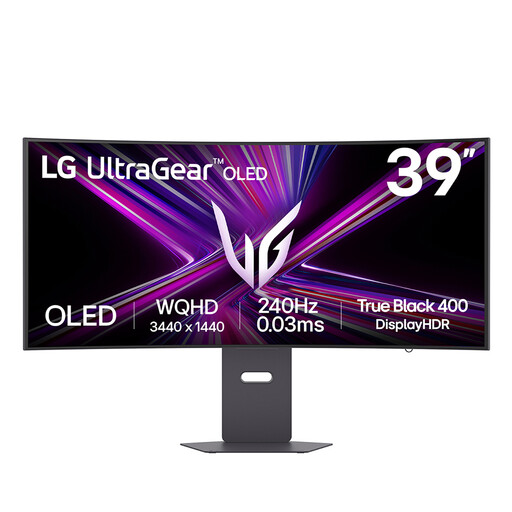
Why It Stands Out: The LG UltraGear 39GX900A-B is a top-tier display that combines the best of all worlds. Its huge 39-inch OLED panel delivers breathtaking contrast and colour, while the aggressive 800R curve creates an unparalleled sense of immersion. Paired with a blistering 240Hz refresh rate and a near-instant 0.03ms response time, it is built for uncompromising competitive performance.
Pros:
Who is it for?:
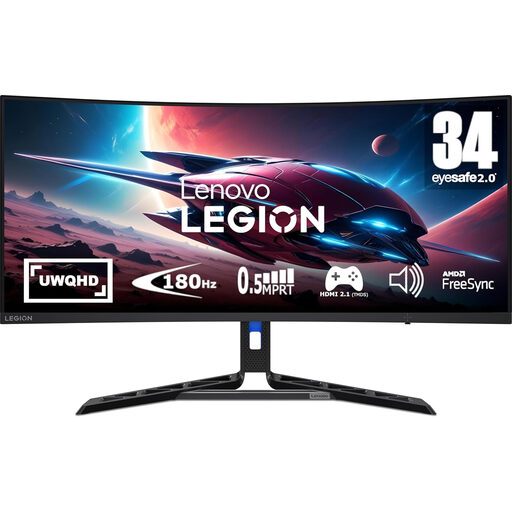
Why It Stands Out: The Lenovo Legion R34w-30 offers a fantastic balance of performance and features. This 34 inch ultrawide monitor boasts a sharp UWQHD VA panel, a speedy 180Hz refresh rate and a quick 0.5ms response time. Its fully adjustable stand and built-in low blue light technology make it a practical choice for long gaming sessions and daily productivity.
Pros:
Who is it for?:
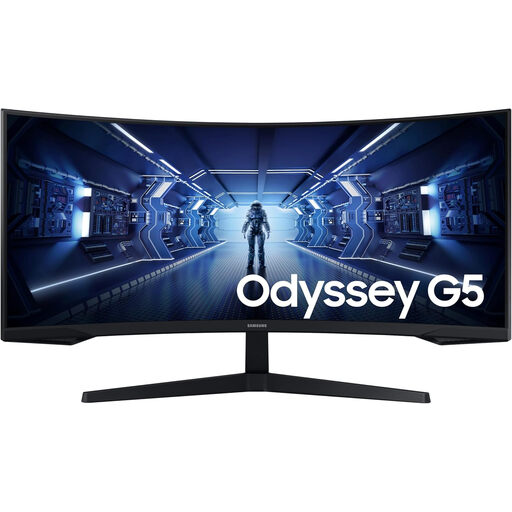
Why It Stands Out: The Samsung Odyssey G5 is renowned for its deeply immersive 1000R curve, which is designed to match the human field of view. This 34 inch ultrawide monitor combines that class-leading immersion with solid gaming credentials, including a 165Hz refresh rate, a 1ms response time and AMD FreeSync Premium support. It is an excellent entry point into high-performance ultrawide gaming.
Pros:
Who is it for?:
These three monitors represent some of the strongest choices available, but the world of ultrawide displays is vast. If you are looking for different sizes, specifications or features, there are many other models to consider.
To discover a wider selection, browse our full collection of curved monitor screen options and find the perfect display for your setup.
Is an ultrawide gaming monitor worth it for competitive gaming? Yes, for many games, the expanded field of view offered by a 21:9 aspect ratio can provide a tangible tactical advantage by letting you see more of the battlefield. To ensure it is truly competitive, it is vital to choose a model with a high refresh rate monitor (144Hz or above) and a low response time to ensure your inputs are registered instantly.
Can I use a 34 inch ultrawide monitor for work as well as gaming? Absolutely. The ultrawide format is exceptionally well-suited for productivity. The extra horizontal space allows you to comfortably place multiple application windows side-by-side, effectively replacing a dual-monitor setup. This makes it a versatile choice for a PC gaming monitor that also serves as a primary display for work or creative tasks.
What is the difference between a 1000R and 1800R curve? The 'R' number refers to the radius of the screen's curve in millimetres. A smaller number, such as 1000R, signifies a more pronounced and aggressive curve that aims to wrap around your vision for maximum immersion. A larger number, like 1800R, indicates a gentler, more subtle curvature. The ideal choice often comes down to personal preference and how close you typically sit to your screen.