
24/7 Customer Support

Free returns

Same-day & Next-day Delivery

Quality Guaranteed

Unlock Your Welcome Offers: FREE Delivery | Up to 80% OFF | Free 30-day JoyPlus trial
Download the APP
An ultrawide gaming monitor can transform a desk setup, giving PC gamers a wider field of view, more room for game interfaces and a practical workspace for multiple windows. However, specifications are often presented without the context needed to make a sensible purchase.
A 240Hz gaming monitor may be unnecessary if your graphics card cannot deliver high frame rates. A quoted “1ms” response time may refer to MPRT rather than GtG. A curved screen can look immersive, but it also needs sufficient desk depth and careful positioning. Before comparing prices, check the specifications that affect everyday use.
A high refresh rate only becomes useful when your computer can produce enough frames at the monitor’s native resolution. Driving 3440 x 1440 at 240Hz requires considerably more graphics performance than running a standard 1080p display.
For competitive PC gaming, 165Hz, 180Hz or 240Hz may be worthwhile. For slower-paced games, office work and console use, a 120Hz or 144Hz panel may provide a sensible balance. Remember that the maximum refresh rate can vary by input: for example, one listed 34-inch model supports up to 165Hz through DisplayPort but up to 120Hz through HDMI.
Response time figures need careful reading. GtG measures a pixel transition between shades, while MPRT usually describes motion clarity under a particular strobing mode. They are not interchangeable measurements.
Also check whether enabling a fast response mode creates visible inverse ghosting or reduces brightness. A well-matched Adaptive Sync monitor, such as a FreeSync gaming monitor, can be more useful in real play because it synchronises the screen’s refresh behaviour with compatible graphics output.
HDR support alone does not guarantee strong highlights or deep blacks. LCD monitors generally use a backlight, while an OLED gaming monitor can control individual pixels to produce very dark areas. Even so, OLED ownership involves considerations such as static-image management, panel care features and the suitability of the warranty.
Look for the actual HDR certification, brightness information and panel technology. A QD-OLED monitor may offer a wide colour gamut and high contrast, but it can cost more and may be excessive for users who mainly browse, work with documents or play less demanding games.
A 34-inch ultrawide monitor normally uses a 21:9 aspect ratio, offering more horizontal space than a conventional 16:9 screen. This is useful for racing and simulation games, cinematic titles, editing timelines and side-by-side applications.
A 1500R curved gaming monitor can bring the edges closer to your viewing position, but measure your desk first. Check the monitor’s width, stand depth and height range, especially if you use a shallow desk or keep speakers beside the screen.
UWQHD, also written as 3440 x 1440, is a common resolution for 34-inch ultrawide displays. It provides a noticeably wider workspace while retaining a reasonably sharp image. A 31.5-inch QHD display such as 2560 x 1440 needs less graphics power, while a 4K monitor offers more pixels but uses a 16:9 layout in the examples below.
For gaming, confirm that your graphics card and cable support the desired resolution and refresh rate. DisplayPort 1.4 and HDMI 2.1 may offer different maximums depending on the monitor and connected device.
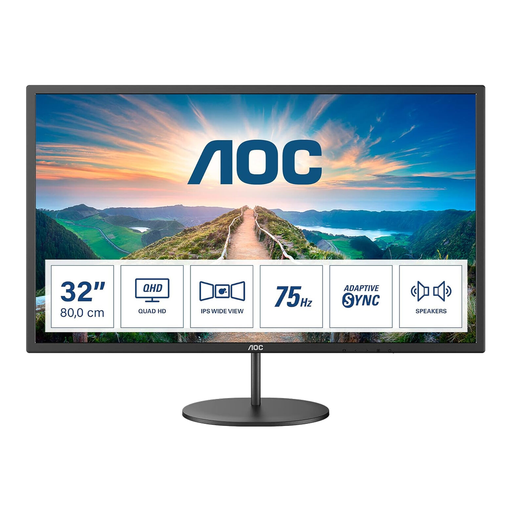
Why This Fits Their Persona: A practical choice for a first gaming and home-office display, particularly where a 34-inch ultrawide would not fit comfortably.
Its listed 75Hz refresh rate sets a realistic expectation rather than charging for esports-level speed.
31.5-inch QHD IPS panel, AdaptiveSync, integrated speakers and VESA 100 x 100mm support.
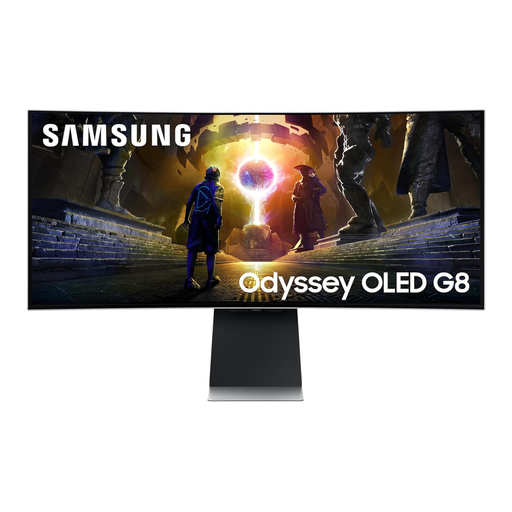
Why This Fits Their Persona: Suits users seeking an immersive ultrawide monitor with OLED contrast, smart features and a broad connection range.
The listing identifies QD-OLED technology, 3440 x 1440 resolution and 175Hz refresh rate, so the key panel details are clear.
QD-OLED panel, 0.03ms stated response time, 175Hz refresh rate, HDMI 2.1 and built-in smart functions.
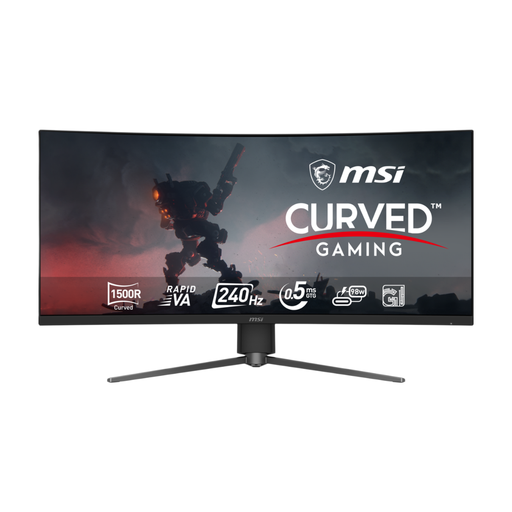
Why This Fits Their Persona: Designed around wide-screen gaming, fast motion and a desk setup that needs flexible PC and console connectivity.
It specifies the connection limits and supports UWQHD at 240Hz through DisplayPort, HDMI 2.1 and USB-C, subject to device compatibility.
3440 x 1440 resolution, 240Hz refresh rate, 0.5ms stated response time, Adaptive Sync and 98W USB-C power delivery.
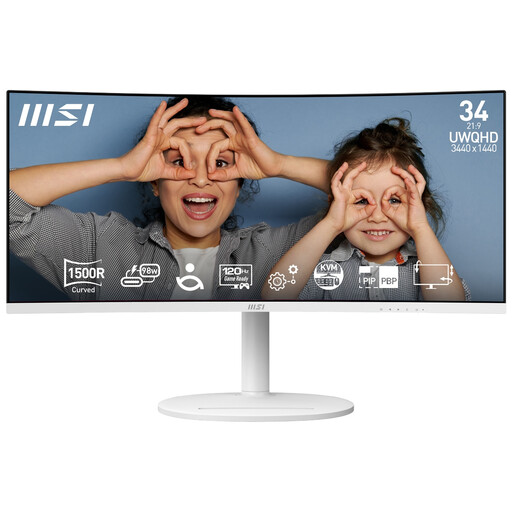
Why This Fits Their Persona: A useful ultrawide monitor for productivity, creative tasks and occasional gaming, with one-cable laptop connectivity.
Its 120Hz rating is appropriate for mixed use, while the USB-C port and stated 98W power delivery address desk-cable clutter.
34-inch 21:9 UWQHD panel, built-in KVM, USB hub, ergonomic adjustment and 95% DCI-P3 coverage listed.
We have compiled a complete, real-time list of products that fully satisfy these strict selection criteria and UK safety regulations.
Compatibility depends on the console, game and input. Consoles commonly use 16:9 output, so a 21:9 monitor may display side bars or use a scaled mode. Check the monitor’s HDMI resolution and refresh-rate support before buying. HDMI 2.1 is useful for compatible console features, but it does not automatically make every game run at a higher refresh rate.
Potentially, although consumption depends on panel type, brightness, HDR mode and operating settings. Check the product’s typical and maximum power figures rather than judging from refresh rate alone. OLED models may have different consumption patterns from LCD screens, particularly when displaying bright content.
Service life varies with usage, environment and panel technology. Keep ventilation clear, avoid moisture and direct heat, and use the supplied power accessories. OLED owners should follow the panel-care instructions and avoid leaving static desktop elements displayed for extended periods. A stated manufacturer warranty, such as the three-year cover listed on some products, should also be checked for its exact terms and exclusions.