Colour-reference creatives
If you use artwork references to judge hues and tones for web, illustration, design or video work, the exact monitor’s colour-space modes and calibration information matter more to your decision than refresh rate.


For mainly sRGB or Rec.709 artwork references, start with a colour-focused 34-inch, 3440 × 1440 ultrawide whose exact model has stated colour coverage and calibration information. A 39.7-inch, 5120 × 2160 screen makes more sense when detailed images and several tools must stay visible together, provided your desk and computer connection can accommodate it. Check laptop video and charging compatibility separately if a single-cable setup matters.
If you use artwork references to judge hues and tones for web, illustration, design or video work, the exact monitor’s colour-space modes and calibration information matter more to your decision than refresh rate.
If detailed images, reference boards and creative tools need to remain open together, compare native resolutions as well as screen sizes. LG UK lists a 39.7-inch, 5120 × 2160 option for this kind of workspace.
If you want fewer desk cables, check whether the monitor’s video input, power delivery and hub connections meet your laptop’s requirements. A USB-C connector alone does not settle those questions.
For artwork references, establish the colour space you use and the detail you need on screen before treating docking features or screen size as deciding factors.
| Concern | What to check | Who this matters to |
|---|---|---|
| Colour confidence | Match the exact model’s stated sRGB or Rec.709 modes to your references; check its calibration or colour-accuracy information. | If I use artwork to judge hues for web or video work, a wide-gamut claim alone will not tell me whether the reference is displayed appropriately. Around 36% of consumers would put colour confidence first. |
| Detail and workspace | Compare native resolution, not just diagonal size, and confirm your computer can drive it through the intended connection. | When detailed references and creative tools must remain visible together, I need enough native pixels to inspect the image while working. For around 29% of consumers, detail and workspace would be the primary concern. |
| Laptop connection | Check the required USB-C or Thunderbolt video mode and whether the monitor’s power delivery meets your laptop’s needs. | If I work from a laptop, I want the display connection and charging arrangement to fit my desk setup without assuming any USB-C cable will do both. Around 21% of consumers would prioritise that connection. |
| Desk fit and comfort | Check the stand footprint and adjustment options; look for the model’s energy label and product information sheet. | In a quiet study, I need room for the screen and a viewing position that works at my desk. Physical fit and viewing comfort would come first for around 14% of consumers. |
A broad DCI-P3 coverage figure does not, by itself, tell you how sRGB or Rec.709 artwork will be displayed.
Identify the colour space of your references, then check the exact monitor’s relevant modes and calibration information.
Screen size does not tell you the native pixel count or how much of your desk the stand will occupy.
Compare the resolution needed for your images and open tools, then measure usable desk width and depth against the model’s dimensions.
Video output, laptop charging and daisy-chaining depend on the monitor, cable and computer. Dell UK notes that daisy-chaining requires Thunderbolt and that some M-series chips may not support certain features.
Check your laptop’s video capability, the required cable and the monitor’s power-delivery rating before planning a single-cable setup.
An energy label and product information sheet can help you consider energy-related information alongside display specifications.
Look for those documents on the retailer listing when comparing otherwise suitable monitors.
The BenQ PD3420Q is a 34-inch, 3440 × 1440 IPS option for colour-reference work.
The LG 40WP95CP-W represents the larger, higher-resolution option for keeping detailed artwork and tools visible together.
The ASUS ProArt PA34VCNV combines a 34.1-inch, 3440 × 1440 creator display with USB-C docking features.
The Dell UltraSharp U3425WE is a 34.14-inch, 3440 × 1440 IPS Black display with a Thunderbolt hub.
The ViewSonic ColorPro VP3481 is a 34-inch, 3440 × 1440 colour-focused ultrawide.
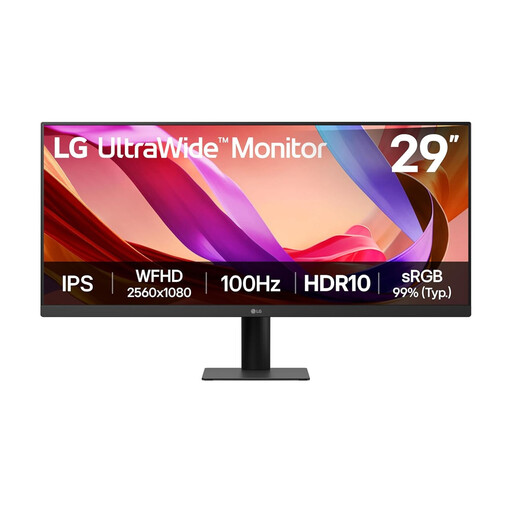
These ultrawide monitors offer two starting points for reference viewing: a 34-inch UWQHD gaming model and a smaller 29-inch UWFHD IPS model. Check the colour-accuracy information and workspace each task requires before choosing between them.
 No image available
Consider this 34-inch ultrawide if you want room for artwork references beside your working window. Its title specifies UWQHD resolution; check its colour modes and calibration information before relying on it for colour-critical decisions.
Measure your desk for the stand and confirm that its operation suits a quiet study.
 No image available
Consider this 29-inch IPS ultrawide for general reference viewing if UWFHD 1080p provides enough detail for your work. Its title lists DisplayPort, HDMI and Reader Mode.
Check colour-accuracy information before using it for colour-critical references, and decide whether its 1080p vertical resolution leaves enough room for your images and tools.
Not necessarily: for references intended for web or standard video, check the exact monitor’s sRGB or Rec.709 mode and calibration information first. Consider Display P3 or DCI-P3 coverage when your reference material or workflow uses that wider colour space; gamut breadth alone does not establish how sRGB content will appear.
It can when the monitor, cable and laptop support the required video connection and power delivery. LG UK lists Thunderbolt 4 with up to 96 W power delivery for the 40WP95CP-W; ASUS UK lists USB-C DisplayPort Alt Mode and 96 W for the PA34VCNV. Confirm your laptop’s specifications against the exact monitor before buying.
Measure usable desk width and depth, allowing for the stand and cable connections, then compare them with the exact model’s dimensions. If you plan to use an arm, check both the monitor’s mounting specification and the arm’s size and weight limits.
Yes: look for an energy label and product information sheet when comparing suitable monitors. GOV.UK describes these documents for products within the scope of its energy-information guidance; read the information for the particular model alongside its colour, resolution and connectivity specifications.