Window-side interface tester
You inspect small labels, selected filter states and result lists beside a bright window. Screen finish, brightness controls and the position of reflected light matter more to this task than a headline refresh rate.


For search-filter testing beside a bright window, consider screen finish and desk position before choosing by size alone: a matte or anti-glare surface cannot guarantee that the window will not reflect in the panel. A 34-inch 3440 × 1440 monitor is a more compact route for a browser and developer tools; a roughly 40-inch 5120 × 2160 monitor offers more vertical pixels when you need results and diagnostics visible together, provided your desk and laptop can accommodate it.
You inspect small labels, selected filter states and result lists beside a bright window. Screen finish, brightness controls and the position of reflected light matter more to this task than a headline refresh rate.
You want a browser viewport, search controls, results and developer tools visible on one continuous desktop. Native resolution and usable width help you judge whether the panes will fit without constant rearranging.
You connect a work laptop and may switch between computers. Check video support, charging output and any keyboard-and-mouse switching against your devices rather than assuming that a USB-C connector provides every function.
Start with the planned screen position and the panes you need open together. Then check whether your laptop can drive and, if required, charge from the monitor you choose.
| Concern | What to check | Who this matters to |
|---|---|---|
| Reflections and daylight | Check the exact model’s matte or anti-glare finish, and work out where the window will reflect from your seat. Compare brightness figures only when they use the same stated measurement basis. | If small filter labels and result text are difficult to inspect beside the window, controlling reflections comes before adding screen space; around 42% of consumers put window-side readability first. |
| Simultaneous testing space | Compare native resolution as well as diagonal size: 3440 × 1440 at 34 inches and 5120 × 2160 at roughly 40 inches offer different amounts of vertical space. Measure desk width, depth and stand clearance. | When controls, results and diagnostics need to remain visible together, avoiding overlapping panes is the priority; roughly 33% of consumers place workspace density first. |
| Laptop connections | Match the laptop’s video output and charging requirement to the monitor’s stated USB-C or Thunderbolt functions. If you use two computers, check how its KVM switches peripherals. | A laptop-centred desk is less convenient if it still needs a separate charger or extra connections; about 25% of consumers prioritise connection simplicity. |
VESA’s DisplayHDR tiers describe HDR performance criteria, not how a particular window will reflect in a monitor. A brightness figure likewise does not describe the reflected light at your desk.
Check the screen coating and plan the monitor angle as well as comparing HDR specifications. If possible, assess the intended position at the times of day when you test interfaces.
A 34-inch 3440 × 1440 monitor and a roughly 40-inch 5120 × 2160 monitor differ in both native workspace and physical footprint. A wider screen does not settle whether the panes you need will fit comfortably on your desk.
Decide which controls, results and tools must stay visible, then measure desk width, depth and stand clearance before increasing screen size.
A larger panel may call for a deeper desk, a monitor arm or a different screen position.
The BenQ PD3420Q, for example, specifies USB-C video through DisplayPort Alt Mode and up to 65W Power Delivery. The laptop must support the video mode, and its charging needs must fit the monitor’s output.
Compare the exact laptop and monitor specifications before planning a single-cable setup.
If the connections do not meet those needs, you may still need a separate charger, cable or dock.
Dell’s UltraSharp U4025QW is a roughly 40-inch route for a dense testing workspace with integrated hub features.
The PD3420Q is a 34-inch ultrawide option for a smaller desk setup or a laptop-and-KVM workflow.
LG’s 40WP95CP-W is a 39.7-inch 5120 × 2160 ultrawide for a high-resolution workspace and a compatible Thunderbolt laptop.
These 34-inch and 49-inch ultrawide choices offer different ways to arrange search controls, results and developer tools. Compare their native resolutions and desk requirements; the 49-inch 5120 × 1440 format is wider, but not as tall in pixels as the 5120 × 2160 models discussed above.
 No image available
Consider this 34-inch screen if a browser and developer tools need a shared workspace without moving to a 49-inch panel. Its named configuration is 3440 × 1440 at 120Hz, with a 1500R curve. For window-side use, check the screen position; confirm USB-C charging output against your laptop before relying on one cable.
 No image available
Consider the 32:9 format if you want an especially wide arrangement of testing panes and have room for a 49-inch display. The named variant is QD-OLED with Double Quad HD resolution, a 240Hz refresh rate and an 1800R curve. Measure desk space and support, follow the listed two-person handling advice, and check the planned window angle; its width should not be mistaken for extra vertical pixels.
 No image available
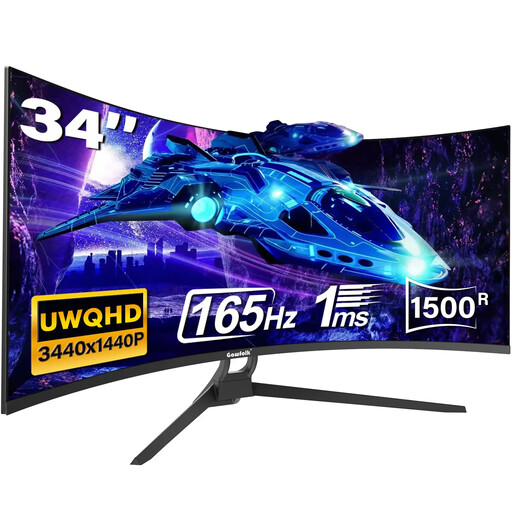
This 21:9 screen is another 34-inch format to assess for side-by-side search-filter testing. Its named variant has a 165Hz refresh rate and a 1500R curve. Type-C appears in the product title, but the detailed port list names HDMI and DisplayPort: confirm the exact connections before planning laptop video or charging through Type-C. Check the screen finish and intended position if reflections are a priority.
No. VESA’s DisplayHDR 400 label describes an HDR performance tier, including a 400 cd/m² minimum peak-luminance criterion; it is not a test of reflections at your desk. Check the screen finish, ordinary desktop-text visibility and the intended angle to the window separately.
It can when both devices support the required functions and the monitor’s charging output suits the laptop. BenQ UK, for example, specifies DisplayPort Alt Mode, data and up to 65W Power Delivery for the PD3420Q’s USB-C connection. Check your laptop’s video support and charging requirement against the exact monitor before dispensing with its usual charger.
No. An ambient-light sensor can adjust display brightness on supported models, but it does not remove a reflection of the window. Assess the monitor’s intended position and consider changing its angle or controlling daylight if the reflection crosses the text you need to inspect.
Ask the retailer about electrical-equipment take-back for the replacement purchase. GOV.UK says qualifying in-store take-back must be free and give customers at least 28 days to bring back the waste item; check the retailer’s arrangements for a full-size monitor.