What to check before buying
Start with the windows your checkout work needs open, then work through computer handover and workstation fit. Keep responsive-checkout coverage in the test plan rather than treating monitor size as a substitute for it.
| Concern |
What to check |
Who this matters to |
| Parallel workspace |
Check the native resolution and aspect ratio, and whether the computer can drive the display at the intended refresh rate. |
When I test a checkout beside developer tools and reference material, I want to keep those windows visible without constant rearranging. Around 29% of consumers put parallel workspace first. |
| Shared-desk handover |
Match USB-C video and charging capabilities to each laptop; check the required inputs, KVM connections and Ethernet port if needed. |
If two computers take turns at my desk, changing cables and peripherals disrupts the handover. Roughly 29% of consumers prioritise easier switching between systems. |
| Workstation fit |
Measure the desk and viewing position, and check stand adjustment or compatible mounting. Include the screen in the workstation assessment. |
For long sessions at a shared workstation, I need the screen positioned for the person using it, not merely large enough for the task. About 21% of consumers make workstation fit their primary concern. |
| Responsive coverage |
Plan checks at relevant viewport widths and in applicable browsers and devices, separately from the desktop monitor choice. |
A spacious desktop view helps me work, but I still need to find checkout problems at narrower widths and with relevant device interactions. For around 21% of consumers, that testing coverage comes first. |
Relevant brands to consider
These specific Dell, Samsung and LG models illustrate different connections and shared-desk features; choose against the needs of your computers and workstation.
Dell
Dell UK lists the Pro 34 Plus USB-C Hub Monitor P3425WE as a 34.1-inch, 3440 × 1440 IPS model with up to 90W USB-C power delivery and 1GbE Ethernet.
- Dell UK also lists a KVM switch, anti-glare treatment and height, tilt and swivel adjustment for this model.
- Check the intended laptop’s USB-C video and charging requirements, along with the screen’s physical fit.
Samsung
Samsung Business UK describes the 34-inch ViewFinity S6 S65UC LS34C652UAUXXU as a curved 21:9 display with USB-C, LAN and a built-in KVM switch.
- Samsung says its KVM lets one keyboard and mouse control two connected sources; it also lists Picture-in-Picture and Picture-by-Picture.
- Confirm the inputs, cables and laptop power requirements before relying on the two-computer setup.
LG
LG UK lists the 34BA75QE-B as a 34-inch curved IPS monitor with 3440 × 1440 resolution, USB-C power delivery of 90W and an RJ45 port.
- LG UK also lists Picture-by-Picture, a built-in KVM and height, tilt and swivel adjustment for this model.
- Check whether the desk needs its two-computer features and whether the display and stand fit the workstation.
Ultrawide monitors on Joybuy
These 34-inch-class monitors offer options for arranging checkout work across a wide desktop display. Before choosing one for a shared desk, check its exact connections, computer compatibility and physical fit against your setup.
 No image available
Lenovo R34w-30 34-inch UWQHD curved monitor
Consider this for arranging a desktop checkout beside supporting windows. Before using it at a shared desk, confirm the connections each computer needs and the monitor’s dimensions and positioning options.
View on Joybuy
 No image available
Philips Evnia 6000 34M2C6500 34-inch monitor
Its stated 3440 × 1440 resolution suits a wide desktop window arrangement. The product name specifies HDMI and DisplayPort inputs plus height, swivel and tilt adjustment; check separately whether your shared-desk laptops need USB-C charging or other connections.
View on Joybuy
 No image available
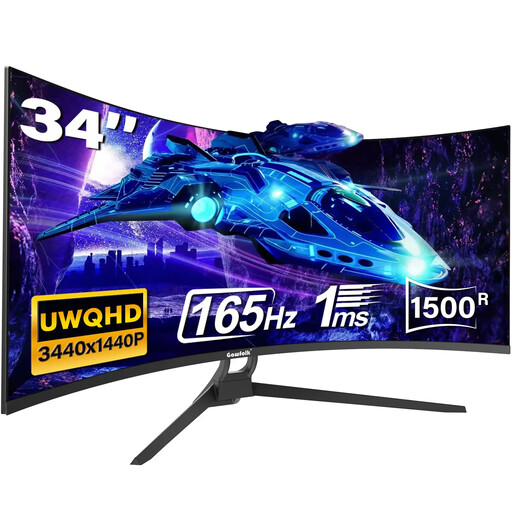
Gawfolk 34-inch UWQHD curved gaming monitor
Its stated 21:9 format and 3440 × 1440 resolution suit a wide desktop checkout workspace. The title mentions Type-C, while the detailed port information names HDMI and DisplayPort: confirm the exact USB-C video and charging capabilities before relying on them.
View on Joybuy
 No image available
LG UltraGear 34G630A-B 34-inch VA WQHD monitor
This is an option when a wide desktop display is the starting point for checkout work. Check the stated USB-C power limit against each laptop’s charging needs, and confirm video compatibility, desk fit and any required two-computer connections.
View on Joybuy
 No image available
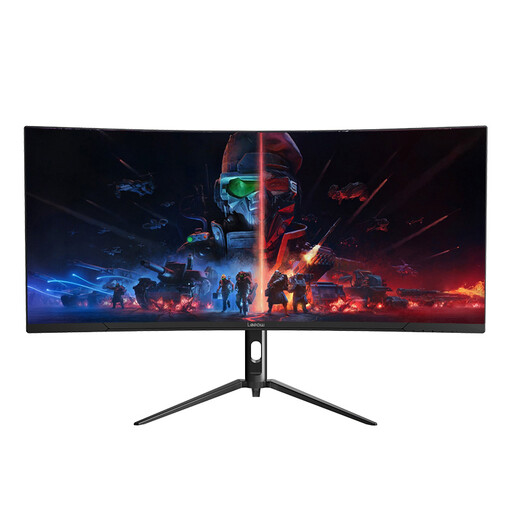
Lepow HC-SJ34MZ5 34-inch curved ultrawide monitor
The stated 3440 × 1440 resolution makes this relevant to arranging checkout and reference windows on one desktop. Check the computers’ required inputs, the stand’s positioning options and the complete screen dimensions before choosing it for a shared desk.
View on Joybuy
Common questions
Does a 34-inch monitor settle display-screen workstation requirements?
No. For UK workers who regularly use display screen equipment daily for continuous periods of an hour or more, the Health and Safety Executive advises employers to assess the workstation and reduce risks. Choose the screen and its position as part of the desk, seating and lighting setup, including when a shared-desk user changes.
Can I test a mobile checkout on an ultrawide monitor?
You can use browser tools on an ultrawide monitor to check narrower viewport widths, but the monitor alone does not reproduce every mobile environment. MDN Web Docs describes responsive-sizing tools for width checks; include applicable browsers and real devices in the checkout test plan.
When does a built-in KVM matter at a shared desk?
A built-in KVM matters most when two computers regularly use the same display, keyboard and mouse. Samsung Business UK describes that arrangement for its ViewFinity S6 S65UC, while LG UK lists KVM on the 34BA75QE-B. If you normally connect one laptop, check its video and charging needs before making KVM a priority.
Will a USB-C monitor charge every office laptop?
No; match the monitor’s power-delivery rating and video capability to the specific laptop and cable. Dell UK lists up to 90W USB-C power delivery for the P3425WE, and LG UK lists 90W for the 34BA75QE-B, but those monitor ratings do not establish compatibility with every laptop.


