Two-computer desk sharers
If two computers need to use the same keyboard and mouse, check for a built-in KVM switch and the input modes your workflow needs. Picture-by-Picture matters separately if you want both computers visible at once.


A 34-inch, 21:9 WQHD ultrawide is a useful starting point if you want a contact-form editor, browser preview and reference material visible side by side. At a shared desk, check physical fit and screen adjustment first; prioritise USB-C docking or built-in computer switching only when the laptops and the way people use the desk call for them.
If two computers need to use the same keyboard and mouse, check for a built-in KVM switch and the input modes your workflow needs. Picture-by-Picture matters separately if you want both computers visible at once.
If you keep a form builder, browser preview, copy and messages open together, a 34-inch, 21:9 WQHD screen provides a 3440 × 1440 workspace. Check that its size suits your desk and preferred window layout.
If different people connect laptops at different times, look for a screen position each can reset and confirm that USB-C video and charging work with their laptops. The Health and Safety Executive includes hot-desking in its display screen equipment guidance.
Decide whether the desk needs two computers active at once or simply needs to accommodate different laptop users; then check workspace, connections and physical fit.
| Concern | What to check | Who this matters to |
|---|---|---|
| Computer switching | Check for built-in KVM if one keyboard and mouse must control two computers; check Picture-by-Picture separately if both sources must be visible. | If two computers stay connected, I want to change control without moving peripherals. Around 40% of consumers put that switching need first. |
| Side-by-side workspace | Check for 21:9 WQHD at 3440 × 1440, then measure whether the screen and stand fit the desk. | While adjusting a contact form, I need its editor, preview and reference copy in view together. That layout need comes first for around 30% of consumers. |
| Laptop connection and positioning | Match USB-C video and charging to each laptop; check the stand adjustment and required cables. | When users take turns at the desk, I want to reconnect my laptop and reset the screen position without a lengthy setup. Roughly 30% of consumers prioritise that adaptability. |
USB-C charging power varies by monitor, and the laptop must support video through the connection. A separate charger or adapter may still be needed.
Compare the laptop’s video output and charging requirements with the exact monitor’s USB-C port and cable specifications.
KVM shares keyboard and mouse control; Picture-by-Picture shows two inputs at once. Neither is essential merely because different people use the desk at different times.
Decide whether two computers must remain connected, whether both must be visible and whether they need to share peripherals.
A broad display still needs room for its stand, keyboard and mouse, while different users may need different screen positions. The Health and Safety Executive identifies hot-desking as a display screen equipment context.
Measure the desk and check stand or monitor-arm adjustment. Where workplace display screen equipment guidance applies, assess the workstation rather than relying on screen specifications alone.
The Dell Pro 34 Plus P3425WE is a business-oriented USB-C hub option for a shared ultrawide workstation.
LG’s ultrawide range includes both two-computer workspace features and a simpler USB-C connection option.
The ViewFinity S65UC is a business ultrawide to consider when two sources need to share a desk setup.
These 34-inch ultrawides are choices to assess for keeping contact-form work and supporting windows visible together. Check each model’s connections, adjustment and desk fit separately if shared use is important.
 No image available
Consider its 34-inch WQHD format when the form editor and preview need space beside other windows.
The title specifies a VA panel and 240 Hz refresh rate. If laptop charging or two-computer control matters, check the USB-C power rating, KVM and display modes against your setup.
 No image available
Its 34-inch WQHD format is relevant if you want to arrange form-building and preview windows side by side.
The title specifies an OLED panel and 240 Hz refresh rate. Confirm the applicable USB-C charging rating before planning one-cable laptop use, and check switching modes if two computers will share the screen.
 No image available
Consider this 34-inch UWQHD model for a wide contact-form workspace, while checking that its stand and dimensions suit each desk user.
Confirm the exact native resolution and any required USB-C or computer-switching functions for this variant before purchase.
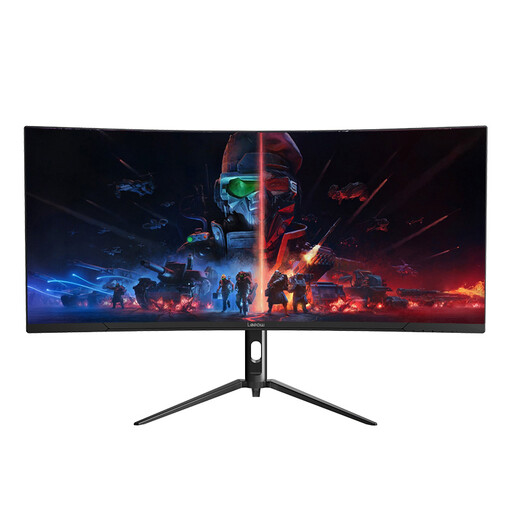 No image available
Its wide format is relevant to placing a contact-form editor alongside a browser preview.
The title specifies 3440 × 1440 resolution and a 165 Hz refresh rate. Check the stand adjustment and connection options if different people or computers will use the desk.
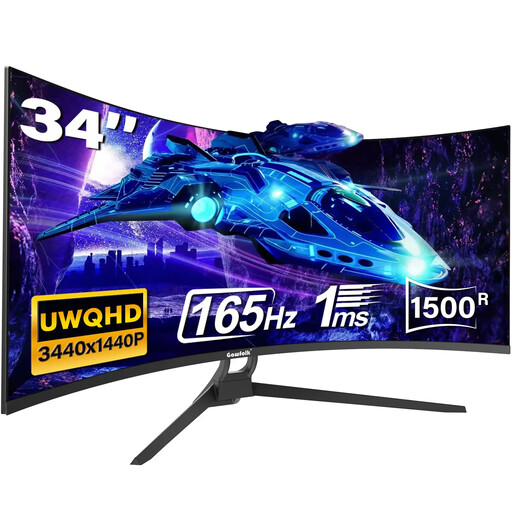 No image available
Consider its ultrawide workspace if you need form fields, a preview and reference material on screen together.
The title specifies 3440 × 1440 resolution, a 165 Hz refresh rate and VESA mounting. Confirm the exact ports and stand adjustment before relying on USB-C docking or a particular shared-desk arrangement.
Yes, the Health and Safety Executive includes hot-desking in its UK display screen equipment guidance and says workers who change desks regularly should carry out a basic risk assessment. Its guidance concerns the applicable working arrangements and workstation, not a requirement to buy a particular monitor size.
No: measure the available width and depth, including space for the stand, keyboard and mouse, and check whether each user can position the screen comfortably. Screen size alone does not establish workstation fit.
No: the laptop needs compatible USB-C video output, and the monitor’s power delivery must meet its charging needs. Dell Technologies UK lists up to 90 W for the P3425WE, while LG UK lists 90 W for the 34BA75QE-B and 65 W for the 34WR55QK-B; check the exact laptop, monitor port and cable together.
Prioritise KVM when two computers need to share a keyboard and mouse, particularly if you switch between them frequently. Samsung Business UK lists built-in KVM for the S65UC, and LG UK lists it for the 34BA75QE-B; if users connect one laptop at a time, check the docking and screen-adjustment needs before making KVM a deciding feature.