Single-laptop form designer with limited sockets
You lay out or review contact forms on one laptop and want a compatible monitor connection to carry video, data and charging, so the laptop does not need a separate charger connection at the desk.


A 34-inch, 3440 × 1440 USB-C ultrawide is a sensible starting point for laying out a contact form if your laptop can send video and receive sufficient charging through the monitor connection; the monitor itself still needs a plug socket. A simpler USB-C display may suit one laptop, while a hub model adds connections such as Ethernet and a KVM model is relevant when you regularly use two computers. Check your laptop’s charging requirement, USB-C video support and the required cables before choosing.
You lay out or review contact forms on one laptop and want a compatible monitor connection to carry video, data and charging, so the laptop does not need a separate charger connection at the desk.
You want the form builder, preview and reference material visible together. Screen space and practical window arrangement matter more to this task than gaming features.
You move between a work computer and a test device and would prefer to control both with one keyboard and mouse.
Start with the connection your laptop can actually use, then decide whether your main need is room for form-building windows or control of a second computer. A wide screen does not, by itself, remove the need for a laptop charger or shared peripherals.
| Concern | What to check | Who this matters to |
|---|---|---|
| One laptop connection | Match the laptop’s charging requirement and USB-C video capability to the monitor’s Power Delivery rating; check the required cable. | If I have few free sockets, I want the monitor connection to handle my laptop’s display and charging rather than connect a separate charger. Around 46% of consumers put that socket-saving need first. |
| Side-by-side workspace | Consider a 34-inch, 3440 × 1440 format for this layout; measure the desk and check the stand adjustment you need. | When editing a form, I want its preview and reference content in view without constantly changing windows. For around 36% of consumers, that continuous workspace is the primary concern. |
| Two-computer control | Check for a built-in KVM, not just Picture-by-Picture, and confirm the inputs and USB connections needed by both computers. | If I test the form on two computers, I want to keep one keyboard and mouse instead of switching peripherals. That shared-control need comes first for around 18% of consumers. |
A USB-C connector alone does not establish that your laptop can send video to the monitor or that the monitor can meet its charging requirement. Dell UK specifies up to 90W Power Delivery for the P3425WE, while LG UK specifies up to 65W for the 34WR55QK-B.
Check the laptop’s USB-C display capability and charging requirement against the exact monitor. LG says its included USB-C cable is required for the 34WR55QK-B’s one-cable display, data and charging arrangement.
If the connection cannot meet both needs, you may still have to use a separate laptop charger or dock.
Picture-by-Picture displays two connected sources; it does not replace their input cables or necessarily let one keyboard and mouse control both. LG UK specifies HDMI and DisplayPort connections for two-source Picture-by-Picture on the 34WR55QK-B.
Plan the connections for both computers. Choose a model with a built-in KVM if shared keyboard-and-mouse control is part of your workflow.
LG says a DisplayPort cable is not included with the 34WR55QK-B, so this setup may require an additional cable.
A wide display still has to fit at a usable viewing position, and stand adjustments differ between models. Dell UK lists height, tilt, swivel and slant adjustment for the P3425WE; LG UK lists height and tilt for the 34WR55QK-B.
Measure your desk width and depth, then check whether the supplied stand provides the adjustments your position requires.
The Dell Pro 34 Plus P3425WE is a reference point if you want a USB-C hub monitor with wired Ethernet for a compatible laptop.
The LG 34WR55QK-B offers a 34-inch USB-C ultrawide route when its stated charging capacity suits your laptop.
The Samsung S65UC is relevant if your contact-form work regularly involves two computers.
These 34-inch ultrawide choices are relevant to arranging contact-form editing and reference windows on one screen. If freeing a laptop charger socket is your priority, check the exact USB-C connection, charging requirements and supplied cable before choosing either model.
 No image available
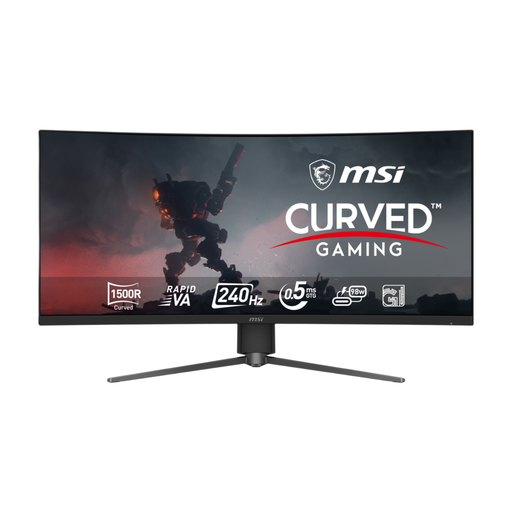
Consider its 34-inch screen when you want to keep a contact-form editor and preview alongside each other. The named variant specifies 3440 × 1440 resolution, 120Hz and a 1500R curve; check your laptop’s display and charging requirements and the supplied cable if you need a one-cable setup.
 No image available
Its 34-inch UWQHD curved format is relevant if you want space for form-building windows on one display. If you also need to charge a laptop through the monitor, check the laptop’s USB-C video support, charging requirement and the cable supplied with this variant.
It can remove the need to plug in a separate laptop charger if the laptop supports video over the monitor connection and can charge within its Power Delivery limit. The monitor itself still needs mains power, so compare the laptop’s requirements with the exact model before relying on this setup.
It is worth considering if you want a form builder, preview and reference content visible side by side on one screen. How well those panes fit still depends on your software and window arrangement; measure your desk before choosing a 34-inch display.
A built-in KVM is useful when you regularly control two connected computers with one keyboard and mouse. If your work stays on one laptop, check its USB-C connection first rather than choosing a KVM solely for the contact-form layout.
Use an electrical reuse or recycling route rather than putting the monitor in general waste. GOV.UK identifies the Waste Electrical and Electronic Equipment Regulations 2013, as amended, as the UK’s underpinning electrical-waste legislation; Recycle Your Electricals offers a postcode locator for recycling, donation and repair options.