
24/7 Customer Support

Free returns

Same-day & Next-day Delivery

Quality Guaranteed

Unlock Your Welcome Offers: FREE Delivery | Up to 80% OFF | Free 30-day JoyPlus trial
Download the APP
The search for the perfect gaming monitor can feel overwhelming. You're looking for that ideal combination of immersive visuals, competitive speed and vibrant colours that brings your games to life. An ultrawide OLED gaming monitor represents the pinnacle of this technology, offering deep, true blacks and near-instantaneous response times that other panel types struggle to match.
This guide is designed to help you navigate the key features and specifications of the latest models. We'll break down what truly matters for a high-end gaming experience and present a few standout options to consider for your setup.
Making the right choice involves looking beyond the marketing and focusing on the specifications that directly impact your gameplay. Here are a few crucial factors to keep in mind.
For fast-paced titles, smoothness and clarity are paramount. A 240Hz OLED gaming monitor updates the image 240 times per second, providing exceptionally fluid motion. This is paired with OLED's characteristic response time, often as low as 0.03ms (GtG). This combination virtually eliminates motion blur and ghosting, giving you a tangible advantage where every millisecond counts. While 144Hz or 175Hz is still excellent for immersive single-player games, the 240Hz standard is becoming the new benchmark for enthusiast-level performance.
The two dominant types of OLED panels in monitors are WOLED (White OLED) and QD-OLED (Quantum Dot OLED).
Both technologies deliver the infinite contrast and pixel-level dimming that OLED is known for. The choice often comes down to a preference between peak brightness and colour volume.
If you're a multi-platform gamer, connectivity is key. Look for monitors with HDMI 2.1 ports to get the most out of a gaming monitor for PS5 or Xbox Series X, enabling features like 4K at 120Hz (downscaled on a WQHD monitor) and Variable Refresh Rate (VRR). For PC, DisplayPort 1.4 is essential for achieving the highest refresh rates at native resolution. Features like being G-Sync Compatible or supporting AMD FreeSync Premium Pro ensure a tear-free, smooth experience regardless of your graphics card.
Here are a few ultrawide OLED monitors that deliver on the promise of a premium gaming experience.
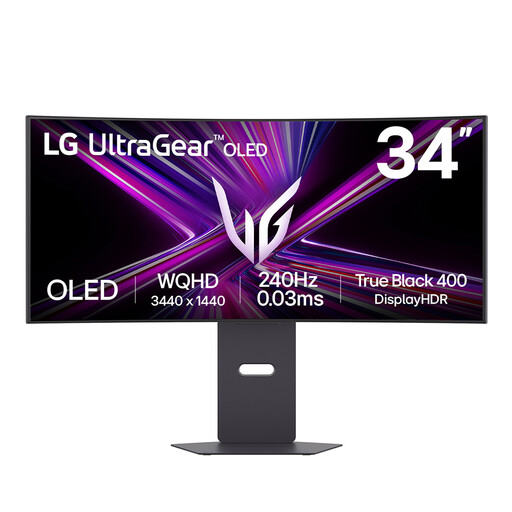
Why It Stands Out: The LG UltraGear 34GX900A-B is built for speed without compromising on immersion. Its aggressive 800R curved ultrawide monitor design wraps around your field of view, while the combination of a 240Hz refresh rate and a 0.03ms response time provides elite-level motion clarity. The inclusion of MLA+ technology pushes the brightness to impressive levels for an OLED panel, making HDR content pop.
Pros:
Who is it for? Competitive PC gamers who prioritise refresh rate and response time above all else but still want a deeply immersive and vibrant display for all types of gaming.
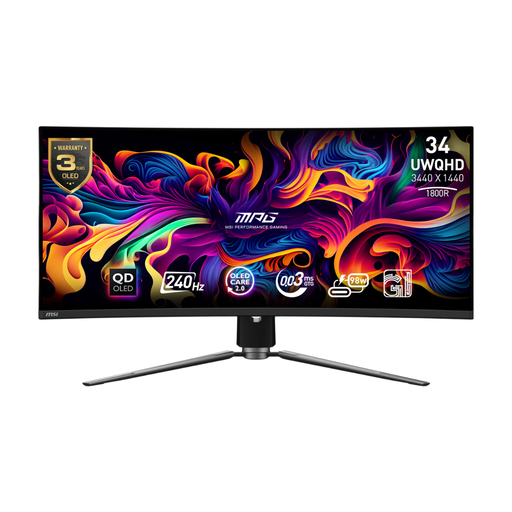
Why It Stands Out: This monitor from MSI leverages a second-generation QD-OLED monitor panel to deliver outstanding colour performance, covering 99.3% of the DCI-P3 colour space. It matches the top-tier speed with a 240Hz refresh rate and 0.03ms response time. Thoughtful features like a fanless heatsink design for silent operation and a powerful KVM switch for controlling multiple devices with one set of peripherals make it a practical choice for complex setups.
Pros:
Who is it for? Gamers and content creators who demand both top-tier speed and exceptional colour fidelity. The powerful connectivity and KVM features also make it ideal for users who switch between a gaming PC and a work laptop.
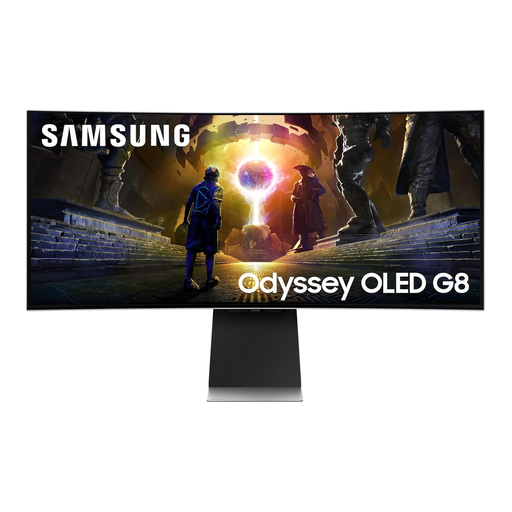
Why It Stands Out: The Samsung Odyssey G8 takes a different approach by integrating a full smart TV platform (Tizen OS) directly into the monitor. This allows you to access streaming apps and cloud gaming services without even turning on your PC. Its QD-OLED panel provides a stunning visual experience, and the unique OLED Glare Free technology effectively minimises reflections. While its 175Hz refresh rate is slightly lower than the others, it remains incredibly smooth for all but the most elite competitive players.
Pros:
Who is it for? The gamer who wants a versatile display that serves as the centre of their entire entertainment setup, seamlessly switching between PC gaming, console gaming and media streaming.
If the models above don't perfectly match your needs, or if you're curious about different specifications and price points, there are many other excellent displays to consider.
? Explore our full range of 1440p OLED monitors to find the perfect fit for your desk.
For many enthusiasts, the answer is a firm yes. The 21:9 aspect ratio provides a wider field of view in supported games, increasing immersion significantly. When combined with OLED technology's per-pixel lighting, you get an unparalleled combination of deep blacks, vibrant colours and incredible motion clarity that makes it one of the most premium gaming experiences available.
OLED burn-in, or image retention, can occur when a static image (like a taskbar or in-game HUD) is displayed for extremely long periods, causing those pixels to age unevenly. Modern OLED monitors include a suite of protective features to mitigate this risk, such as pixel shifting, static logo detection and screen savers. For typical gaming and desktop use, and by enabling these features, the risk is minimal for most users.
Yes, you can. The PS5 supports the 1440p resolution common to these monitors. However, it does not currently support the 21:9 ultrawide aspect ratio for gameplay. This means you will typically see black bars on the left and right sides of the screen. Despite this, you still benefit from the monitor's high refresh rate (up to 120Hz), low response time and superior HDR performance, making it a great option for a gaming monitor for PS5.