
24/7 Customer Support

Free returns

Same-day & Next-day Delivery

Quality Guaranteed

Unlock Your Welcome Offers: FREE Delivery | Up to 80% OFF | Free 30-day JoyPlus trial
Download the APP
An under-desk walking pad treadmill can make it easier to add movement during a home-working day, but the wrong design may quickly become inconvenient. UK buyers often focus on headline features such as motor power, incline percentage or app connectivity, while overlooking practical details that affect daily use.
Three common buying traps are worth avoiding:
The right walking pad treadmill for home should fit your available space, walking habits, body weight and preferred controls rather than simply offering the longest list of features.
Measure the space beneath and around your desk before ordering. Allow room behind the machine for safe movement, and check whether the treadmill can be stored vertically or slid beneath a sofa or bed.
A compact treadmill can be useful in a flat, spare room or home office, but a shorter running belt may feel restrictive for users with a longer stride. For example, the Lichico under-desk model measures 120 cm x 50 cm x 10.5 cm, while another Lichico walking pad lists a 40 x 100 cm running surface. Compare these figures with your stride and intended walking speed.
Look for transport wheels, a manageable product weight and a folding walking pad design only if the folding mechanism does not compromise stability. “Portable” should mean practical to relocate, not merely thinner than a conventional running machine.
Most under-desk treadmill users need a steady walking pace rather than running performance. The CITYSPORTS PRO offers a stated speed range of 1–6 km/h, which covers slower desk walking and faster home exercise. A model such as the Mobvoi Home Treadmill Ultra lists speeds up to 12 km/h, making it more suitable for users who want a separate walking and running machine.
A 9% auto incline treadmill can increase the challenge of a walking session, but it may not be suitable while working at a computer. Check whether the incline is adjusted manually or electronically, and whether the remote control operates both speed and incline. Incline walking can also require more clearance and may alter your posture.
Never treat the maximum user weight as a suggested target. The Lichico and MERACH models listed here specify a 130 kg capacity, while the CITYSPORTS PRO specifies 120 kg. Choose a machine whose stated limit is comfortably above the user’s weight and follow the supplied instructions.
A shock-absorbing treadmill may feel more comfortable than a basic hard deck, but cushioning does not eliminate impact or guarantee suitability for every user. People using a treadmill as part of rehabilitation should ask an appropriate healthcare professional whether the equipment and pace are suitable.
Noise depends on the motor, belt, surface and walking style. The MERACH listing states a motor noise level of under 45 dB, while the CITYSPORTS PRO description refers to noise-reduction technology and a cushioned belt. In an upstairs flat, place the machine on a stable, level floor and consider a suitable protective mat if permitted by the manufacturer.
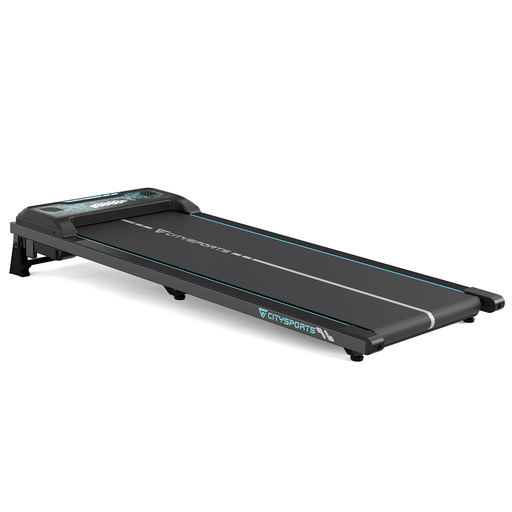
Why This Fits Their Persona: A practical choice for beginners wanting a straightforward under-desk treadmill for walking at home or in a UK office without assembly.
The stated 1–6 km/h range keeps the focus on walking, while the remote control and LED display make basic operation clear.
No assembly is specified; transport wheels, a safety key, shock-absorbing belt and 120 kg capacity are listed.
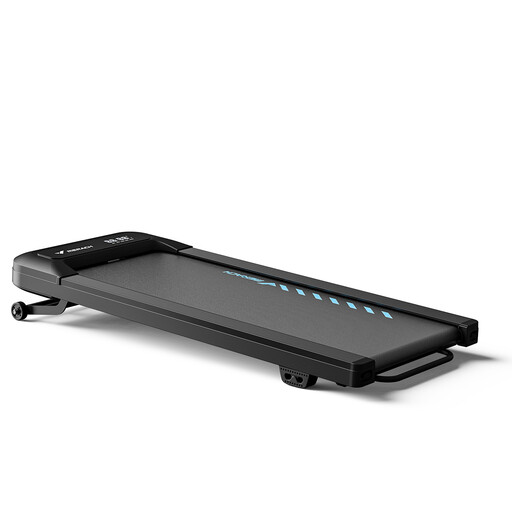
Why This Fits Their Persona: Suitable for buyers who want app connectivity, incline adjustment and multiple walking modes in a home office treadmill.
Its stated 1–6 km/h range and remote-controlled 9% auto incline allow users to select between desk walking and more focused sessions.
The listing includes a five-layer belt, dual cushioning, LED display, transport wheels, remote control and MERACH app compatibility.
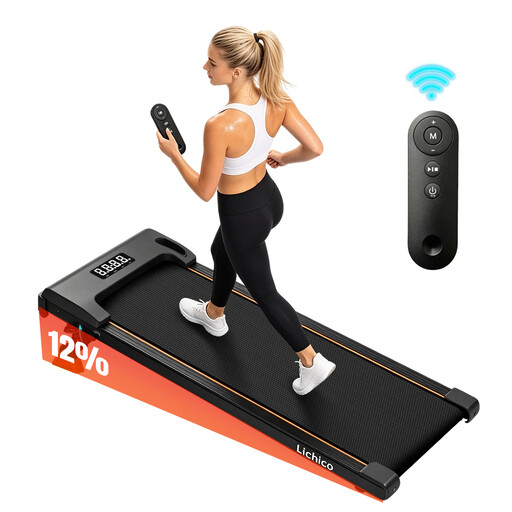
Why This Fits Their Persona: A 130 kg treadmill option for users prioritising a higher stated capacity and incline-based home walking.
The specified 130 kg maximum capacity is clearly stated, helping shoppers compare load limits rather than relying on motor power alone.
The product name specifies a 9% incline, remote control and 130 kg user capacity for home exercise.
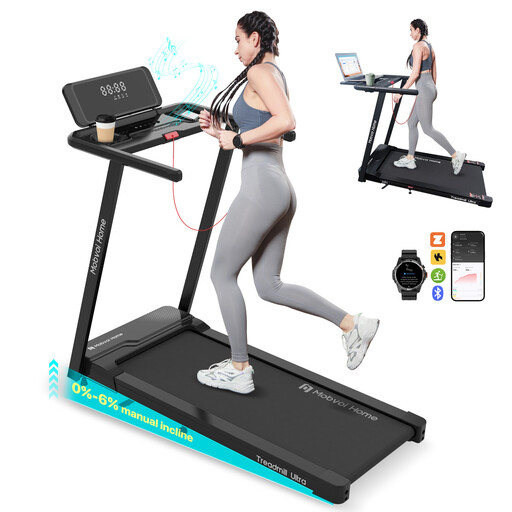
Why This Fits Their Persona: Designed for users who want a larger running surface, holder space and compatibility with selected fitness platforms.
Its product listing provides a specific 6% gradient and 120 kg capacity, making the key limits easier to assess before purchase.
The listing includes a 2.5 HP motor, 6% gradient, speeds up to 12 km/h and compatibility references for TicSports, Zwift and Kinomap.
We have compiled a complete, real-time list of products that fully satisfy these strict selection criteria and UK safety regulations.
Before using an electric walking treadmill, place it on a flat, stable surface with clear space behind it. Keep cables away from the belt, use the safety key where supplied and keep children and pets away during operation. Check the manual for any requirement to unplug the unit after use.
Electricity cost depends on the motor’s actual power draw, session length and your household tariff. Horsepower is not a direct running-cost figure, so compare the product’s wattage or energy information where available. Regularly clean the belt, check alignment and apply lubricant only as directed.
It can be suitable for light walking, provided the desk height, belt width and speed allow you to maintain stable posture. Start slowly and avoid using incline or faster speeds during tasks requiring concentration.
Lifespan depends on build quality, user weight, frequency of use, belt maintenance and storage conditions. Keeping the belt clean, using the correct lubricant and following the stated capacity can help reduce avoidable wear. Always check the warranty and replacement-part information before ordering.
They generally use less electricity than many larger gym machines, but the exact cost varies. To estimate it, multiply the treadmill’s power consumption in kilowatts by your usage hours and electricity tariff. Check the specification sheet for the most reliable figure.