
24/7 Customer Support

Free returns

Same-day & Next-day Delivery

Quality Guaranteed

Unlock Your Welcome Offers: FREE Delivery | Up to 80% OFF | Free 30-day JoyPlus trial
Download the APP
Buying a Unitree humanoid robot is a significant decision for a home, classroom, laboratory, studio or business. These machines combine articulated movement, cameras, AI voice interaction and programmable functionality, but product pages do not always make the practical differences easy to identify.
The main risk is paying for features that do not match your intended use. A robot designed for demonstrations may not suit development work, while a model with more degrees of freedom may require additional space, supervision and technical knowledge.
This guide compares the available options and highlights the specifications that matter before you order.
A short video may show dancing, walking or interaction in a carefully prepared environment. That does not necessarily mean the robot will perform the same way in a busy room, on uneven flooring or near furniture.
A bipedal robot needs a clear operating area. The Unitree G1 Pro guidance recommends an open area of at least 6 m × 6 m for large movements such as dancing. For smaller models, you should still remove stairs, fragile objects, loose cables and other obstacles before operation.
A higher degree-of-freedom count can provide more articulated movement, but it may also mean more moving joints to supervise and more opportunities for accidental pinching. Degrees of freedom are not a complete measure of software capability, camera quality or ease of use.
For example, the R1 Air has 20 DOF, the R1 has 26 DOF and the G1 Pro lists 29 total degrees of freedom, including 16 joint degrees of freedom. Consider what movements your project needs rather than selecting by one number alone.
An AI voice interaction robot can communicate through an AI voice model, but voice recognition may vary with background noise, pronunciation and network or software conditions. Visual perception also has limits. A monocular camera, for example, may not identify every transparent surface, thin object or sudden change in elevation.
Do not rely on a humanoid robot for emergency alerts, medical assistance, security-critical decisions or unsupervised care. These products are intended for applications such as research, education, entertainment and human–robot interaction.
The degree-of-freedom specification indicates how many independent movements the robot can control. It is useful when comparing gesture range, body articulation and programming potential.
However, check the full product documentation for joint layout, movement restrictions and permitted operating modes. Never force a powered limb beyond its natural range, as this can damage servos or encoders.
The R1 Air is listed with a monocular camera, while the R1 is described as having a dual-camera system. Camera configuration can affect visual interaction, demonstrations and development projects, but it does not guarantee complete obstacle detection.
If your project involves navigation, examine the supported software, camera access, lighting requirements and available development tools. Keep the operating area clear even when the robot has visual perception.
A programmable humanoid robot needs more than floor space. Allow room for safe movement, charging and storage. Keep hands, hair and loose clothing away from articulated joints, and supervise operation around children, pets and vulnerable people.
Operate indoors on a flat, dry surface. Follow the supplied charging instructions, keep firmware updated through official channels and avoid unauthorised modifications. Before buying, confirm warranty terms, included accessories, delivery arrangements and whether the model version matches your software requirements.
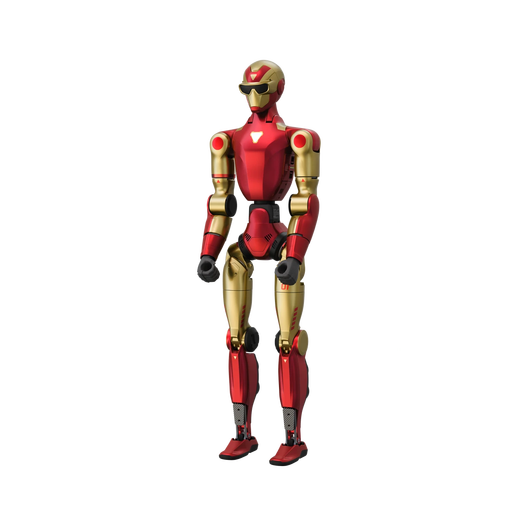
Why This Fits Their Persona: A practical starting point for buyers exploring embodied intelligence, voice interaction or educational demonstrations without immediately selecting the highest listed specification.
Its specification clearly identifies a 20-DOF configuration and monocular camera, helping buyers avoid paying for capabilities they may not require.
20 degrees of freedom; AI voice model for interactive communication; red and gold finish.
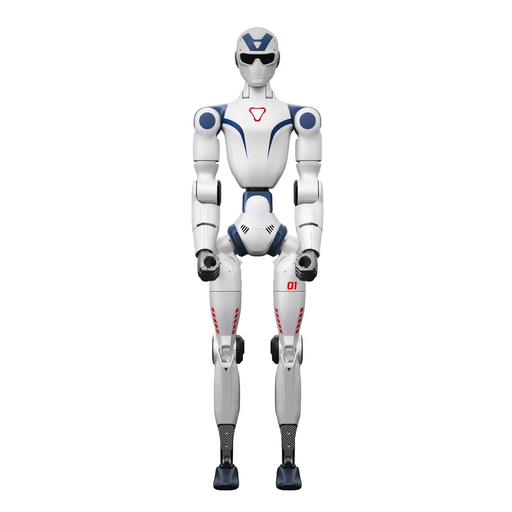
Why This Fits Their Persona: Suits buyers who want a broader movement and vision specification for interactive demonstrations, development or more demanding home and studio projects.
The dual-camera and 26-DOF details make the configuration easier to distinguish from the R1 Air, while the safety guidance reinforces the need for supervised operation.
Dual-camera system; 26 degrees of freedom; AI voice model for smart interactive communication.
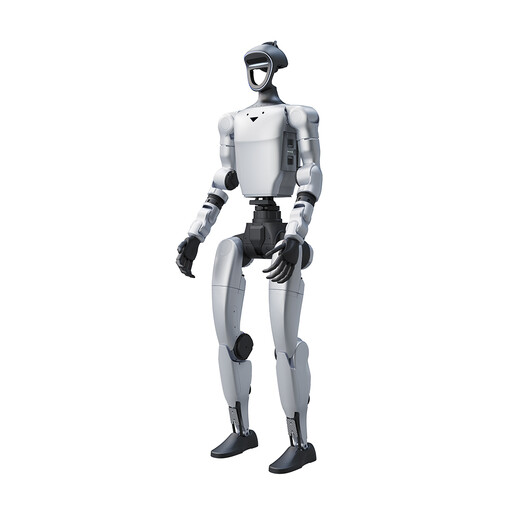
Why This Fits Their Persona: Designed for users considering entertainment, commercial performances, content creation, interactive companionship or structured robotics projects.
The published guidance highlights the required 6 m × 6 m open area for large movements, making space and supervision part of the buying decision.
29 total degrees of freedom; 16 joint degrees of freedom; listed for commercial performances and content creation.
We have compiled a complete, real-time list of products that fully satisfy these strict selection criteria and UK safety regulations.
It may be suitable if you have a dry, level indoor area with sufficient clearance and can supervise every session. Keep children, pets, loose clothing and fragile items away from moving joints. It should not be used as a medical device or for emergency communication.
Running costs depend on charging frequency, electricity use, software requirements, maintenance and any replacement components. The supplied product information does not establish a single running-cost figure, so check the battery, charger, warranty and support details for the exact model before ordering.
They are marketed for embodied intelligence, research, education, entertainment and interactive use, but programming features can differ by model and version. Ask the seller to confirm supported development tools, interfaces, documentation and firmware access for your intended project.