What matters when choosing?
Start with the engine and 3D tools you will use, then check the exact desktop configuration against your scene complexity, build routine and local storage needs.
| Concern |
What to check |
Who this matters to |
| Scene headroom |
Check installed RAM, the discrete GPU model and its stated graphics memory. Epic Games recommends 32 GB of RAM and at least 8 GB of graphics memory for Unreal Engine. |
I work on complex Unreal Engine scenes and need room for the editor and graphics-heavy assets; around 42% of consumers put scene headroom first. |
| Builds and storage |
Check installed RAM, SSD type and capacity against your tools, projects and asset library. Unity Technologies recommends high-IOPS storage for builds that read and write many small files. |
My work involves frequent builds and a growing collection of project files, so storage and iteration take priority; roughly 33% of consumers share that primary need. |
| Level design and 3D assets |
If Blender is central to your work, compare the CPU, RAM and graphics memory with the Blender Foundation’s recommendations of eight cores, 32 GB and 8 GB respectively. |
I create 3D assets as well as laying out levels and need one machine for both tasks; about 25% of consumers prioritise that combined workflow. |
Brands to consider
These brands offer different desktop configurations to assess; the details below apply to the named ranges or examples, not every machine bearing the brand.
3XS / Scan
A creator-oriented desktop range to consider if you want a clearly specified workstation configuration.
- Scan Computers lists a 3XS RTX Studio Pro configuration with 32 GB of DDR5 RAM, an RTX 5070 Ti with 16 GB of graphics memory and a 2 TB M.2 SSD.
- Check the configuration you select; those components describe the cited system, not every 3XS desktop.
HP OMEN
A prebuilt gaming-desktop range whose individual configurations can be compared with level-design requirements.
- HP Store UK lists an OMEN 35L GT16-1402na configuration with 32 GB of RAM, a 1 TB SSD and an RTX 5070 with 12 GB of graphics memory.
- Assess the listed SSD capacity against your own projects and asset library rather than assuming it will accommodate every workflow.
CyberPowerPC UK
A configurable gaming-PC range for comparing particular CPU, memory, graphics and storage combinations.
- CyberPowerPC UK lists RTX 5070 configurations with 32 GB of DDR5 RAM, 12 GB of graphics memory and NVMe storage options.
- Memory and storage vary between configurations, so check the individual desktop rather than relying on the range name.
Dell Pro Precision
A professional-workstation range to examine when your work calls for a particular processor, memory or professional configuration.
- Dell UK presents the Pro Precision 9 T2 as a configurable desktop.
- Dell UK notes that changing selections can alter other specifications; review the complete chosen configuration before comparing it with a gaming desktop.
Joybuy desktop choices
These gaming and creator-oriented towers are options to compare for Unity, Unreal Engine and related 3D work. Check each machine’s stated RAM, graphics memory and storage against your own projects; the workstation route discussed above is a separate decision.
 No image available
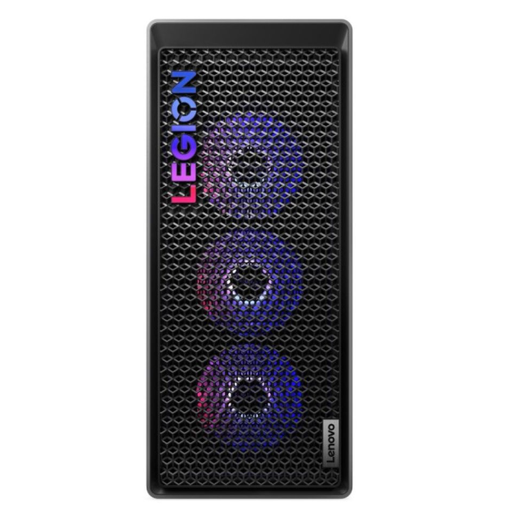
Lenovo Legion T7 34IAS10, Core Ultra 7 265K, RTX 5070 Ti
Consider this tower for level-design projects where installed memory and a discrete GPU are priorities. It lists 32 GB of RAM, a 1 TB SSD and Windows 11 Home.
Check whether the usable SSD space will accommodate your engines, projects and asset library, and confirm that the tower fits your space.
View on Joybuy
 No image available
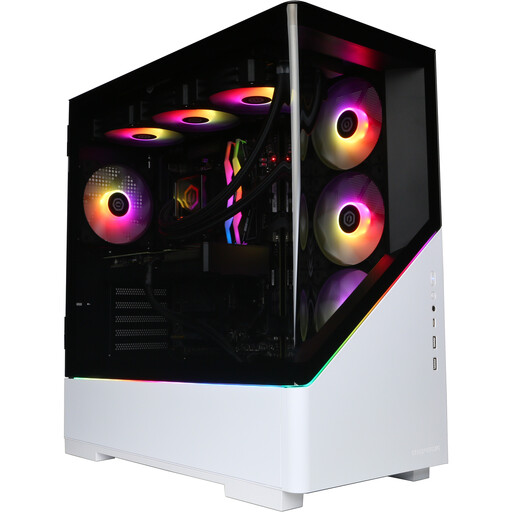
CyberPowerPC JOYB1013, Ryzen 7 9800X3D, RTX 5080 16 GB, white
For level design combined with substantial local asset storage, this configuration lists 32 GB of DDR5 RAM and a 2 TB NVMe SSD. Its RTX 5080 has 16 GB of graphics memory, and it comes with Windows 11 Home.
The listing says a monitor, keyboard, mouse, headset and mousepad are not included; account for any you need.
View on Joybuy
 No image available
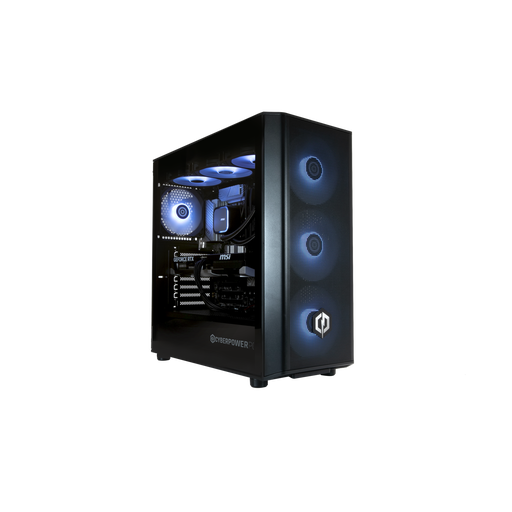
CyberPowerPC JOYB1010, Core Ultra 7 265KF, RTX 5070 12 GB, black
Consider this configuration if your level-design work calls for 32 GB of DDR5 RAM and a discrete GPU with stated graphics memory. It lists an RTX 5070 with 12 GB, a 1 TB NVMe SSD and Windows 11 Home.
The listing says a monitor and peripherals are not included. Check the usable SSD space for your projects and connect displays to the NVIDIA graphics card as directed for this configuration.
View on Joybuy
 No image available
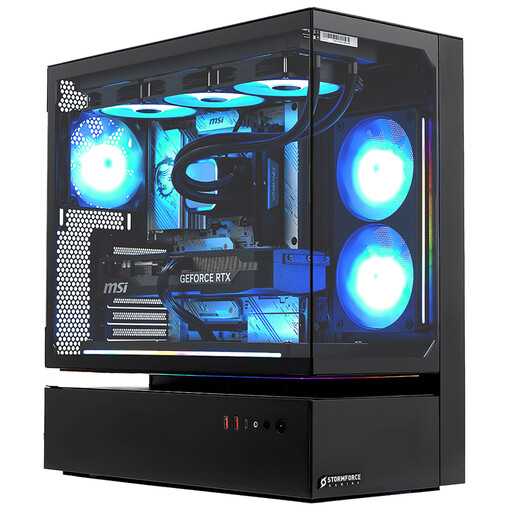
Stormforce Cyclone, Core i7, RTX 5080, 32 GB RAM
For level-design projects with a larger local asset library, this tower lists 32 GB of RAM and a 2 TB SSD, alongside an RTX 5080 and Windows 11.
Its stated weight is 22 kg. Plan a stable position, and confirm which display outputs are available on the supplied configuration.
View on Joybuy
 No image available
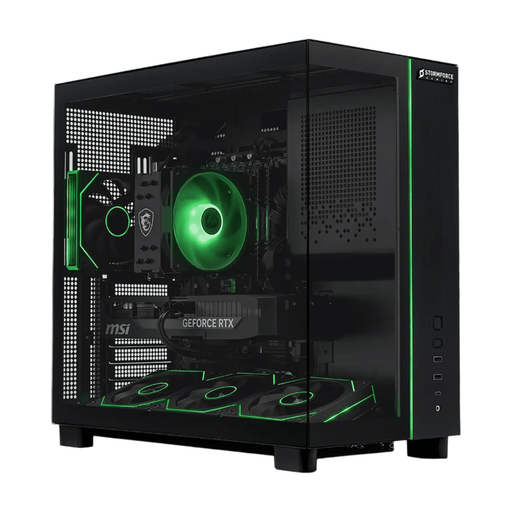
Stormforce Defiance, Ryzen 7 5700X, RTX 5070, 32 GB RAM
For level design with local project storage, this configuration lists 32 GB of RAM and a 2 TB SSD, alongside an RTX 5070 and Windows 11.
Confirm the graphics card’s memory before choosing it for Unreal Engine or Blender work. The stated tower weight is 24 kg, so check its dimensions and plan a stable position.
View on Joybuy
Frequently asked questions
Is 32 GB of RAM a sensible starting point for level design?
Yes, particularly if Unreal Engine 5 or Blender is central to your work: Epic Games and the Blender Foundation each list 32 GB in their recommended hardware. Unity Technologies says larger and more complex projects require additional RAM, so judge the amount against your scene size and the tools you run together.
Should I focus on SSD capacity or build performance?
Check both for your level-design workflow. Unity Technologies recommends high-IOPS storage for builds because the editor reads and writes many small files; you also need enough capacity for installed tools, projects and assets on the particular desktop.
Can I cancel an online desktop order after delivery?
For most UK online desktop purchases, GOV.UK describes a change-of-mind cancellation period of up to 14 days after delivery. Check the applicable exceptions and the seller’s cancellation instructions, particularly if you are ordering a customised configuration; remedies for faulty or misdescribed goods are separate.
What if the desktop arrives faulty or differs from its description?
A desktop that does not conform to its contract may qualify for remedies under the Consumer Rights Act 2015. Section 22 sets a 30-day limit for the short-term right to reject, subject to the Act’s conditions; keep the listing and order confirmation so you can identify the configuration supplied.


