What should you check before choosing?
Confirm the course software first. Then assess the specification, daily carrying needs and, for a refurbished laptop, the condition of the particular unit.
New laptop
Consider it when: you want to choose a current configuration without assessing the wear on an individual used device.
Still check: a new laptop is not automatically compatible with specialist course software.
Refurbished laptop
Consider it when: the seller documents the exact configuration, condition, included charger and support for the unit.
Allow for: battery and port condition, operating-system support and warranty terms need checking for that particular device.
| Priority | What to check | Your needs |
|---|
| Course compatibility |
Check the department’s software list, operating system and processor requirements. For hardware-connected work, confirm the required ports and interfaces; the University of Nottingham notes possible ARM compatibility limits for electrical and electronic engineering. |
If my course uses specialist applications or equipment, I need confirmation that the laptop can run and connect to them—not just handle essays and web browsing. |
| Memory and storage |
Match RAM and SSD capacity to course guidance and file sizes. The University of Hertfordshire recommends at least 8GB RAM and a 256GB SSD for most students; the University of Bristol advises 16GB RAM where possible. |
I want enough room for coursework and everyday multitasking, but heavier project files or applications may call for a different configuration. |
| Campus use |
Check weight, charging arrangements, screen size, webcam, microphone and the ports needed for displays or accessories. |
Between accommodation, classes and online meetings, I need a laptop that is practical to carry and has the connections I actually use. |
| Refurbished condition |
Confirm the exact configuration, battery and port assessment, charger, warranty duration and support route for the individual unit. Check the seller’s written terms rather than assuming a manufacturer programme applies. |
If I choose refurbished, I want to know what has been checked and who will help if that particular laptop develops a fault. |
Which brand programmes are relevant?
These references concern particular operating-system choices or manufacturer programmes; a brand name alone does not establish course compatibility or the condition of a listed device.
Apple
Consider a Mac where your institution confirms that the required course software works on macOS.
- Apple says its UK Certified Refurbished products include a one-year limited warranty.
- Loughborough University identifies engineering software that does not run on Apple devices; check your own course’s applications.
Dell
A Windows laptop or a Dell Outlet device may be worth assessing against your course requirements.
- Dell says its Outlet systems receive the same limited hardware warranty as new systems.
- Check the precise model, configuration, condition and applicable terms rather than extending the Outlet statement to other refurbished listings.
Lenovo
Lenovo offers Windows laptops and a separate Certified Refurbished programme.
- Lenovo says devices in its Certified Refurbished programme are inspected, restored and tested by its technicians.
- That programme description does not establish the testing or condition of every used Lenovo device; inspect the terms for the exact listing.
Joybuy laptop options for study
These laptop configurations offer different screen sizes, memory, storage and operating-system choices for study. Compare each one with your department’s software requirements before deciding; the list is not a course-specific compatibility recommendation.
 No image available
Lenovo IdeaPad Slim 3 15.3-inch 83K7009MUK
For coursework across several applications, this configuration lists an AMD Ryzen 5 7535HS, 24GB DDR5 RAM and a 512GB PCIe SSD. It has a 15.3-inch WUXGA display and Windows 11 Home. Check course-software compatibility and the battery information if you expect to study away from a charger.
View on Joybuy
 No image available
HP OmniBook X Flip 16-as0004na
This 16-inch touchscreen 2-in-1 configuration lists an Intel Core Ultra 5 226V, 16GB RAM, a 512GB SSD and Windows 11 Home. If the convertible design appeals for study, confirm that its size, course-software compatibility and battery information meet your day-to-day needs.
View on Joybuy
 No image available
ASUS Vivobook 14 X1407QA-LY003W
For study that calls for a 14-inch laptop, this model lists 16GB RAM, a 512GB SSD and a Snapdragon X processor. Snapdragon X uses ARM architecture: the University of Nottingham warns that ARM-based devices may not support all required engineering software or hardware interfaces, so confirm your course’s requirements before choosing it.
View on Joybuy
 No image available
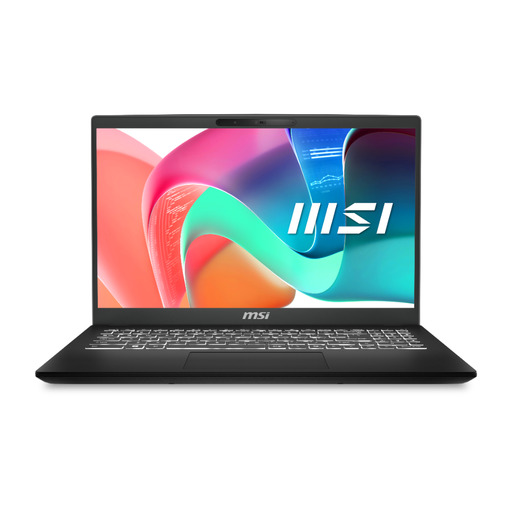
MSI Modern C2RMG-282UK 15-inch
For coursework involving several applications and files, this model lists an Intel Core 5, 16GB DDR IV RAM and a 512GB SSD. Its stated connections include USB-A, USB-C and RJ-45 Ethernet. Confirm the installed operating-system version and course-software compatibility before buying.
View on Joybuy
 No image available
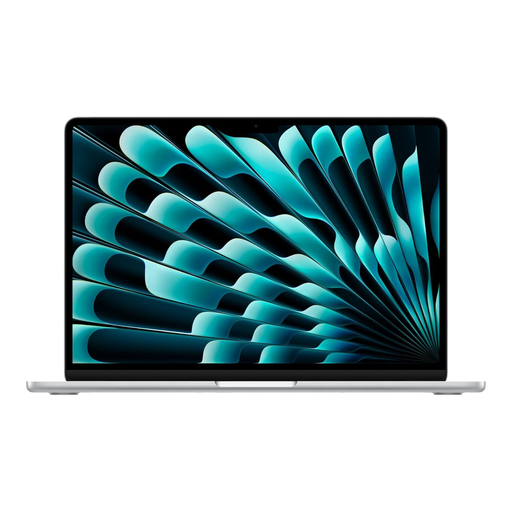
Apple 13-inch MacBook Air (2026), M5, Silver
For coursework on a Mac, this configuration lists an M5 chip with a 10-core CPU and 8-core GPU, 16GB memory and a 512GB SSD. Confirm that your course applications run on macOS; Loughborough University identifies engineering software that does not run on Apple devices. Check weight and battery information if carrying and unplugged use matter to you.
View on Joybuy
Frequently asked questions
What specification should I start with for university coursework?
For many non-specialist courses, start with at least 8GB RAM and SSD storage, then check your department’s requirements. The University of Hertfordshire recommends at least 256GB of SSD storage for most students, while the University of Bristol advises 16GB RAM where possible. Specialist applications may call for a different configuration.
Should I choose Windows or macOS for a technical course?
Choose only after checking the department’s software and hardware requirements. UWE Bristol describes Windows as the most compatible choice for university and specialist software; Loughborough University identifies an engineering application that does not run on Apple devices. For its electrical and electronic engineering workflows, the University of Nottingham also warns about possible ARM software and interface limitations.
Can a Chromebook or tablet be my main study device?
Not if your course requires installed desktop software that the device cannot run. Check the institution’s supported platforms and applications before relying on a Chromebook or tablet; it may still serve for reading, notes or browser-based tasks where those meet your needs.
What should I check on a refurbished laptop?
Check the exact model, operating-system support, RAM, SSD, battery and port condition, included charger, and the seller’s written warranty and support process. Apple, Dell and Lenovo describe terms for their own refurbishment or outlet programmes, but those terms do not automatically apply to other sellers.
Does a warranty replace my consumer rights?
No. Citizens Advice explains that warranties and guarantees add to legal rights. Read the warranty’s duration, remedies and claim process, and keep its paperwork alongside your purchase documents.


