What should you check?
Confirm course requirements first; then weigh the device’s configuration and day-to-day usability against them.
| Priority | What to check | Your needs |
|---|
| Course compatibility |
Check each required application, operating system and processor architecture. Confirm that the assessment platform works on the device. |
I need to complete coursework and assessments on my own device. UWE Bristol describes Windows as compatible with most university and specialist software, but my department’s requirements decide. |
| Configuration and condition |
Compare the course’s memory and storage requirements with the exact model. For refurbished devices, check operating-system support, battery condition, charger and warranty. |
A lower upfront cost helps only if the laptop will still run my required work. The University of Warwick notes that buying a new device is not essential when an existing reliable laptop is adequate. |
| Daily use |
Consider screen size and carrying weight together. Compare battery information and testing for the exact model under a relevant workload. |
If I move between teaching spaces and home, I want a screen I can work on and a laptop I am comfortable carrying. |
| Assessments and connections |
Confirm webcam and microphone requirements. Check ports for displays, networks, peripherals and any course hardware; identify necessary adapters. |
Presentations, online sessions or technical coursework may require more than the laptop’s headline processor specification. |
Brand references
No brand references to display.
Windows laptop options on Joybuy
These Windows laptop options span general coursework and configurations to check against more demanding course requirements. Confirm required applications and connections with your department before choosing a model.
 No image available
Lenovo IdeaPad Slim 3 83K7009MUK, 15.3-inch WUXGA
This Windows 11 Home model has an AMD Ryzen 5 7535HS, 24GB DDR5 RAM and a 512GB PCIe SSD. Check the ports and your course’s software requirements before relying on it for specialist work.
 No image available
ASUS Vivobook 15 X1504VA, 15.6-inch
Its Intel Core 5 120U, 24 GB memory and 1 TB SSD are worth comparing with courses that specify substantial local storage or memory. Confirm the required software, ports and battery performance for your workload.
 No image available
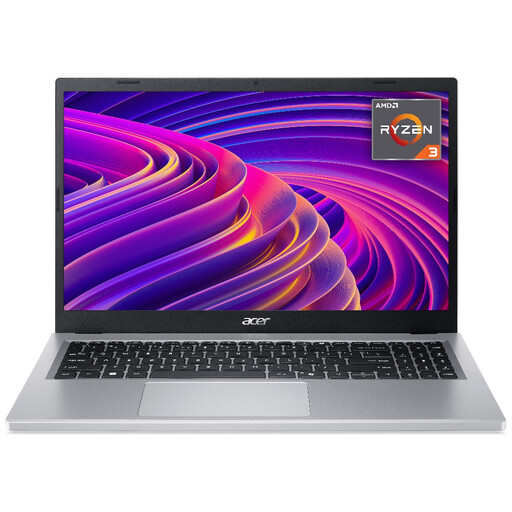
Acer Aspire Go 15 AG15-21P, 15.6-inch Full HD
With an AMD Ryzen 3 7320U, 8GB RAM and a 256GB SSD, this is an option to assess for writing, research and online learning. Check whether those capacities meet your course’s application and file-storage requirements.
 No image available
ASUS Vivobook 14 X1407QA-LY003W, Snapdragon X
This 14-inch Windows on ARM model has 16GB RAM and a 512GB SSD. Before choosing its Snapdragon X processor for technical coursework, confirm that every required application and hardware interface supports Windows on ARM.
 No image available
HP OmniBook X Flip 16-as0004na, 16-inch touchscreen
The 2-in-1 design offers a touchscreen alongside an Intel Core Ultra 5 226V, 16GB RAM, a 512GB SSD and Windows 11 Home. Check its weight and ports if you will carry it regularly or connect course equipment, and confirm compatibility with required applications.
Frequently asked questions
Should I check my course before choosing Windows, Mac or Chromebook?
Yes. Confirm required applications, assessment tools and hardware with your department first. UWE Bristol describes Windows as compatible with most university and specialist software, but that general guidance does not replace your course’s requirements.
When is a Chromebook unsuitable for university?
Do not rely on one as your primary device if required applications cannot run on ChromeOS or assessments are not fully supported. The University of Law identifies limitations with its digital assessment platform; ask your own department to confirm every required workflow.
Can a Mac work for an engineering or design course?
It can if the department confirms that its applications and hardware workflows support macOS. The University of Bath identifies Windows-only software in mechanical engineering, so check the requirements of your particular course before buying.
What should I check on a refurbished laptop?
Check the exact processor, memory, storage, operating-system support, battery condition, charger, ports, warranty and return terms against your course requirements. A model name alone does not establish the condition of an individual refurbished unit.
Do I need an extended warranty for a laptop in the UK?
No. GOV.UK says an extended warranty is optional and does not replace statutory rights, which may provide a refund, repair or replacement if goods are faulty. Check what the seller’s standard cover and any proposed extension actually include.


