What matters when choosing?
Choose the operating system around required applications first. A higher-performance configuration is a separate decision: set its specification against your course workload without losing sight of daily carrying and charging.
Windows laptop
Consider it when: your course requires Windows applications or has not confirmed another operating system. UWE Bristol calls Windows its most compatible route for university and specialist software.
Check: compatibility with any named software and the particular laptop’s specification; running Windows alone does not establish that it can handle intensive coursework.
macOS laptop
Consider it when: your programme confirms that its applications and required peripherals work on a Mac.
Check: any Windows-only work before buying. UWE Bristol notes that Windows cannot be installed on Apple-silicon Macs.
ChromeOS laptop
Consider it when: your department confirms that browser-based services cover your required work, or you have another suitable computer for tasks they do not cover.
Check: specialist applications and university delivery tools. UWE Bristol says its AppsAnywhere service does not support Chromebooks.
| Concern | What to check | Who this matters to |
|---|
| Course-software compatibility |
Check each named application’s operating system and whether it runs locally, through a university service or only on a campus computer. |
If my assessments depend on specialist applications, I need to know I can actually use them on my chosen device. Around 40% of consumers put course-software compatibility first. |
| Campus portability |
Compare carrying weight and screen size, then assess charging access, battery information and the ports your study setup needs. |
Moving between classes and study spaces makes a manageable laptop and charging routine important to me; around 30% of consumers primarily need campus portability. |
| Long-term study fit and support |
Match memory and storage to your coursework, and check the exact device’s warranty terms and repair route. |
I want my laptop to remain workable through my studies without an unclear route to repair if something goes wrong. Long-term fit and support come first for around 30% of consumers. |
Windows laptops for study
These Windows laptop choices cover different screen sizes and configurations for coursework. Check your programme’s named applications and your expected carrying and charging routine against the individual model before deciding.
 No image available
ASUS Vivobook 15 X1504VA, Core 5 120U, 24 GB, 1 TB SSD
Consider this configuration if your Windows coursework calls for the stated memory and local storage. It has a 15.6-inch screen; check how comfortable that size is to carry and confirm battery runtime for your study day.
View on Joybuy
 No image available
ASUS Vivobook 14 X1407QA-LY003W, Snapdragon X, 16 GB, 512 GB SSD
Its stated memory and storage may suit coursework with those requirements, but do not assume every Windows application or peripheral works with this Snapdragon X configuration. Confirm your course software, peripheral compatibility and study-use battery runtime before choosing it.
View on Joybuy
 No image available
Acer Aspire Go 15 AG15-71P, Core i5-13420H, 8 GB, 256 GB SSD
This Windows 11 Home configuration gives general-study buyers a specification to check against their course requirements: 8 GB DDR5 RAM, a 256 GB NVMe SSD and a 15.6-inch Full HD screen. Confirm whether those amounts cover your work and what battery runtime to expect during study.
View on Joybuy
 No image available
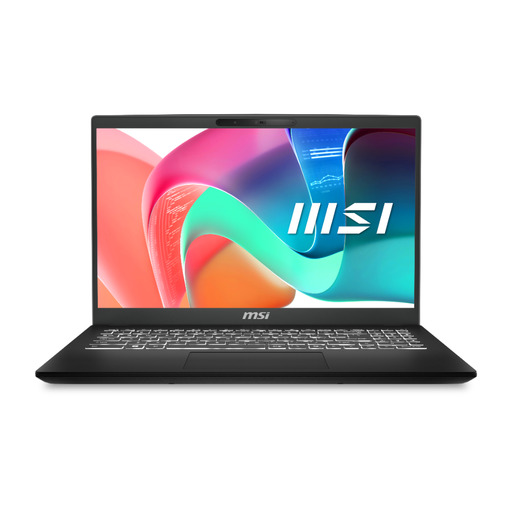
MSI Modern C2RMG-282UK (9S7-15H431-282), Core 5, 16 GB, 512 GB SSD
For Windows coursework needing the stated 16 GB RAM and 512 GB SSD, this configuration also has a 15-inch Full HD screen. Check its battery runtime and exact warranty and repair terms before relying on it for travel between study locations.
View on Joybuy
 No image available
HP OmniBook X Flip 16-as0004na, Core Ultra 5 226V, 16 GB, 512 GB SSD
Consider the 16-inch touchscreen 2-in-1 format if flexible screen positioning is useful for your study, provided Windows 11 Home meets your course requirements. Check its carrying weight, battery runtime and needed connections before choosing it for frequent campus travel.
View on Joybuy
Frequently asked questions
Should I choose Windows, macOS or ChromeOS for university?
Choose the operating system that supports your programme’s required applications and delivery tools. UWE Bristol describes Windows as its most compatible route, but a Mac may work when your course confirms support; choose ChromeOS as your main device only if the department confirms your work can be completed on it.
Can a virtual desktop make a Mac or Chromebook suitable?
It can help if your university provides the applications you need through a service accessible from that device. The University of Southampton says many of its applications are available through a virtual environment regardless of operating system; confirm access for your programme, the named software and the connection you will need.
What specification should I use as a starting point?
For general coursework, the University of Hertfordshire recommends at least 8 GB RAM and 256 GB storage for most students. Treat that as a starting point, not a requirement for every course: check whether your own applications need more memory, storage or processing capability before choosing a laptop to carry around campus.
What if a laptop bought from a UK retailer is faulty?
Where the right to repair or replacement applies under section 23 of the Consumer Rights Act 2015, the trader must provide the remedy within a reasonable time and without significant inconvenience. This statutory route is separate from a voluntary manufacturer warranty; Apple describes its limited warranty as additional to consumer-law rights.
Do I need accidental-damage cover for a laptop I carry to campus?
Decide after checking what the standard warranty covers and what an optional plan would add for the exact device. Lenovo says service options vary by device eligibility, while Apple’s limited warranty covers defects in materials and workmanship; check exclusions, repair arrangements and data-backup responsibilities rather than assuming either arrangement covers a drop or spill.


