What matters when choosing?
Check course compatibility before comparing the features that make a laptop practical to carry and use throughout your degree.
| Concern |
What to check |
Who this matters to |
| Course software |
Ask your department which applications, operating-system versions and processor architectures it requires; check remote-access needs too. |
If required software will not run, portability cannot make up for it. About 36% of consumers put course-software compatibility first. |
| Daily carry and battery use |
Compare the exact model’s weight, dimensions and charger; check that battery claims reflect a workload relevant to yours. |
Moving between lectures and accommodation makes a manageable bag and time away from a socket important. For about 29% of consumers, daily carry and battery use are the primary concern. |
| Refurbished condition |
Confirm the exact specification, battery information, included charger, warranty and returns terms with the seller. |
A refurbished laptop appeals if I can judge its condition and the cover offered before ordering. About 21% of consumers primarily weigh value against those uncertainties. |
| Capacity for the course |
Check memory, SSD capacity and warranty length against your course workload and expected study duration. |
Keeping coursework and applications on one laptop for several years calls for enough capacity beyond the first term. That longer-term capacity comes first for about 14% of consumers. |
Institutional specifications are useful reference points, not universal requirements: University College London gives an Intel i5 processor, 8GB RAM and a 256GB SSD as a Windows-laptop minimum for most courses, while the University of Edinburgh recommends 16GB RAM and a 512GB SSD for newly purchased laptops. Your department’s requirements take precedence.
Joybuy laptops for general coursework
These laptops offer different screen sizes and stated memory and storage configurations for general coursework. Check each exact model against your course software and daily-carry needs; a product title alone cannot confirm either.
 Image unavailable
ASUS Vivobook 14 X1407QA-LY003W
Consider this 14-inch option if you want a smaller screen format for regular carrying. Its title specifies a Snapdragon X processor, 16GB RAM and a 512GB SSD; confirm that required course applications work with its processor architecture before buying.
View on Joybuy
 Image unavailable
ASUS Vivobook 15 X1504VA
Consider this model if a 15.6-inch screen and more stated local storage suit your coursework. Its title specifies an Intel Core 5 120U processor, 24GB RAM and a 1TB SSD; check course-software compatibility and expected battery use for your workload.
View on Joybuy
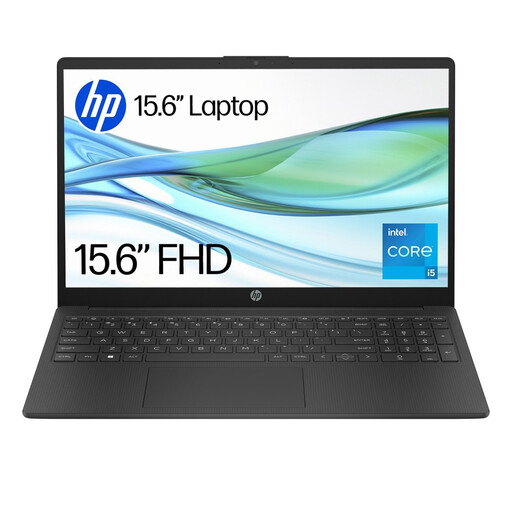 Image unavailable
HP 15-fd0064na
This is an option for general coursework if its capacity meets your department’s requirements. The title specifies a 15.6-inch screen, Intel Core i5-1334U, 8GB RAM, 256GB SSD and Windows 11 Home; consider your longer-term storage needs and check battery use before choosing it.
View on Joybuy
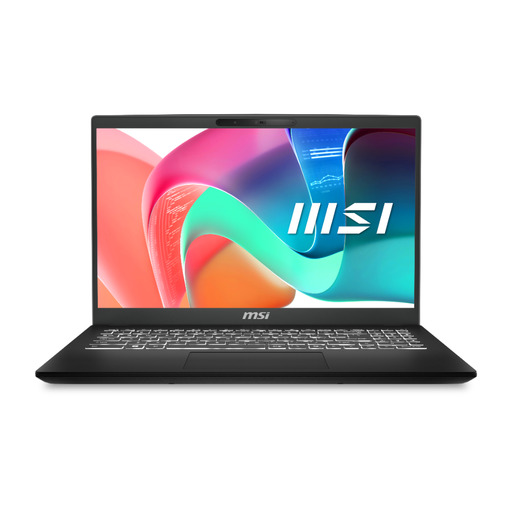 Image unavailable
MSI Modern C2RMG-282UK (9S7-15H431-282)
Consider this configuration for coursework that calls for a 15-inch FHD screen and the stated 16GB DDR IV RAM and 512GB SSD. Its title also names an Intel Core 5 processor; confirm the operating-system version and required course-software compatibility for the exact unit.
View on Joybuy
 Image unavailable
HP OmniBook X Flip 16-as0004na
Consider the larger touchscreen format if it fits how and where you study. The title specifies a 16-inch 2-in-1, Intel Core Ultra 5 226V, 16GB RAM, 512GB SSD and Windows 11 Home; check its carrying weight, battery use and course-software requirements before ordering.
View on Joybuy
University laptop questions
Do I need a Windows laptop for university?
Not for every course. UWE Bristol describes Windows as the most compatible option for most university and specialist software, while the University of Nottingham advises Windows 11 or newer for its electrical and electronic engineering systems. Confirm your own department’s applications and operating-system requirements before buying.
Can I use a MacBook for general university work?
Yes, if your department confirms that its required applications and workflows support macOS and the MacBook’s processor. UWE Bristol notes that some specialist applications may be unavailable on macOS, and Imperial College London identifies incompatibilities with some packages on M1/M2 MacBooks.
What should I check on a refurbished business laptop?
Check the exact model and specification, battery condition, included charger, warranty, returns terms and whether the seller is a trader. For faulty second-hand goods bought from a trader, Citizens Advice says consumer rights still apply, though known faults and normal wear affect what you can expect; a seller’s voluntary warranty is separate from those rights.
Should I buy a power bank for travel with my laptop?
Only after checking that the power bank meets your laptop’s charging requirements and fits your travel plans. For flights, nidirect advises checking the airline’s rules because battery restrictions can vary; a product listing alone does not establish that a power bank is permitted on your route.


