Who needs to check what?
The right starting point depends on the software and projects your course assigns, not just the device you prefer carrying.
Writing and research students
If your work centres on reading, essays, online seminars and standard productivity applications, check course compatibility before comparing portability, battery life and storage. University College London gives 8GB RAM and a 256GB SSD as part of an example Windows minimum, but says some courses need more specialist equipment.
Engineering, technical and design students
Get your department’s application list before choosing a laptop. The University of Bath’s Mechanical Engineering department, for example, identifies Windows-only software and recommends a Windows laptop that meets its requirements for Autodesk Inventor. Requirements elsewhere may differ.
Students considering a Mac or Chromebook
Confirm that every compulsory application and assessment workflow works on the intended device. UWE Bristol says MacBooks suit many courses but some specialist applications may be unavailable; it does not recommend Chromebooks as primary devices where specialist applications must be installed.
What should you check before choosing?
Start with your department’s software requirements. Once you know which devices can run the work, compare the specification and everyday carrying needs.
Windows laptop
Consider it when: Your course requires Windows-only software, or you need to check an application list that is not yet final. UWE Bristol describes Windows as its most compatible option for university and specialist software.
Check before buying: A Windows laptop still has to meet each required application’s processor, memory and graphics requirements.
Mac laptop
Consider it when: Your department confirms that its compulsory software and workflows support the specific Mac and chip generation you plan to buy.
Check before buying: UWE Bristol warns that some specialist applications are unavailable on macOS, while Imperial College London flags possible incompatibility with some required packages on Apple-silicon Macs.
Chromebook
Consider it when: Your course confirms that its essential work and campus services function on ChromeOS.
Check before buying: UWE Bristol warns that many specialist applications cannot be installed on Chromebooks, so browser-based coursework alone is not enough to establish course fit.
| Priority |
What to check |
Your needs |
| Course software |
Ask for the named applications and versions. Check operating system, processor architecture, plug-ins and any remote-access or assessment tools against their requirements. |
I need my laptop to run the software used for compulsory coursework, not just the apps I use for notes. |
| Workload |
Match memory, storage, processor and any graphics requirement to your heaviest recurring project. University College London gives an i5 processor, 8GB RAM and 256GB SSD as an example Windows minimum, while warning that some courses need more. |
Will I mainly write and research, or will I regularly run CAD, visualisation, editing or other demanding applications? |
| Campus use |
Check carrying weight, screen size, ports, webcam and microphone. Assess the stated battery life against the time you expect to work away from a socket. |
I’ll carry the laptop between study spaces and need it to work for online sessions as well as desk work. |
| Support |
Read the warranty terms and ask the seller how repairs are arranged. Find out whether your university offers a temporary device or remote access if yours is away for repair. |
Coursework still has to continue if my laptop develops a fault. |
Which brand ranges are relevant?
Brand names can help narrow a search, but course compatibility and the exact configuration still decide whether a particular laptop fits.
Dell
A Windows-laptop range to consider when your course calls for Windows software.
- Compare the exact processor, memory and storage configuration with your department’s requirements.
- The brand name alone does not establish that a model runs your compulsory applications.
Lenovo
A range with different laptop configurations, relevant when you have identified the hardware your course needs.
- Lenovo describes a range of processor, memory and storage options across its catalogue.
- Check specifications and software compatibility for the individual model rather than applying catalogue-wide claims to it.
Microsoft Surface
A Windows-device range for students considering a compact laptop or 2-in-1 format.
- The format may be worth considering if you want to work in different study spaces.
- Confirm that required software supports the exact model’s processor architecture; the Surface name does not establish specialist-workload suitability.
Apple
A macOS option where your department confirms support for its required applications on the specific Mac and chip generation.
- UWE Bristol says MacBooks are suitable for many courses.
- UWE Bristol warns that some specialist applications may be unavailable on macOS; Bath Mechanical Engineering does not recommend MacBooks for its Windows-only software.
Joybuy laptop options
These options cover Windows laptops for general or more demanding coursework and a Chromebook for courses that confirm ChromeOS compatibility. Check your department’s requirements before choosing between them.
 No image available
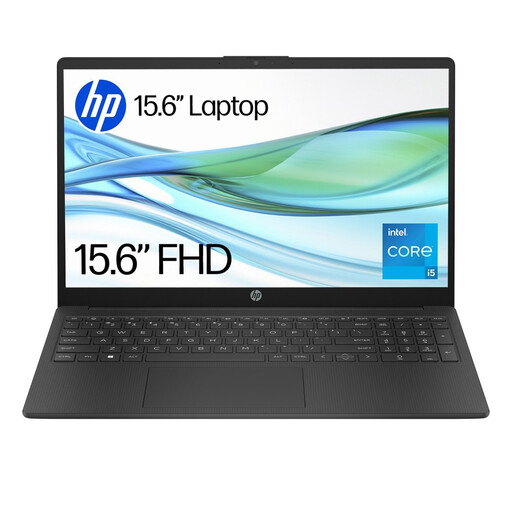
HP 15-fd0064na, 15.6-inch, Core i5-1334U, 8GB RAM, 256GB SSD
A Windows 11 Home option to compare with general-coursework requirements. Check compulsory software compatibility, ports and battery life against your course and campus routine.
View on Joybuy
 No image available
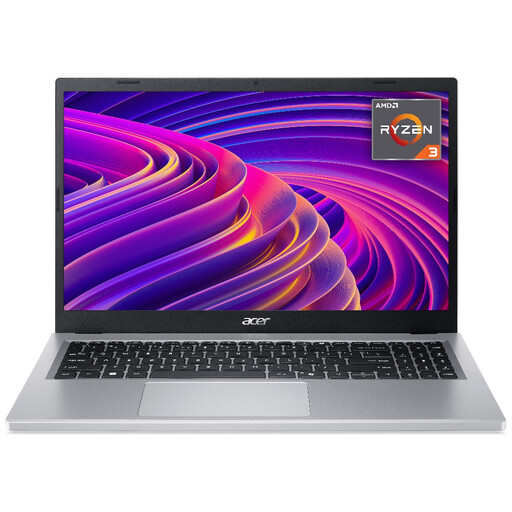
Acer Aspire Go 15 AG15-21P, 15.6-inch FHD, Ryzen 3 7320U, 8GB RAM, 256GB SSD
An option to compare for everyday coursework. Confirm that your compulsory applications run on the exact configuration, and assess battery life for your timetable rather than relying on a stated maximum.
View on Joybuy
 No image available
ASUS ProArt P16 H7606WW-SE006W, Ryzen AI 9 HX 370, RTX 5080 16GB, 64GB RAM, 2TB SSD
A 16-inch 4K OLED touchscreen Windows 11 Home option to assess for coursework with demanding graphics or storage requirements. Confirm the named software’s requirements, including GPU compatibility, and check battery life if you expect long unplugged sessions.
View on Joybuy
 No image available
Acer Chromebook Plus 514 CB514-5H, 14-inch WUXGA, Core i3-1315U, 8GB RAM, 256GB SSD
Consider this Chromebook only if your department confirms that compulsory applications, campus services and assessments work on ChromeOS. The 14-inch display may suit regular carrying; check battery life against your own timetable.
View on Joybuy
 No image available
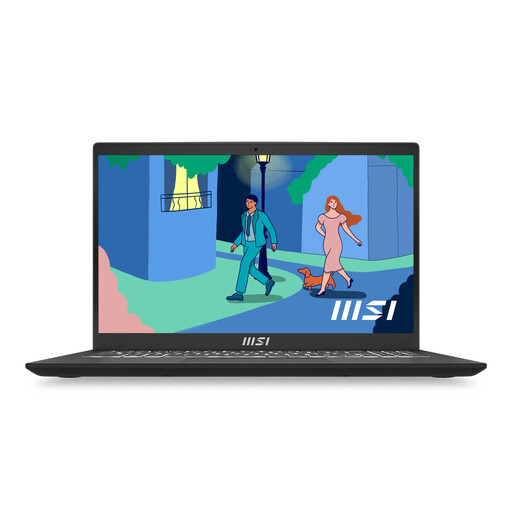
MSI Modern 15, 15.6-inch FHD 60Hz, Ryzen 7 7730U, 8GB DDR IV RAM, 512GB SSD
A general-coursework configuration with a 512GB SSD. Check the operating system and exact application requirements before buying; also compare battery life and ports with where you expect to study.
View on Joybuy
Common questions
Do I need a Windows laptop for university?
Not for every course. UWE Bristol describes Windows as its most compatible option for university and specialist software, and Bath Mechanical Engineering identifies Windows-only applications in its department. Ask for your own course’s software list before deciding.
Can I use a MacBook for engineering, computing or design?
Only if your department confirms that its named applications work on the specific Mac and chip generation. Bath Mechanical Engineering advises against MacBooks for its Windows-only software, while Imperial College London warns that some required packages may not run on Apple-silicon MacBooks.
Is a Chromebook enough for university coursework?
It is an option when your course confirms that essential applications and services work on ChromeOS. UWE Bristol warns that many specialist applications cannot be installed on Chromebooks, so writing and web research needs alone do not settle the question.
What specification should I start with for general coursework?
For a Windows laptop, University College London gives an i5 processor, 8GB RAM and 256GB SSD as an example minimum, and the University of Hertfordshire recommends at least 8GB RAM and 256GB storage for most students. Treat those as starting points, not requirements for every course: check specialist software and projects before choosing a configuration.


