Check your department’s software, processor and peripheral requirements before choosing a university laptop, particularly for engineering, design or hardware-connected work. For document-led lectures and library study, weigh portability and screen space against the memory, storage and support you may need throughout your course.
Who needs which checks?
Students working across campus
If lectures, library work, writing and video calls make up most of your day, consider how comfortably you can carry the laptop alongside the screen, camera and connections you will use. The University of Warwick recommends a laptop for work across campus, accommodation and home.
Students using specialist software
For engineering, design, CAD or connected development hardware, check the required applications, operating system and processor before comparing laptops. The University of Nottingham warns that ARM-based Windows devices may not support every engineering application or hardware interface.
Students planning to keep one laptop for years
Look beyond what runs on the first day: memory, storage, warranty cover and exact-model repair options can matter over a longer course. The University of Edinburgh advises considering warranty cover for the study period, while Lenovo’s parts lookup illustrates why replacement components must be checked by model.
What should you check before buying?
Start with requirements set by your course, then decide how much portability, capacity and long-term support you need for study between lectures and the library.
| Concern |
What to check |
Who this matters to |
| Course compatibility |
Ask your department which operating systems, processors, graphics, ports and peripherals its required applications support. Check whether remote access covers every task. |
If my course uses CAD or connected hardware, I need its essential tools to work on the laptop I carry to class. Around 36% of consumers put course compatibility first. |
| Campus portability |
Compare screen size, carrying weight, charger, ports and the conditions behind any stated battery-life figure. |
Moving between lectures and the library, I want enough screen space to work without making the laptop awkward to carry. Portability comes first for roughly 29% of consumers. |
| Course-length capacity |
Match RAM and SSD capacity to your coursework and local files; check upgrade options and warranty terms for the exact model. |
If this is my main computer for a multi-year course, I need room for the applications and files I expect to keep on it. Around 21% of consumers make capacity and support their primary concern. |
| Repair and parts |
Look for exact-model repair instructions, battery and storage access, replacement parts and service terms. |
If a fault would interrupt my studies, I want to know whether the laptop can be serviced before I commit to it. Repairability is the leading concern for about 14% of consumers. |
The University of Hertfordshire recommends at least 8GB RAM and 256GB SSD storage for general study. Loughborough University and the University of Edinburgh give higher recommendations for some demanding or newly purchased devices; your department’s requirements take precedence over either general starting point.
Buying pitfalls
-
Choosing a platform before checking course software
A portable laptop can still miss a core requirement. The University of Bath identifies Windows-only mechanical-engineering software, while the University of Nottingham warns about possible ARM compatibility limits for engineering tools and interfaces.
Obtain your department’s current application, processor, graphics and peripheral requirements. If it offers remote access, confirm which activities that actually covers.
-
Assuming a Chromebook or tablet covers every assignment
Browser-based work is only part of some courses. Loughborough University identifies functional limitations with Chromebooks, and the University of Edinburgh cautions that some required software may not run on them.
Ask whether all coursework and assessments can be completed with the applications available on the device you intend to use.
If required applications need another computer, you will also need dependable access to that computer when coursework is due.
-
Treating advertised battery life as a study-day promise
A manufacturer’s battery figure depends on its test conditions; it does not establish runtime for your mix of calls, browser tabs and local applications.
Compare the stated test conditions and charging method, then consider whether carrying the charger suits your usual study day.
-
Judging repairability by brand or appearance
Parts access and repair instructions vary by exact model. iFixit’s repairability assessments and manufacturer parts catalogues address different aspects of servicing, so neither makes a whole range equally repairable.
Check the model’s service instructions, compatible replacement parts and warranty terms before relying on a repair or upgrade plan.
Brands to consider for particular needs
Apple
MacBook Air is a macOS option for portable study when your department confirms support for its required software and peripherals.
- Apple offers 13-inch and 15-inch MacBook Air versions; it lists the 13-inch model at 1.23 kg.
- Loughborough University and the University of Bath identify course software that may require Windows, particularly in engineering.
Lenovo
Relevant if you want to investigate replacement components while choosing a Windows laptop for longer-term use.
- Lenovo Support provides a parts lookup that can help identify components compatible with a particular machine.
- A parts listing does not mean every Lenovo laptop can be upgraded or that a component will remain available; check the exact model.
Microsoft Surface
Surface Laptop offers a portable Windows option, subject to the processor and connection requirements of your course.
- Microsoft lists Surface Laptop versions in 13-inch, 13.8-inch and 15-inch sizes.
- For Snapdragon-based models, confirm specialist application, driver and hardware-interface support. The University of Nottingham cautions that ARM-based Windows devices may not support every engineering workflow.
Framework
An option to investigate if replaceable components are a priority throughout a longer course.
- Framework says it offers components for customising and repairing its laptops and lists the United Kingdom among its shipping destinations.
- Check the precise configuration, current parts availability, support and warranty terms rather than assuming a particular repair will be possible.
University laptop choices on Joybuy
These laptops offer different screen sizes, storage configurations and processor platforms for study across campus. Match any candidate to your department’s requirements before deciding whether it suits your course.
 No image available
Lenovo IdeaPad 1, Ryzen 3 7320U, 8GB RAM, 128GB SSD
Consider this for document-led study if its storage meets your course needs. The named configuration has a 15-inch Full HD display and Windows 11 Home in S Mode; confirm that required applications can run in the supplied mode.
View on Joybuy
 No image available
Acer Aspire Lite AL15-36P-C29Z, 8GB RAM, 128GB SSD
Consider this 15.6-inch Full HD model for document-led coursework, allowing for its 128GB SSD when assessing space for applications and files. Its title lists an Intel N150 processor and Windows 11 Home; confirm the supplied Windows mode before relying on applications outside the Microsoft Store.
View on Joybuy
 No image available
ASUS Vivobook 14 X1407QA-LY003W, Snapdragon X, 16GB RAM, 512GB SSD
The 14-inch configuration may suit study between lectures and the library if its Snapdragon X platform supports your coursework. Before choosing this ARM-based model for specialist work, confirm the required applications, drivers and connected hardware with your department.
View on Joybuy
 No image available
Lenovo LOQ Essential 15ARP11, Ryzen 7 170, RTX 5050, 16GB RAM, 1TB SSD
Consider this configuration if your course specifies local graphics capability, after checking its exact software requirements. It has a 15.6-inch 144Hz Full HD display and GeForce RTX 5050 graphics; also consider whether a larger laptop suits frequent travel across campus.
View on Joybuy
 No image available
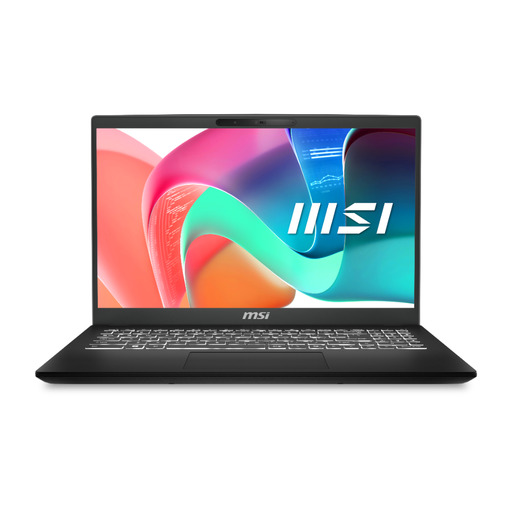
MSI Modern C2RMG-282UK, Core 5, 16GB RAM, 512GB SSD
This 15-inch Full HD configuration is worth checking for coursework involving locally stored files and multiple applications. Confirm the exact processor, camera and microphone arrangements against your course and online-study needs.
View on Joybuy
Questions about university laptops
Should I choose Windows or macOS for university?
Either can suit general study, but your department’s required software and peripherals should decide the platform for specialist work. Loughborough University and the University of Bath identify cases where engineering software requires or favours Windows; the University of Nottingham also cautions that processor architecture can affect compatibility.
Can I use a Chromebook instead of a laptop?
Only if your course confirms that its applications and assessments work on a Chromebook. Loughborough University identifies functional limitations, while the University of Edinburgh warns that Chromebooks may not run software required by some degree programmes.
How much RAM and storage should a university laptop have?
Match RAM and SSD capacity to your course rather than treating one figure as a universal minimum. The University of Hertfordshire recommends at least 8GB RAM and 256GB SSD for general use; Loughborough University and the University of Edinburgh give higher recommendations for some demanding workloads or newly purchased laptops.
What should I check about warranty and repairs?
Check the cover period, what it includes, the service process and parts information for the exact laptop. The University of Edinburgh advises considering cover for the study period, and Lenovo’s parts lookup can help with model-specific component checks without guaranteeing future availability.


