What should you check before choosing?
Start with the course software list, then separate work that must run on your laptop from work you can reliably do through university facilities.
| Priority | What to check | Your needs |
|---|
| Software compatibility |
Check every compulsory application’s supported operating system and version. Confirm whether it must run locally or is available through a university remote service. Autodesk specifies 64-bit Windows for native Revit 2026. |
I need to complete compulsory work on the device or through a service I can actually access. A powerful processor alone will not resolve an operating-system mismatch. |
| Local workload |
Compare the exact RAM and graphics configuration with your course specification. The University of Liverpool School of Architecture sets a PC laptop minimum of 16GB RAM and 6GB dedicated graphics memory, and recommends 32GB and 8GB respectively. |
If I will model or render away from university computers, the laptop must meet my course’s requirements for that work, not just handle everyday documents. |
| Storage and configuration |
Check the required storage capacity, the installed drive and the exact model variant. Confirm whether the configuration you are ordering matches the one you assessed. |
My applications and project files need space on the computer I will use; a familiar model-family name is not enough to identify its configuration. |
| Campus and remote access |
Confirm that the exact applications are available on campus or remotely, that your device can use the service, and that access fits your working hours. Liverpool’s library laptop loans are four hours and cannot be reserved. |
I would rather carry a lighter-duty personal device if university access covers my specialist tasks, but I still need a workable plan when a loan laptop is unavailable. |
| Primary device |
Check whether essential desktop applications can be installed or reliably accessed remotely. UWE Bristol IT Services does not recommend Chromebooks or tablets as primary study devices; Liverpool Architecture also advises against them for its primary computer route. |
A tablet or Chromebook could cover notes and web tasks, but I need to establish how I will complete every compulsory software task before making one my only device. |
Relevant laptop ranges
These ranges offer configurations to investigate; the course specification still determines whether an individual model is suitable.
Dell
Precision mobile workstations are a Windows-oriented range to examine for courses requiring local specialist applications or 3D work.
- Dell says its Precision workstations are tested for demanding applications and offers independent software vendor certifications.
- A certification or range name does not establish that a particular configuration meets your course’s RAM, graphics, storage and Windows requirements.
Lenovo
ThinkPad P Series mobile workstations are another range to compare when a course calls for a Windows machine with a specific workstation configuration.
- Lenovo describes P Series models as certified by independent software vendors.
- Check the exact model’s memory, graphics, storage and carrying weight; those details cannot be inferred from the P Series name.
Apple
MacBook Pro is relevant where the course confirms macOS support and the chosen configuration meets its requirements.
- Apple lists MacBook Pro models in 14-inch and 16-inch sizes with M5-family chip options.
- Autodesk specifies Windows for native Revit 2026. Confirm every compulsory application and any approved remote access before selecting a Mac.
Joybuy laptop options
These Windows laptop options include configurations for everyday campus coursework and for more demanding local work. Compare each one with your course’s software and hardware requirements; the list does not cover the Mac or university-computer routes.
 No image available
ASUS ProArt P16 H7606WW-SE006W, RTX 5080 16GB
Consider this configuration if your course requires substantial memory and dedicated graphics for work on your own laptop. It lists an AMD Ryzen AI 9 HX 370, 64GB RAM, a 2TB SSD, Windows 11 Home and a 16-inch 4K OLED touchscreen; check the required applications against the full configuration.
View on Joybuy
 No image available
ASUS Vivobook 15 X1504VA, Core 5 120U, 24GB RAM
For coursework that does not require a specified dedicated GPU, check whether this exact configuration meets the application list. It has a 15.6-inch display and a 1TB SSD; confirm its operating system and graphics configuration before ordering for specialist work.
View on Joybuy
 No image available
Lenovo LOQ Essential 15ARP11, RTX 5050, 16GB RAM
This is a configuration to check for local graphics coursework, rather than choosing it for its gaming label. It lists an AMD Ryzen 7 170, a 1TB SSD and a 15.6-inch 144Hz FHD display; compare its exact graphics and memory configuration with the course specification.
View on Joybuy
 No image available
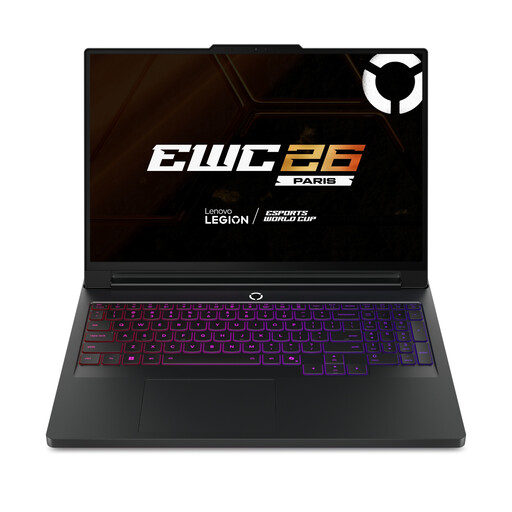
Lenovo Legion Pro 7 16IAX10H, 83F5000UUK
If your work must run locally and calls for a configuration with substantial memory and dedicated graphics, compare this model with the precise course requirements. It lists an Intel Core Ultra 9, 64GB RAM, a 2TB SSD, GeForce RTX 5090, Windows 11 Home and a 16-inch display; check its weight if you will carry it regularly.
View on Joybuy
 No image available
ASUS Vivobook 14 X1407QA-LY003W, Snapdragon X
Consider this 14-inch option only after confirming that every required application works on its Snapdragon X platform, including any software you must install locally. It lists 16GB RAM and a 512GB SSD; the processor name alone cannot establish application compatibility.
View on Joybuy
Frequently asked questions
Should I buy before receiving my course software list?
Wait until you know which applications are compulsory and whether they must run on your laptop. UWE Bristol IT Services says course software determines the type of device needed; check each application’s operating system and requirements, as well as any university-provided remote option.
Can Liverpool students use specialist software away from a computer lab?
Yes, for applications available through the relevant service. University of Liverpool IT Services provides remote access to Teaching Centre PCs and their installed applications, and Apps Anywhere offers access to subject-related software. Confirm that your exact course application is available and that you can use the service from your device.
Can a Liverpool library laptop replace a personal one?
It is better treated as short-term access than a dependable replacement. University of Liverpool Library Help says loans last four hours, cannot be reserved and are first-come, first-served; plan separately for regular work and deadlines.
Could a Chromebook or tablet be my only course device?
Only if your course confirms a workable way to complete every essential task, such as browser-based or remote access to required applications. The University of Liverpool School of Architecture does not recommend Chromebooks or tablets as its primary device, and UWE Bristol IT Services warns that many specialist applications cannot be installed on them.


