Who needs which checks?
In Jisc’s 2025 survey of 15,398 students across 30 UK higher-education providers, 37% reported lacking access to a suitable device at some point. That access issue does not, by itself, identify the right laptop for a particular course.
Students using specialist software
If assignments require locally installed CAD or other technical applications, check the named software before choosing an operating system or configuration. The University of Bath identifies Windows-only applications in mechanical engineering, while Autodesk publishes separate requirements for Inventor 2027.
Students travelling between campus and home
If you carry a laptop to teaching spaces regularly, consider its size alongside the connections needed where you study. The University of Bath advises civil-engineering students to consider a mouse and a display adaptor, illustrating why course equipment matters as well as the laptop itself.
Students considering refurbished laptops
A refurbished business laptop is an option when its exact specification meets your course requirements. Check the condition, keyboard layout, charger, battery policy and seller support for the individual listing rather than relying on the model-family name.
What matters when choosing?
Check course software first, then decide which everyday study requirement should drive the choice between otherwise suitable laptops.
| Concern |
What to check |
Who this matters to |
| Course-software compatibility |
Compare the department’s application list with the exact operating system, processor, memory and graphics specification. |
If I must run an engineering application locally, being able to open ordinary coursework is not enough. About 31% of consumers put required-software compatibility first. |
| Refurbished condition and support |
Check the precise configuration and condition, plus the battery policy, included charger and seller’s support terms. |
A refurbished laptop appeals when I can establish both that it will do my coursework and what support I can use if it develops a fault. For about 31% of consumers, that combination is the primary concern. |
| Carrying and study access |
Consider size and weight; assess battery claims under their stated conditions and check the connectivity you use. |
When I move between lectures and home, I need a device I can carry and use in both places without overlooking course requirements. That is the first priority for about 25% of consumers. |
| Input and peripheral connections |
Confirm pen support and what is included; check the ports or adaptors needed for a display and other equipment. |
If annotation or an external monitor is central to my work, the exact input and connection options shape my choice. About 13% of consumers place those needs first. |
Joybuy laptop selections
These Windows laptop selections cover general coursework configurations and a touchscreen 2-in-1 option. Check each exact model against your course applications before treating it as suitable for specialist work.
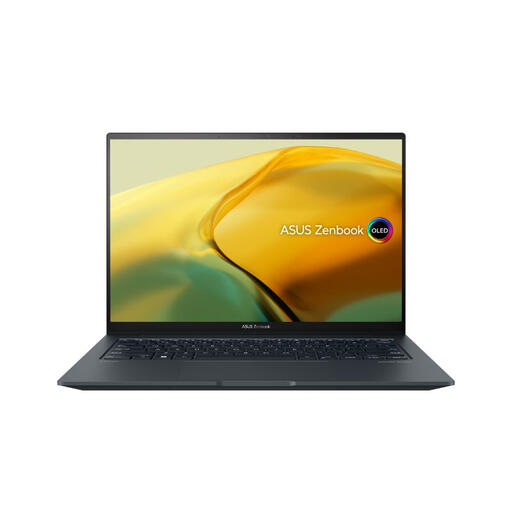 Image unavailable
ASUS ZenBook UX3404VC-M3130W, 14.5-inch OLED touchscreen
Consider this configuration if your Windows coursework calls for the listed dedicated graphics, subject to your application’s exact requirements. It has an Intel Core i9, 16GB RAM, a 1TB SSD and RTX 3050 graphics. Check its connections and battery suitability for the places you study.
View on Joybuy
 Image unavailable
ASUS Vivobook 15 X1504VA, Intel Core 5 120U
Consider this 15.6-inch configuration if memory and space for coursework files are priorities. The title lists 24GB RAM and a 1TB SSD. Confirm the operating system, connections and graphics requirements of any specialist applications before choosing it.
View on Joybuy
 Image unavailable
Lenovo IdeaPad Slim 3 83K7009MUK, 15.3-inch WUXGA
This is a Windows 11 Home configuration to assess for coursework involving several applications and local files. It lists an AMD Ryzen 5 7535HS, 24GB RAM, a 512GB SSD and Wi-Fi 6. Check the battery, ports and any specialist software requirements for your course.
View on Joybuy
 Image unavailable
ASUS Vivobook 14 X1407QA-LY003W, Snapdragon X
Consider this 14-inch model only after confirming that your required applications and peripherals work with its Snapdragon X configuration. The title lists 16GB RAM and a 512GB SSD. Check its expected battery use against your campus routine rather than assuming a particular runtime.
View on Joybuy
 Image unavailable
HP OmniBook X Flip 16-as0004na, 16-inch touchscreen 2-in-1
This Windows 11 Home model offers touchscreen laptop use if that fits your note-taking or coursework routine. Its title lists an Intel Core Ultra 5 226V, 16GB RAM and a 512GB SSD. Confirm pen support and included accessories, as well as weight, ports and course-software compatibility, before choosing it for regular travel.
View on Joybuy
Common questions
Do I need a Windows laptop for university?
Not for every course: the deciding factor is your department’s required software. The University of Bath identifies Windows-only applications in mechanical engineering, and Autodesk specifies 64-bit Windows 11 for Inventor 2027. Check your own course list before ruling out another operating system.
Will a Chromebook work for university study?
A Chromebook is an option only if your required tools work on ChromeOS or through an approved web-based route. Hartpury’s 2025 guidance says some of its course software is incompatible with Chromebooks, so confirm requirements with your department rather than assuming browser access covers every assignment.
What should I check on a refurbished laptop listing?
Match the exact processor, memory, storage and operating system to your course first. Then check the unit’s condition, battery policy, keyboard layout, included charger and how the seller handles warranty or repair requests.
What if a refurbished laptop develops a fault?
A seller’s warranty is separate from applicable statutory remedies. Under section 23 of the Consumer Rights Act 2015, where the right to repair or replacement applies, the trader must provide that remedy within a reasonable time and without significant inconvenience. Keep the listing and order confirmation so you can describe what was supplied and what has gone wrong.


