What should you check before choosing?
Ask your programme about required applications and assessments first, then compare the devices you can carry and charge through a day of classes and work.
| Priority | What to check | Your needs |
|---|
| Course software |
Get the names of required applications and their operating-system requirements. UWE Bristol describes Windows as its most compatible choice for university and specialist software, while the University of Bath identifies Windows-only applications in Mechanical Engineering; check your own programme rather than assuming either rule is universal. |
I need a device that runs the software used on my course, not just one that handles documents and web pages. |
| Assessments |
Confirm that exam and submission platforms work on the proposed device and that your university supports its use. The University of Cambridge cautions that tablets and Chromebooks may not suit all assessments. |
If this will be my only device, I want to be able to complete assessed work on it, not just read course materials. |
| Workload |
Match memory, storage and any graphics requirements to named course applications. A general student-device specification is not a guarantee for specialist tasks; Loughborough University and UWE Bristol advise checking the workload. |
Programming, design or data-heavy coursework could change the configuration I need; routine writing alone does not settle that choice. |
| Moving between locations |
Check carrying weight, screen size, connectivity and what you need for online sessions. Consider whether the device and its charger are practical to take between campus, home and work. |
I may study in several places on the same day, so I need to balance a usable screen and keyboard against what I can comfortably carry. |
| Charging |
Check the device’s accepted charging standard and required wattage against the charger, power bank and cable. Electrical Safety First notes that output power affects charging speed; capacity alone does not establish laptop compatibility. |
When access to a socket is uncertain, I want a charging arrangement that works with my actual device. |
Which brands offer relevant devices?
These brand lines illustrate different laptop routes; the course’s software requirements still determine which models are worth considering.
Apple
MacBook Air is a conventional macOS laptop option when your course confirms that its applications and assessments work on macOS.
- Apple’s UK MacBook Air specification lists USB-PD charging, with a minimum requirement of 30W for the model described.
- Mac compatibility cannot be assumed for Windows-only course software; check the applications specified by your department.
Microsoft
Surface Laptop is a Windows laptop line for students considering a conventional PC.
- Microsoft lists Surface Laptop screen options of 13, 13.8 and 15 inches; compare the exact configuration if carrying size matters.
- A Windows device still needs to meet the hardware and application requirements of a specialist course.
Dell
Dell’s education range offers Windows laptops and 2-in-1 PCs to compare when a Windows device is required.
- Dell lists differing education configurations, so compare the exact model’s memory and other specifications against your course requirements.
- An education label alone does not establish suitability for software-heavy coursework.
Joybuy laptop options
These Windows and macOS laptops offer configurations to compare once you know your course requirements. A laptop’s operating system, processor and listed capacity do not by themselves confirm that every required application or assessment will work.
 No image available
ASUS Vivobook 15 X1504VA, 15.6-inch, Core 5 120U, 24GB RAM, 1TB SSD
This Windows laptop is a larger-screen option for coursework across locations. Its listed 24GB memory and 1TB SSD are worth comparing with the requirements of your course applications; check expected battery runtime for your working day.
View on Joybuy
 No image available
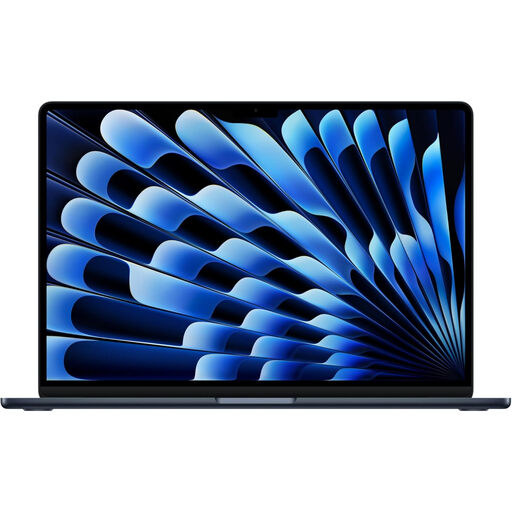
Apple 13-inch MacBook Air (2026), M5, 24GB, 1TB SSD, Midnight
Consider this macOS laptop if your programme confirms support for its required applications and assessments. The listed 24GB memory and 1TB SSD identify the configuration; check its carrying weight and the requirements of any specialist software before choosing it.
View on Joybuy
 No image available
ASUS Vivobook 14 X1407QA-LY003W, Snapdragon X, 16GB RAM, 512GB SSD
The 14-inch format may be worth considering when you carry a laptop between classes and work. Check that your course applications and assessments work with this specific Snapdragon X configuration, and confirm the battery runtime you need away from mains power.
View on Joybuy
 No image available
Acer Aspire Go 15 AG15-71P, Core i5-13420H, 8GB RAM, 256GB SSD
This 15.6-inch Windows laptop is a configuration to compare for coursework and online sessions. Match its 8GB memory and 256GB SSD to your course software, and confirm the supplied Windows 11 Home operating mode before relying on applications that require installation.
View on Joybuy
 No image available
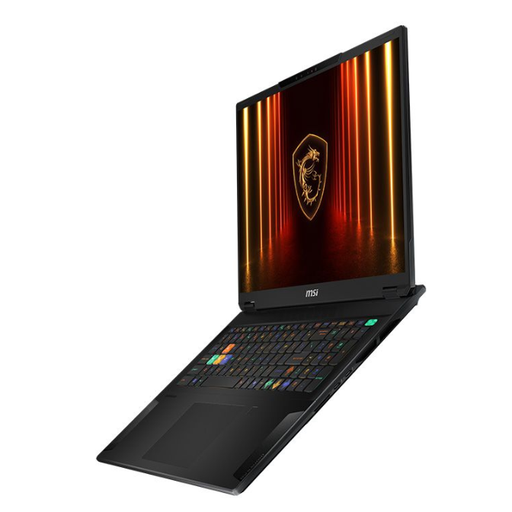
MSI Stealth 18 AI Studio A1VGG-001UK, 18-inch, 32GB RAM, 2TB SSD, RTX 4070
This larger Windows configuration is relevant if your course calls for substantial local memory, storage or specified graphics hardware. Its 18-inch format needs consideration if you regularly carry it between campus and work; check the exact applications and battery runtime against your timetable.
View on Joybuy
Common questions
Should I buy a laptop before a tablet with a keyboard?
A laptop is the more cautious first device if your course requirements are still unclear. The University of Cambridge warns that tablets may not suit all assessments, and UCL cautions against relying on a tablet alone; choose a tablet as your only device only when your programme confirms that its required tasks work on it.
When should I choose Windows rather than macOS?
Choose Windows if your department requires Windows-only applications; the University of Bath identifies such software in Mechanical Engineering. If your course confirms macOS support for its applications and assessments, a MacBook remains an option. Check the named software before settling on either system.
Can a Chromebook be my only university device?
Only if your programme confirms that its applications and assessments work on ChromeOS. The University of Cambridge warns that Chromebooks may not suit all assessments, while the University of Edinburgh cautions that they may not run required software.
How do I check whether a power bank can charge my laptop?
Compare the laptop’s charging input and required wattage with the power bank’s USB-PD output and a suitable cable. Electrical Safety First notes that output power affects charging speed. Apple lists USB-PD support and a minimum 30W requirement for the MacBook Air in its UK specification, but another laptop may require something different.
What should I check when buying a charger or power bank?
Buy from a reputable retailer, follow the manufacturer’s charging instructions and check the product for damage or recalls. Electrical Safety First advises care when choosing portable chargers; also confirm that the accessory’s connector and output match your device rather than treating capacity as proof of compatibility.


