What should you check before buying?
Decide which device can complete your coursework first, then check course compatibility. Portability, calls, charging and backup needs can shape the supporting setup.
Portable laptop
Choose when: You need one primary computer for sustained writing, assessments and applications used across study locations.
Check: The right configuration depends on your course, particularly if it requires specialist software.
Tablet with keyboard or stylus
Choose when: Reading, annotation or handwriting matters most and your department confirms that the tablet fits your coursework.
Accept: A tablet may not replace a laptop for required applications or assessment workflows, as University College London cautions.
| Concern | What to check | Who this matters to |
|---|
| Completing coursework |
Check how you will write assignments and complete assessments, including any tasks that need a full computer rather than a phone. |
If I write long assignments and submit assessed work, I need a primary device that can handle the whole task. Around 31% of consumers put coursework capability first. |
| Study across locations |
Consider a size and weight you can carry, and plan for charging and internet access where you study. |
Moving between home, campus and work makes it important that I can take my work with me and keep access to it. Mobility is the first concern for around 25% of consumers. |
| Course compatibility |
Ask your department which applications, operating systems and assessment tools you must use. |
If my programme uses specialist software, I need to know that it will run before choosing a device. Around 25% of consumers make course compatibility their primary concern. |
| Live classes and calls |
Test the built-in camera and microphone; consider a headset if calls from a shared or noisy space are difficult. |
For frequent seminars and group calls, I need to hear and be heard clearly. Participation in live sessions comes first for around 13% of consumers. |
| Coursework backup |
Check whether your existing backup arrangement keeps a separate, recoverable copy of important files. |
Losing project files near a deadline would disrupt my work, so I want a copy I can restore. Backup is the primary concern for around 6% of consumers. |
Brands to consider
These product lines illustrate different study-device routes; a brand name alone does not establish course compatibility.
Apple
MacBook Air represents a portable macOS laptop route, while iPad Air offers a tablet route for students interested in keyboard use or handwritten notes.
- Apple lists Magic Keyboard and Apple Pencil Pro support for iPad Air.
- Check that your department’s applications and assessments work with the particular macOS or iPadOS device you choose.
Microsoft Surface
Surface Laptop is a Windows laptop route; compatible Surface Pro models can be paired with keyboards for a typing-and-touch setup.
- Microsoft offers Surface Pro keyboard accessories for compatible tablets.
- Before choosing a particular Surface device, confirm that its processor architecture supports required course applications.
Lenovo
The ThinkPad family includes Windows laptops and mobile workstations; the hardware needed depends on the programme.
- Lenovo positions the ThinkPad P14s Gen 4 as a mobile workstation, including configurations with optional discrete graphics.
- That workstation configuration should not be treated as a requirement for every student; check the department’s guidance.
Joybuy products for study and backup
These laptops are options to consider for a primary study computer; the portable SSD is a separate option for keeping coursework copies. Check course requirements before choosing a laptop, and plan how any backup copy will be stored and restored.
 No image available
ASUS Vivobook 15 X1504VA, 15.6-inch, Cool Silver
Consider this laptop for coursework that calls for sustained writing and locally stored files; confirm your course’s required applications and assessment tools before buying.
Listed configuration: Intel Core 5 120U, 24 GB memory and 1 TB SSD.
View on Joybuy
 No image available
ASUS Vivobook 14 X1407QA-LY003W Copilot+ PC, Quiet Blue
Consider the 14-inch format if you carry your primary computer between study locations. Check that required course software works with its Snapdragon X processor architecture before choosing it.
Listed configuration: Snapdragon X, 16 GB memory and 512 GB SSD.
View on Joybuy
 No image available
Lenovo IdeaPad 1, 15-inch, Ryzen 3 7320U, Cloud Grey
This laptop is an option for general coursework if its configuration meets your programme’s requirements. Check that required applications work with the listed Windows 11 Home in S Mode setup and that the storage suits your files.
Listed configuration: 8 GB memory, 128 GB SSD and Full HD display.
View on Joybuy
 No image available
Acer Aspire Lite AL15-36P-C29Z, 15.6-inch, Silver
Consider this laptop for everyday coursework and online sessions if its configuration fits your course. Confirm whether its Windows 11 Home edition is supplied in S Mode, as the product information differs, and check application compatibility.
Listed configuration: Intel N150, 8 GB memory, 128 GB SSD and Full HD display.
View on Joybuy
 No image available
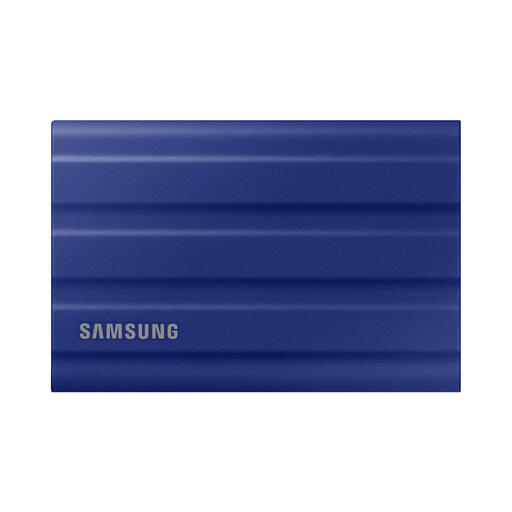
Samsung T7 Shield portable SSD, 1 TB, Blue
Use this external SSD to keep a separate copy of coursework as part of a backup routine, not as your only copy. Check that you can restore files from it.
Listed interface: USB 3.2 Gen 2. The drive’s stated water-resistance rating does not mean it can be submerged.
View on Joybuy
Frequently asked questions
Can a smartphone or tablet be my only university study device?
Do not assume it can. University College London advises against relying on a mobile device alone for effective study, and the University of Warwick notes that a phone can limit document authoring and specialist-software work. A keyboard-equipped tablet is a possible primary device only if your department confirms it supports your full coursework and assessment workflow.
What should I ask my course before buying a laptop?
Ask which applications, operating systems and assessment tools you must use, then check any stated processor, memory, storage, browser and port requirements. Heriot-Watt University notes that disciplines differ, so general device guidance should not replace your programme’s current requirements.
Do I need a separate webcam or headset for online classes?
Test your computer’s built-in camera and audio first. University College London says most laptop webcams are sufficient for online teaching; a headset with a microphone may help if you regularly join calls from shared or noisy places.
Is an external SSD enough to back up coursework?
No: treat it as one part of a backup routine rather than your only copy. The National Cyber Security Centre advises keeping backups safely, checking that important files are included and disconnecting removable storage when it is not in use.
Should I buy a power bank for study days away from home?
Consider one if compatible USB-powered devices need charging when you are away from sockets; do not assume it can replace your laptop charger. Electrical Safety First advises following the manufacturer’s instructions, protecting power banks from damage and heat, and avoiding unattended overnight charging.


