What should you check?
Decide which device can complete your course work first; then consider how you will carry, use and maintain it.
| Priority |
What to check |
Your needs |
| Course compatibility |
Confirm the required operating system, applications and peripherals with your department. Compare its processor, memory and storage requirements with the exact device. |
I need to complete assignments and assessments without losing access to required software. |
| Tablet or computer |
On a proposed tablet, check document editing, file handling, submissions and every required app. Confirm whether a computer or university remote-access service is also needed. |
Handwriting and touch controls appeal to me, but I also need a workable route through the entire course. |
| Study locations |
Consider carrying weight, screen size, charging access and video-call equipment. If choosing a desktop, establish what you will use during classes. |
My work moves between teaching rooms and other study spaces, so I need a practical way to work in each place. |
| Specialist work |
Ask whether the course specifies graphics hardware, a larger display or specialist peripherals. Check when campus computers or remote access are available rather than assuming access. |
I use demanding course applications or equipment and need to know whether a portable computer alone will meet their requirements. |
| Existing or refurbished device |
Check software support, battery condition, storage, ports, warranty and repair arrangements against the course requirements. |
If my current computer still meets the course specification, I would rather keep using it; a refurbished replacement also needs to remain practical for study. |
Relevant brand references
These operating-system and device families are useful reference points, not substitutes for your course’s requirements.
Microsoft
A Windows laptop is one route to a main study computer.
- Check Windows compatibility against the applications and peripherals specified by your department.
- A Windows label alone does not establish that a particular configuration meets specialist hardware requirements.
Apple
Mac laptops and iPads serve different study workflows; an iPad should not be assumed to replace a computer.
- Adobe recommends Apple Pencil for Illustrator on iPad; check the supported device and app requirements if that workflow matters to your course.
- Confirm that required course applications and assessments work on the chosen Mac or iPad.
Google
ChromeOS is worth considering for a browser-based course only when the department confirms compatibility.
- Check whether required coursework can be completed through supported browser-based tools.
- The universities of Derby and Heriot-Watt warn that Chromebooks may not run some applications needed for study.
Joybuy laptop options
These laptops are options for students considering a portable main computer. Check each configuration against your course requirements; the list does not cover tablet-only or desktop-and-portable setups.
 No image available
ASUS Vivobook 14 X1407QA-LY003W, Snapdragon X, 16GB RAM, 512GB SSD
A 14-inch laptop to consider for assignments across study locations. Its listed configuration includes Snapdragon X, 16GB RAM and a 512GB SSD; confirm that required course applications work on this exact model and check active-use battery life for your timetable.
View on Joybuy
 No image available
ASUS Vivobook 15 X1504VA, Intel Core 5 120U, 24GB RAM, 1TB SSD
Consider this 15.6-inch laptop if you want a larger screen for document work. The title specifies an Intel Core 5 120U, 24GB RAM and a 1TB SSD; check course compatibility and active-use battery life, rather than treating a standby figure as coursework runtime.
View on Joybuy
 No image available
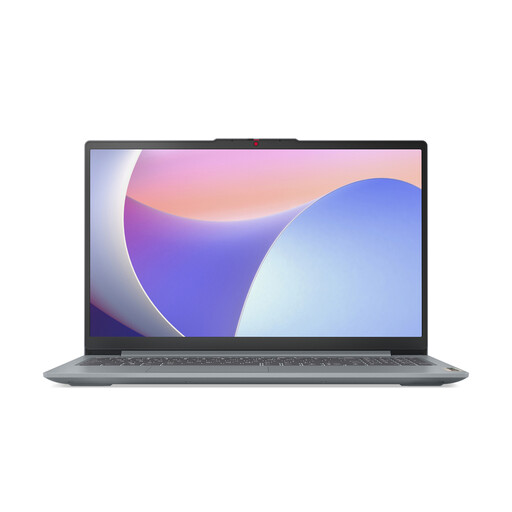
Lenovo IdeaPad Slim 3 15IAH8, 83ER00G4UK, 8GB RAM, 512GB SSD
This 15.6-inch laptop is an option for coursework if its configuration meets your programme’s specification. It lists an Intel Core i5, 8GB RAM and a 512GB SSD; check memory requirements and how its active-use battery life fits days away from a socket.
View on Joybuy
 No image available
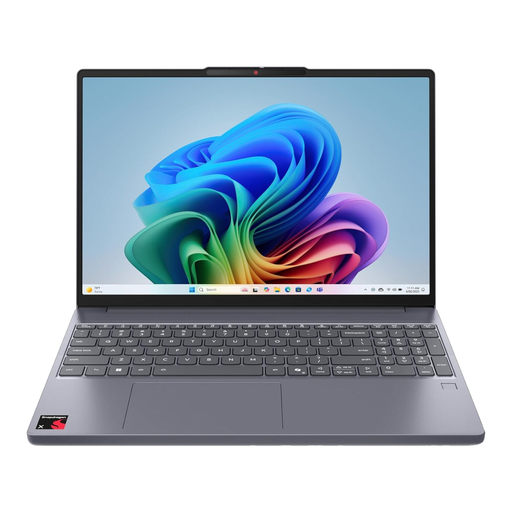
Lenovo IdeaPad Slim 3 15Q8X10, 83N30029UK, 16GB RAM, 256GB SSD
For a portable main computer, check this 15.3-inch Snapdragon model particularly carefully against your software list. It specifies 16GB RAM and a 256GB SSD; confirm that every required application works with its stated Windows 11 ARM configuration and that the storage suits your course files.
View on Joybuy
 No image available
Acer Aspire Lite AL15-36P-C29Z, Intel N150, 8GB RAM, 128GB SSD
Consider this 15.6-inch laptop only after comparing its configuration with the work your course requires. It lists an Intel N150, 8GB RAM and a 128GB SSD; check application compatibility with its stated Windows 11 Home in S Mode configuration, as well as storage needs and active-use battery life.
View on Joybuy
Common questions
Can a tablet replace a laptop at university?
Only if your department confirms that the exact tablet can handle all required applications and assessment tasks. University College London says students need regular access to a laptop or desktop, so do not assume that adding a keyboard makes a tablet sufficient.
What laptop specification should I start with?
Start with your department’s requirements for its applications, operating system and any peripherals. The University of Warwick notes that a particular course may require additional software; check those requirements before using a general student specification to choose a model.
Should I choose Windows or macOS?
Choose the operating system that runs your required course applications and works with any specified peripherals. Ask your department about specialist software before committing to either a Windows laptop or a Mac.
Can university computers replace a personal device?
They may cover particular tasks, but confirm access before relying on them throughout your course. Ask your university when its computers or loan devices are available, whether they run your specialist applications and how you will work away from campus.
Could Disabled Students’ Allowance help with a computer?
A computer may be provided when an individual assessment identifies the need, according to GOV.UK. Speak to your university disability adviser and the student-funding body for your part of the UK about the applicable assessment and equipment process before purchasing for that purpose.


