What should you check first?
Laptop or desktop
Choose when: You need regular access for coursework, learning platforms and required computer software; University College London advises students to have access to one.
Check before choosing: Your department may require software or equipment beyond a general study setup.
Tablet with keyboard
Choose when: You already have access to a suitable computer and want another device for reading or portable note-taking.
Check before relying on it: University College London says a tablet alone is not sufficient for effective study; confirm that course software and assessments work on it.
Refurbished laptop
Choose when: The exact model meets your course requirements and the seller clearly describes its condition.
Check before choosing: Confirm operating-system support, battery information, warranty terms and the seller’s process if a fault appears.
Start with the work your course requires, then compare device configurations and any accessories against that list.
| Priority | What to check | Your needs |
|---|
| Suitable device access |
Can you regularly use a laptop or desktop for coursework? Will your proposed device handle required tasks, rather than only display learning materials? |
I need a device I can use to complete work throughout the course. In Jisc’s 2024/25 UK higher-education survey, 37% of respondents said they had lacked access to a suitable device at some point during their studies; that figure does not identify a particular laptop specification. |
| Course compatibility |
Check the department’s application list, operating-system requirements and assessment workflows. Compare its requirements with the exact processor, memory and storage configuration. |
If my course uses specialist software, I need to know that it will run on the device I choose—not merely that the device supports a modern browser. |
| Portable study |
Compare screen size and stated weight with how often you will carry the device. Check keyboard and connection needs for work away from your usual desk. |
I may move between home, campus and shared study spaces, while still needing a comfortable way to write coursework. |
| Online participation |
Check microphone and camera options for your course activities. If using a headset, confirm its connection works with your device. |
For seminars and group calls, I need to hear others and be heard; video matters when the activity calls for it. |
| Files and backups |
Check local storage against the files your course uses. Decide how coursework will be backed up, including any storage your institution provides. |
I want my working files available across study locations without keeping the only copy on one device or external drive. |
| Condition and support |
For a refurbished device, check the exact model, condition description, battery information, operating-system support and seller terms. |
If I choose refurbished, I need to know what condition the particular laptop is in and what to do if a problem appears. |
Brand references for study laptops
A brand name does not establish course compatibility: compare the exact model and configuration with your requirements.
Lenovo
Lenovo IdeaPad models appear in Which?’s UK laptop review listings.
- Compare individual IdeaPad configurations rather than treating the range as one specification.
- Check the selected model against required course software.
Dell
Dell laptop models appear in Which?’s UK review listings.
- Use the exact model name to compare its configuration with your module requirements.
- A brand or range name alone does not confirm software compatibility.
Acer
Which?’s UK listings include Acer Aspire and Swift laptop models.
- Compare the screen size and carrying requirements of the particular model.
- Confirm its full configuration before judging course suitability.
Apple
Mac laptops are an option when the course confirms its required applications and assessments work on macOS.
- Consider the exact Mac configuration if macOS fits your course workflow.
- Do not assume a Mac or iPad can run every course application.
HP
HP is another Windows-laptop brand to assess by individual model.
- Compare the stated processor, memory, storage and operating system with your course list.
- Confirm the particular configuration; the brand name does not establish specialist-course suitability.
Laptop options on Joybuy
These are laptop options for students considering a main computer for digital study. Check your course’s software requirements against each exact configuration; a tablet or supporting accessory serves a different role.
 No image available
ASUS Vivobook 15 X1504VA, Core 5 120U, 24GB, 1TB SSD
Consider this Windows laptop for a main coursework device if its software compatibility is confirmed. The listed configuration has a 15.6-inch display, Intel Core 5 120U processor, 24GB memory and 1TB SSD; check the course requirements before choosing it.
View on Joybuy
 No image available
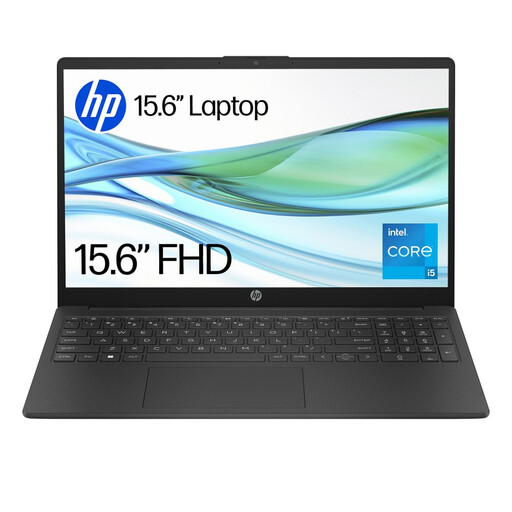
HP 15-fd0064na, Core i5-1334U, 8GB, 256GB SSD
This Windows laptop is an option for coursework when its configuration meets your module requirements. It is listed with a 15.6-inch display, Intel Core i5-1334U processor, 8GB memory, 256GB SSD and Windows 11 Home; check whether that memory and storage meet your needs.
View on Joybuy
 No image available
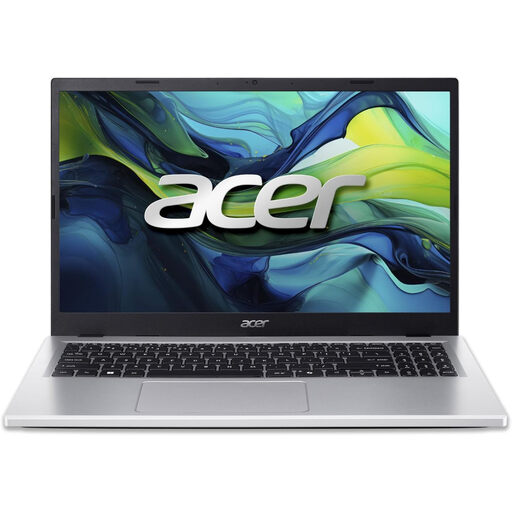
Acer Aspire Go 15 AG15-71P, Core i5-13420H, 8GB, 256GB SSD
Compare this model with your course software list if you need a Windows laptop for study. Its listed configuration includes a 15.6-inch Full HD screen, Intel Core i5-13420H processor, 8GB DDR5 memory, 256GB NVMe SSD and Windows 11 Home.
View on Joybuy
 No image available
ASUS Vivobook 14 X1407QA-LY003W, Snapdragon X, 16GB, 512GB SSD
The 14-inch format may suit study across locations, provided your required applications work with this Snapdragon-based Windows configuration. The title specifies a Snapdragon X processor, 16GB memory and 512GB SSD; confirm application compatibility before buying.
View on Joybuy
 No image available
Apple 13-inch MacBook Neo (2026), A18 Pro, 8GB, 256GB SSD
Consider this Mac laptop only after confirming that your course software and assessment workflow work on it. The SKU title identifies an A18 Pro chip, 8GB memory and 256GB SSD; confirm the supplied storage configuration, as the accompanying description also mentions another storage option.
View on Joybuy
Questions about study devices
Can a tablet with a keyboard replace a university laptop?
Do not assume it can be your only study device. University College London says tablets can be helpful but are not sufficient alone for effective study; ask your course whether its software and assessment tasks work on the tablet before relying on one.
Which laptop specification should I start with?
Start with your department’s requirements, not a specification that claims to suit every subject. Check the required operating system and applications, then compare their processor, memory and storage needs with the exact laptop configuration.
What should I check on a refurbished study laptop?
Check that the exact model meets your course requirements, then review its condition, battery information, operating-system support, warranty documentation and the seller’s fault-reporting process. Which? notes that refurbished stock changes regularly, so assess the particular device offered.
Can Disabled Students’ Allowance help with a computer?
It may help with specialist equipment where an individual assessment identifies a disability-related need. For England, GOV.UK says not to buy equipment before assessment because it will not be reimbursed; students normally resident in Wales, Scotland or Northern Ireland should check the arrangements with their respective student-finance bodies.
Do online seminars require a separate headset or webcam?
Check what your seminars require and whether your laptop’s audio and camera meet those needs before adding accessories. A headset with a microphone is worth considering for frequent calls; an external webcam is a separate choice if the built-in camera does not meet the activity’s requirements.


