What should you check first?
Microsoft Support says Windows 10 support ended on 14 October 2025. Check the existing PC first, then decide whether a supported upgrade, a temporary transition or a replacement fits your circumstances.
Upgrade the current PC
Consider it when: The PC is eligible for Windows 11 and still handles your day-to-day work.
Trade-off: An upgrade keeps the same screen, battery and hardware limitations.
Use Consumer ESU temporarily
Consider it when: Your personal PC meets Microsoft's Consumer ESU conditions and you need time to move to a supported option.
Trade-off: Microsoft says ESU supplies critical and important security updates through 12 October 2027, but not feature improvements, other fixes or technical support.
Replace the PC
Consider it when: The existing PC cannot take a supported upgrade or no longer suits your working setup.
Trade-off: A Windows 11 label does not tell you whether the particular configuration fits your software and peripherals.
| Concern |
What to check |
Who this matters to |
| Upgrade eligibility |
Run Microsoft's PC Health Check and review Windows Update. An eligibility result does not by itself establish that the PC suits your workload. |
If my current PC still does what I need, I want to know whether I can keep using it with Windows 11 rather than replace it; around 33% of consumers put upgrade eligibility first. |
| Replacement fit |
Choose a laptop or desktop for your workspace, then check the exact Windows edition, memory, storage, screen and connections against your tasks. |
When the old PC no longer works well for me, the replacement needs to fit both my workspace and essential software; for around 42% of consumers, that fit is the primary concern. |
| A safe transition |
Check that your backup has enough capacity and that copied files open. If considering Consumer ESU, check the device, account and use conditions. |
I cannot change computers until my important files are accounted for, and I may need time to arrange the move; protecting that transition comes first for around 25% of consumers. |
Windows 11 replacement PCs on Joybuy
These laptop and desktop choices are for replacing a Windows 10 computer. Compare each exact configuration with your work software, workspace and existing accessories; check the installed Windows edition before choosing a PC as your supported replacement.
 No image available
ASUS Vivobook 14 X1407QA-LY003W Copilot+ PC, Quiet Blue
Consider this 14-inch laptop if you move your work between rooms; confirm its Windows edition and that essential applications and peripherals work with Snapdragon X.
- Snapdragon X; 16GB RAM; 512GB SSD.
- Check whether the configuration and connections suit your existing setup.
Joybuy
 No image available
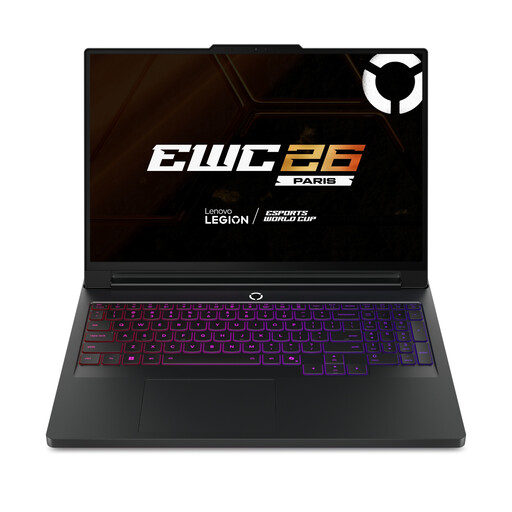
Lenovo Legion Pro 7 16IAX10H, 83F5000UUK
This 16-inch Windows 11 Home laptop is a choice to assess if your work calls for the stated memory and storage; check its weight and battery runtime if you will carry it regularly.
- Intel Core Ultra 9; 64GB RAM; 2TB SSD.
- NVIDIA GeForce RTX 5090; confirm that the configuration fits the applications you use.
Joybuy
 No image available
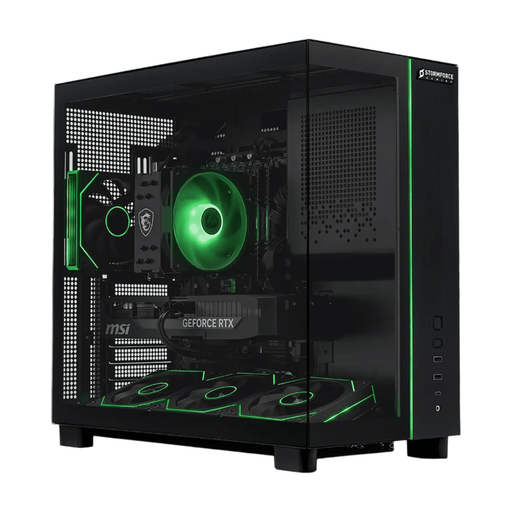
Stormforce Defiance Ryzen 7 5700X, RTX 5070
Consider this Windows 11 desktop for a fixed workspace if its stated memory and storage suit your tasks; confirm the peripherals and space needed for your setup.
- 32GB RAM; 2TB SSD; RTX 5070.
- Check whether a monitor, keyboard and mouse are supplied or need to come from your existing setup.
Joybuy
 No image available
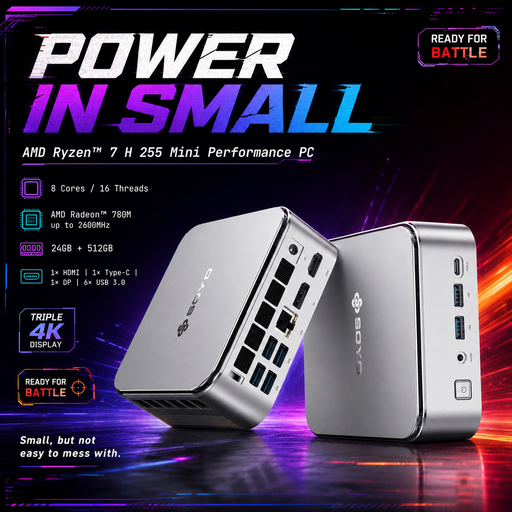
SOYO S4PLUS Mini PC, Ryzen 7 H 255, 24GB/512GB
This compact Windows 11 mini PC is for a fixed workspace rather than laptop use; check its exact supplied configuration and what you need to complete the desktop setup.
- 24GB LPDDR5 RAM; 512GB PCIe 3.0 SSD; Radeon 780M.
- Confirm the monitor, keyboard, mouse, power adapter and required connections before ordering.
Joybuy
 No image available
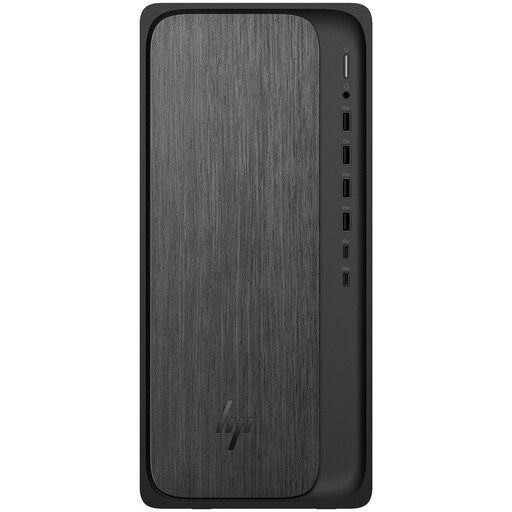
HP M02-0005na OmniDesk, Ryzen 5 8500, 8GB/1TB
Consider this Windows 11 Home desktop for a fixed desk, checking whether its 8GB RAM meets your multitasking needs.
- 1TB SSD.
- Confirm whether you need to provide a monitor and whether the included input devices suit your setup.
Joybuy
Frequently asked questions
Will my Windows 10 PC stop working because support ended?
No. Microsoft Support says the PC can continue to function, but Windows 10 has no longer received its regular security updates, feature updates or free technical support since 14 October 2025. Check Windows 11 eligibility or the conditions for a temporary Consumer ESU route rather than assuming continued operation means continued support.
How can I tell whether to upgrade or replace my PC?
Run Microsoft's PC Health Check to assess Windows 11 eligibility, then judge the computer against your actual work. Even an eligible PC may be worth replacing if its condition, screen, connections or application compatibility no longer suit you.
Can I use Consumer ESU on a home-working PC?
Only if the device and its use meet Microsoft's Consumer ESU conditions. Microsoft lists an eligible Windows 10 version 22H2 edition, current updates including KB5126256, and an administrator Microsoft account among the requirements; domain-joined, MDM-enrolled and other listed commercial scenarios are excluded. Check whether an employer manages your PC and whether your use is eligible before relying on Consumer ESU.
How long can Consumer ESU serve as a temporary option?
Microsoft says eligible Consumer ESU coverage runs through 12 October 2027. It supplies critical and important security updates, not feature improvements, other fixes or technical support, so allow time to arrange an eligible upgrade or replacement.
What should I back up before changing computers?
Copy the documents, photos and work files you need, then check that the copies open before changing PCs. Microsoft Support describes transferring files with an external USB drive, SD card or hard drive; keep a separate note of applications and accounts you will need to set up again.


