What matters when choosing a charger?
Match the light’s connection first, then plan for simultaneous charging and a clear, safe place for the equipment on the desk.
| Concern |
What to check |
Who this matters to |
| Bike-light compatibility |
Check the light’s plug or cable against the available ports, then follow its model-specific charging instructions. |
If my light has a direct USB plug or needs a Micro-USB lead, I need a connection that fits before extra power is useful; around 40% of consumers put compatibility first. |
| Shared capacity |
Count devices charging at once and check the station’s total output and simultaneous-use limits. |
When colleagues and I charge devices together, I do not want the bike light to displace someone’s phone or laptop; around 30% of consumers prioritise shared capacity. |
| Desk setup |
Check where the station and leads will sit, and keep any socket or extension within its marked rating. |
At a communal desk, I want the light away from drinks and loose papers without creating a tangle of extensions; around 30% of consumers place a safe, orderly setup first. |
Joybuy products for this setup
These choices include a wireless charging stand and a mixed-port mains charger. For either one, establish how your bike light charges before relying on it as the desk’s charging point.
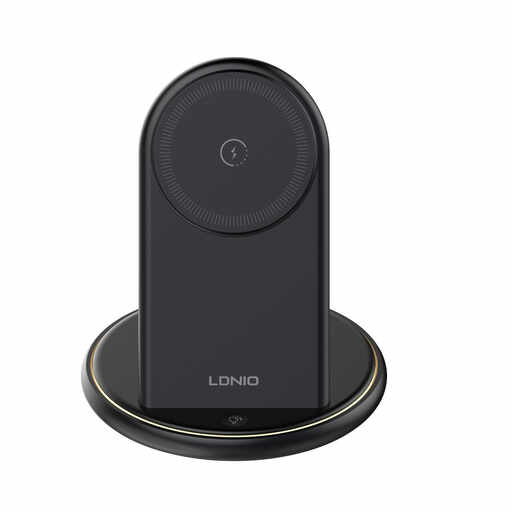 Image unavailable
LDNIO 5 in 1 Wireless Charger Stand, Black
Consider this stand if other desk users want wireless charging as well as a place to charge the light. Its wireless positions do not establish bike-light compatibility: check the light’s required wired connection and the stand’s wired output before buying.
View on Joybuy
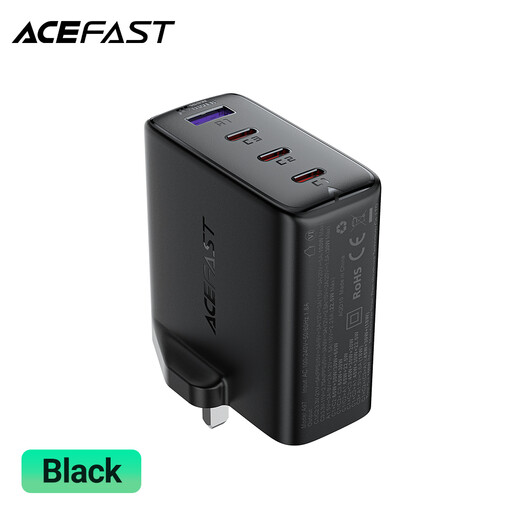 Image unavailable
ACEFAST A97 PD100W GaN Charger, 3 USB-C + USB-A, UK
Consider the mixed port layout when the bike light has a suitable USB-A charging connection and colleagues also use USB-C. The named 100W rating does not establish what each port supplies simultaneously; check the power-allocation details and your light’s instructions.
View on Joybuy
Common questions
Can I use any USB charging station for my bike light?
No: the station needs a connection that fits the light and meets its model-specific charging instructions. Lezyne describes both direct-USB and Micro-USB lights; a CatEye manual specifies a charger of at least 500mA for its particular model and says to disconnect it after charging. Check your own light’s manual rather than applying those instructions to every model.
Could I charge the light from a laptop instead?
Some bike lights can charge from a computer’s USB port if their instructions allow it. Lezyne includes computer USB charging for certain smaller lights, while a CatEye manual notes that its light cannot charge when the computer is asleep. Check the instructions for your model if you plan to use a laptop instead of a mains station.
Does a bike light need a high-wattage USB-C charger?
A high-wattage USB-C charger is not a requirement simply because the device is a bike light. Its connection and manufacturer instructions come first; higher shared output is relevant when the same station must also serve compatible laptops or other demanding devices.
How should several people charge devices safely at one desk?
Keep the charging point on a hard, flat, dry surface and avoid chaining extensions or exceeding their marked ratings, as Electrical Safety First advises. Route cables clear of shared work areas, and stop using a plug or lead that becomes damaged or shows signs of overheating.


