Book-light owners checking the connector
If you know your light charges by USB but have not identified the cable’s charger-end plug or an integrated plug, check that connection before comparing chargers. Book-light charging arrangements differ.


Choose the charger port to match the plug at the charger end of your book light’s cable, or its integrated USB plug, and check the light’s stated charging input. For one light, a single-port charger with a plug suited to the cottage socket keeps the setup simple. Choose more ports only if other devices will share that socket, and check how the charger supplies power when several ports are in use.
If you know your light charges by USB but have not identified the cable’s charger-end plug or an integrated plug, check that connection before comparing chargers. Book-light charging arrangements differ.
If the book light is the only device you plan to charge from this adapter, one suitable port may be enough. Check the cable and charging input before choosing a compact charger.
If a phone, e-reader or another device will charge alongside the light, check that the charger has the right ports for both cables and that its simultaneous output suits those devices.
Identify the light’s connection and charging input first; then decide whether the cottage socket needs to serve one device or several.
| Concern | What to check | Who this matters to |
|---|---|---|
| Cable and port match | Inspect the light and its cable or integrated plug. Match the plug at the charger end to a USB-C or USB-A output port, and check the light’s stated input. | I need the charger to connect to my light without discovering that the cable has the wrong plug; around 50% of consumers put connector certainty first. |
| One-light setup | Once the connection is known, check for a suitable single-port charger with a plug that fits the cottage socket. Maximum wattage alone does not establish charging speed. | For a short stay, I would rather pack one straightforward adapter for my book light than carry ports I will not use; around 30% of consumers prioritise a compact one-light setup. |
| Shared socket | Count devices used at the same time, check the required port mix and consult the charger’s simultaneous-output information. | If my light and another device need the same socket, I want both cables to connect and charge together; around 20% of consumers put shared-socket flexibility first. |
A charger’s maximum output cannot make a USB-C socket accept a USB-A plug. The light’s own charging input also matters.
Look at the included cable, any integrated plug and the light’s instructions before choosing a port type.
A mismatched connection may mean carrying a different suitable cable or adapter.
Multiple ports do not resolve a mismatch between the book light and its charging cable.
Choose the port arrangement for the devices you will actually charge at the same time.
A larger charger can take up more room in a travel bag.
Damaged or daisy-chained extension equipment can create an overheating or fire risk, even when the book light draws little power.
Electrical Safety First advises using only one extension device per socket and not plugging one extension lead into another. Stop using equipment that shows scorching, melted plastic, damaged insulation, sparks, smoke or a burning smell.
Belkin lists both single-port USB-C and dual-port USB-A wall chargers in its UK range.
Anker lists the A2337 Nano as a compact 30W USB-C wall charger.
UGREEN lists chargers with mixed USB-C and USB-A ports for charging several devices from one socket.
These chargers offer more than one port for a cottage socket shared with other devices. Before choosing one for a book light, match its port to the light’s cable or integrated plug and check the light’s stated charging input.
 No image available
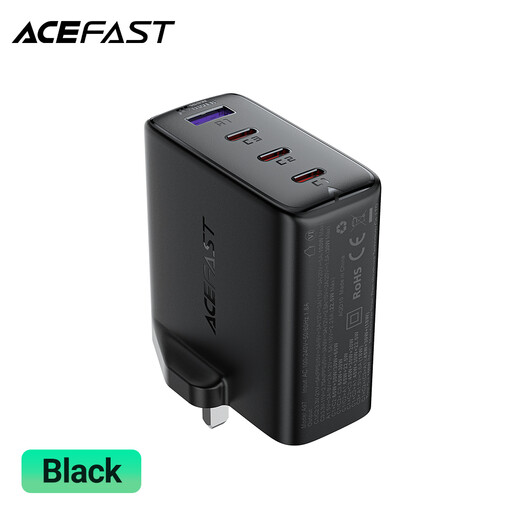
Consider this port mix if the book light and other devices need USB-C and USB-A connections from one socket.
The product name specifies three USB-C ports, one USB-A port and a 100W rating. Check the light’s charging input and the charger’s per-port and shared-output details for your intended combination of devices.
 No image available
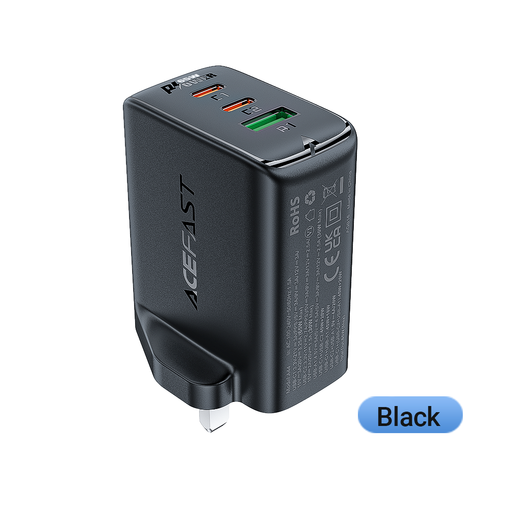
This arrangement may suit a book light sharing a socket with devices that use a mix of USB-C and USB-A cables.
The product name specifies two USB-C ports, one USB-A port and a 65 W rating. Confirm the light’s input and the output available when several ports are used together.
 No image available
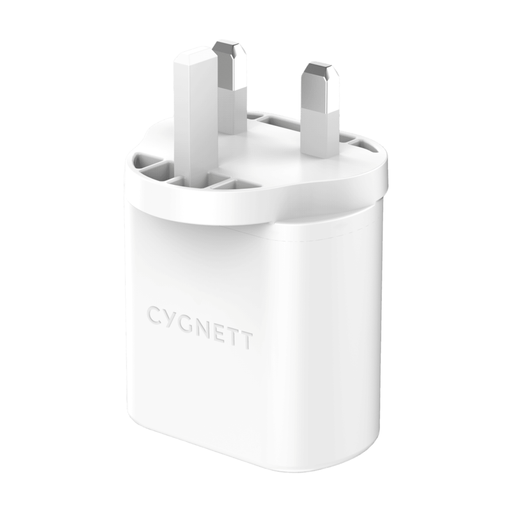
Consider this dual-port charger if the book light and another device need to charge from the same socket.
Its product name identifies a 32W USB-C wall charger with two ports. Check the light’s connection and the charger’s port arrangement and shared output before using both ports together.
 No image available
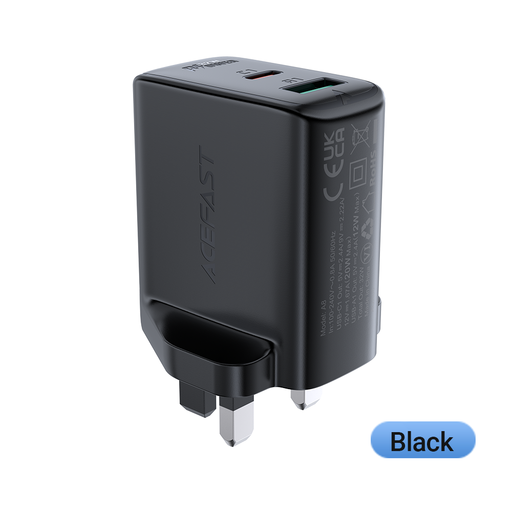
This is a dual-port option to consider if a second device will share the cottage socket.
The product name gives a 32 W rating but does not identify the port mix. Confirm the required USB-A or USB-C connection, the book light’s input and the output available when both ports are used.
If the charger will plug directly into a UK socket conforming to BS 1363, choose one compatible with that socket. Regulation 35 of the Electrical Equipment (Safety) Regulations 2016 addresses compatibility for plug-in electrical equipment intended to connect directly to that socket format; check the cottage’s actual socket before relying on a charger with a different plug.
Choose the output port that matches the plug at the charger end of the light’s cable, or its integrated USB plug. Check the light and its instructions rather than relying on the word “USB” alone.
A higher maximum charger rating does not, by itself, establish a faster charging rate for the book light. Follow the light’s stated charging input and check the relevant output details of the charger.
Use an extension lead only if it and the socket are in sound condition, and do not daisy-chain extension devices. Electrical Safety First advises using one extension device per socket; stop using equipment that shows damage or signs of overheating.