
24/7 Customer Support

Free returns

Same-day & Next-day Delivery

Quality Guaranteed

Unlock Your Welcome Offers: FREE Delivery | Up to 80% OFF | Free 30-day JoyPlus trial
Download the APP
As our devices have become more streamlined, the single USB-C port has become the standard for everything from charging to data transfer. While this simplifies design, it often complicates our daily lives, leading to a search for the right USB-C accessories. However, the market is flooded with options that promise much but often deliver frustration. Many UK consumers find themselves with a drawer full of underperforming adapters and chargers.
My role as a Joybuy Product Recommendation Officer is to help you navigate this landscape. We will look past the marketing buzz and focus on the practical details that determine whether an accessory is a valuable tool or a waste of money. Let's start by identifying the common pitfalls.
To avoid these traps, focus on a few key specifications. These are the non-negotiable details that ensure performance and safety.
The single most important factor for a USB-C power adapter is its wattage (W). Check your device's requirements:
Using a charger with a lower wattage than required will result in slow charging. For those needing high power in a compact form, look for a GaN charger. Gallium Nitride (GaN) technology allows chargers to be significantly smaller, cooler and more efficient than traditional silicon-based models, making them an excellent choice for a travel charger.
For a multiport adapter or USB-C hub, the type and specification of the ports are critical.
Always choose accessories that are certified with UKCA and CE markings. These certifications indicate that the product has been tested to meet UK and European safety, health and environmental protection standards. This helps protect your expensive devices from over-voltage, short-circuiting and overheating.
Instead of a generic list, we've matched some reliable accessories to specific user needs.
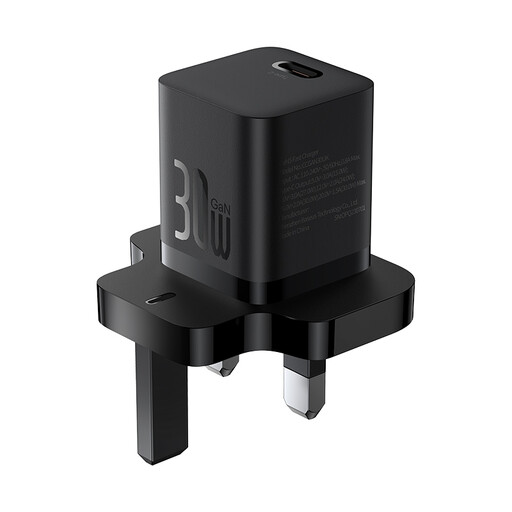
Why This Fits Their Persona: This user needs a compact, lightweight charger for their phone and perhaps a tablet to carry in their bag daily. It needs to be fast and reliable without taking up much space.
It avoids the "universal charger" myth by being a focused 30W charger. It doesn't over-promise laptop charging, instead delivering excellent performance for its intended devices (phones and tablets).
Its use of GaN5 technology makes it remarkably small and portable for its power output. It's an ideal, pocket-sized fast wall charger.
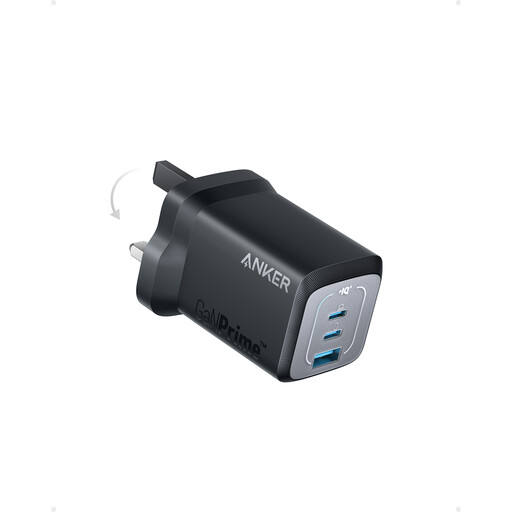
Why This Fits Their Persona: This user juggles a work laptop, personal phone and maybe earbuds between their home office and workplace. They need a single, powerful charger to power everything without carrying multiple bricks.
It provides a genuine all-in-one solution by offering a high 67W output, sufficient for most modern laptops, while also having two extra ports (USB-C and USB-A) for other devices.
It can charge three devices at once from a single, compact unit. The ActiveShield 2.0 safety system provides confidence when powering expensive equipment.
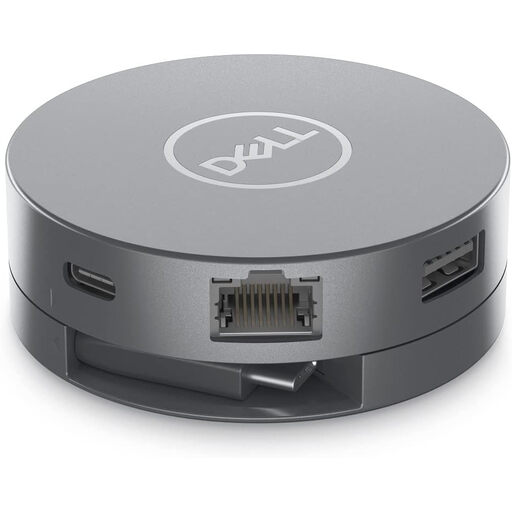
Why This Fits Their Persona: This user needs to connect their laptop to a 4K monitor, transfer files from USB drives and get online with a stable wired connection. Reliability and performance are paramount for their workflow.
It sidesteps the "unstable hub" problem by being an engineered solution from a major hardware brand. It clearly specifies its capabilities, such as 4K@60Hz video output and fast 10Gbps USB ports.
It offers a comprehensive port selection, including both HDMI and DisplayPort, plus a Gigabit Ethernet port for maximum connectivity. The 90W power pass-through allows you to charge your laptop through the adapter.
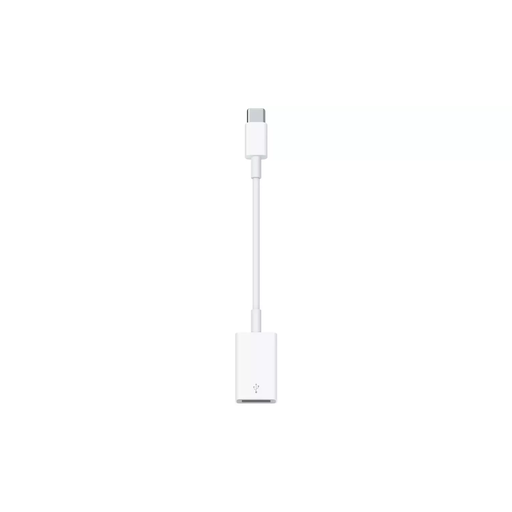
Why This Fits Their Persona: This user has just upgraded to a new USB-C laptop or tablet but still has essential peripherals like a trusty USB mouse, keyboard or flash drive. They need a simple, reliable way to connect them.
It avoids the trap of overly complex, unreliable hubs by doing one job perfectly. This is a dedicated USB-C to USB-A adapter designed for seamless compatibility and stable data transfer.
As an Apple-designed product, it offers plug-and-play simplicity and dependable performance with Mac and iPad devices. Its compact and durable build is ideal for daily use.
We have compiled a complete, real-time list of products that fully satisfy these strict selection criteria and UK safety regulations.
While most USB-C cables will fit, performance is not guaranteed. For optimal charging, you should match the charger's wattage (W) to your device's needs. Using a low-wattage phone charger on a high-power laptop will be extremely slow and may not be able to charge the battery while the device is in use.
GaN stands for Gallium Nitride, a semiconductor material that is more efficient than the traditional silicon used in most chargers. This allows a GaN charger to be smaller, run cooler and waste less energy. If you need a powerful charger (65W or more) that is also highly portable for travel, GaN technology is a definite advantage.
No, this is a common point of confusion. For a USB-C port to output video to a monitor via a USB-C to HDMI adapter, it must support a feature called "DisplayPort Alternate Mode" (or DP Alt Mode). Cheaper laptops and some tablets do not include this feature. Always check your device's official specifications before purchasing an adapter for video purposes.