
24/7 Customer Support

Free returns

Same-day & Next-day Delivery

Quality Guaranteed

Unlock Your Welcome Offers: FREE Delivery | Up to 80% OFF | Free 30-day JoyPlus trial
Download the APP
As more of our devices—from laptops and phones to tablets and headphones—adopt the USB-C standard, the market for accessories has become crowded and confusing. While the promise of a single connector for everything is appealing, not all USB C accessories are created equal. Choosing the wrong one can lead to slow charging, data transfer bottlenecks or even a cable that fails within months.
My role as a Joybuy Product Recommendation Officer is to help you navigate this landscape. We will look past the marketing buzz and focus on the practical details that ensure you get a reliable product that meets your needs, without overpaying for features you will never use.
Before you add anything to your basket, be aware of these common traps that catch out many UK shoppers:
To avoid the pitfalls above, focus on these three core specifications. Getting these right is crucial for performance and value.
This is the single most important factor for charging. The power output is measured in watts (W). You must match your cable and charger to your device's requirements.
Not all USB-C ports and cables transfer data at the same speed. This is measured in megabits or gigabits per second (Mbps/Gbps).
The physical construction of an accessory determines its lifespan. Look for features that indicate durability.
Based on these practical criteria, here are a few options from our catalogue, matched to different user needs.
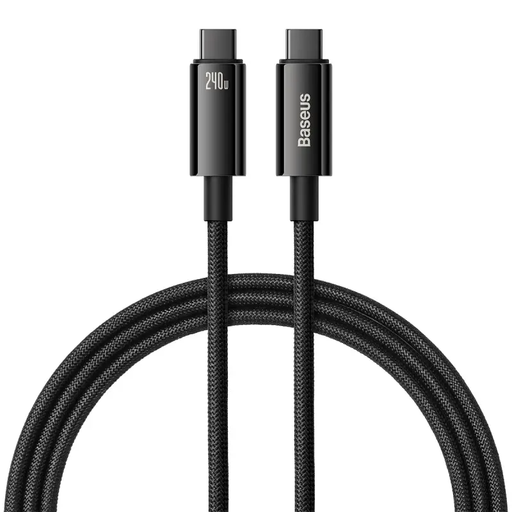
Why This Fits Their Persona: For professionals with power-hungry devices like a 16-inch MacBook Pro or a high-end Windows laptop, having a cable that can deliver maximum power is non-negotiable. This ensures they can work without interruption and future-proofs their setup for next-gen tech.
It directly counters the "Fast Charging" myth by supporting the 240W PD 3.1 standard. This ensures the cable itself will not be a bottleneck, delivering the maximum power a compatible charger can provide.
Maximum power support for current and future devices. The zinc alloy connectors and nylon braided cable provide excellent durability for daily professional use.
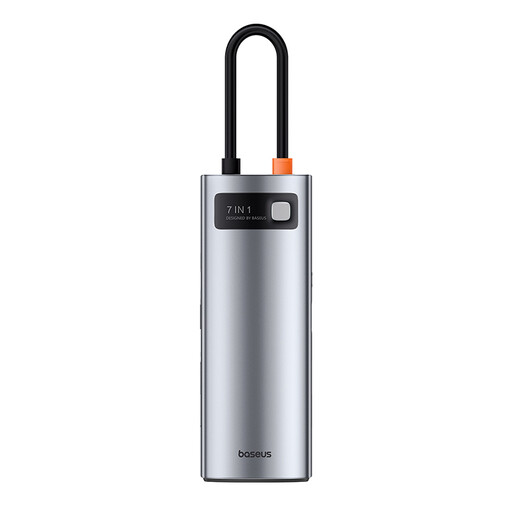
Why This Fits Their Persona: For anyone who works in different locations or needs to turn a single laptop port into a full workstation, a reliable hub is essential. This user needs to connect an external monitor, transfer files from USB drives and SD cards and keep their laptop charged, all at the same time.
It avoids the "Hub with Hidden Flaws" trap by clearly specifying its capabilities: the HDMI port supports 4K at a smooth 60Hz, and its USB ports are USB 3.0, offering up to 5Gbps transfer speeds.
Offers 7-in-1 functionality in a compact, durable metal alloy body. The inclusion of 100W PD pass-through charging means you don't sacrifice your charging port for connectivity.
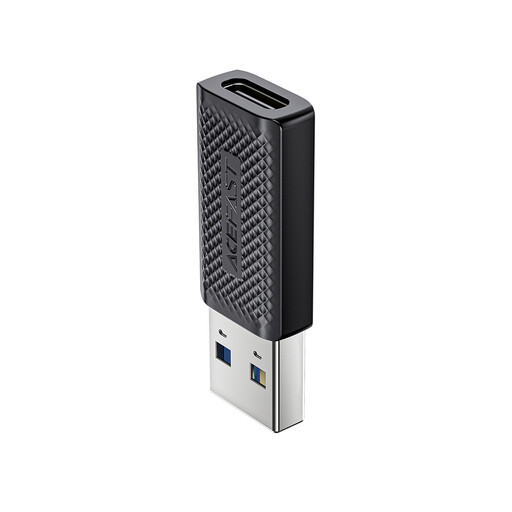
Why This Fits Their Persona: This user has just upgraded their laptop or phone to a new USB-C model but still owns plenty of valuable peripherals—external hard drives, keyboards, mice—that use the traditional USB-A connector. They need a simple, reliable bridge between the old and the new.
Many cheap adapters only support slow USB 2.0 speeds. This one avoids that trap by supporting the USB 3.0 standard (up to 5 Gb/s), ensuring that file transfers from a fast external drive are not bottlenecked.
It is a compact and highly portable solution for maintaining compatibility with older devices. The support for high-speed data transfer makes it far more versatile than a basic adapter.
We have compiled a complete, real-time list of products that fully satisfy these strict selection criteria and UK safety regulations.
No, they do not. A cable's ability to fast charge depends on its internal wiring and the power rating it is designed for (e.g., 60W, 100W, 240W). To achieve fast charging, your power adapter, your cable and your device must all support the same or a compatible Power Delivery (PD) standard. Using a high-wattage cable with a low-wattage charger will not speed up charging.
While most USB-C cables will charge a MacBook Pro, using an under-powered one can lead to very slow charging speeds or even battery drain while the device is in use. For a MacBook Pro, it is advisable to use a cable rated for at least 60W and ideally 100W, to ensure it can charge efficiently under all conditions. Always check the cable's wattage rating before purchase.
The terms are often used interchangeably, but there can be a difference. A USB C hub is typically a smaller, portable device that plugs directly into your laptop and offers a few extra ports (like HDMI, USB-A and SD card readers). A docking station is usually a larger, stationary unit that may have its own power supply. Docks often provide more ports, including multiple video outputs and Ethernet and are designed to create a permanent desk setup that you can connect to with a single cable.