
24/7 Customer Support

Free returns

Same-day & Next-day Delivery

Quality Guaranteed

Unlock Your Welcome Offers: FREE Delivery | Up to 80% OFF | Free 30-day JoyPlus trial
Download the APP
A USB-C adapter can solve a simple connection problem, expand a laptop into a workstation or provide power during a long journey. However, choosing by appearance or headline wattage alone can lead to compatibility issues, slow charging and unnecessary spending.
This guide explains the practical specifications to check before buying USB-C adapters in the UK, including USB-C hubs, USB-C to USB-A adapters, charging plugs and car power accessories.
Two USB-C ports may look identical but support different functions. One may handle charging only, while another supports data, display output or Power Delivery. A USB-C HDMI adapter or multiport hub may not work if the laptop’s USB-C port lacks DisplayPort Alt Mode or docking support.
Before purchasing, check the specifications of the source device, not just the accessory. A USB-C hub cannot add video output to a port that does not support it.
A product labelled “100W PD” does not necessarily deliver 100W to every connected laptop. The charger, cable, device and hub must all support compatible USB-C Power Delivery profiles. Some hubs also reserve part of the incoming power for their own operation.
For phones and smaller tablets, a USB-C PD charger rated at 20W to 30W may be suitable. Larger laptops can require considerably more. Use a cable rated for the intended power and data speed to avoid creating a performance bottleneck.
Compact chargers and hubs can become warm during high-power operation. This is not automatically a fault, but ventilation is important. Avoid covering a charger with clothing or placing it in a confined, poorly ventilated space.
Vehicle accessories require additional care. A car power inverter designed for a 12V system should not be connected to a 24V vehicle unless the product explicitly supports it. Many vehicle power sockets are fused for limited output, so high-wattage appliances may require direct battery connections and suitable installation.
A USB-C to USB-A adapter can mean different things depending on the connector gender. For example, a USB-A female to USB-C male adapter allows a USB-A cable or peripheral to connect to a USB-C device. Check whether you need:
Also check whether the connected phone, tablet or laptop supports OTG, video output or docking functionality.
USB 3.0 or USB 3.2 Gen 1 products can provide data transfer speeds of up to 5Gbps under suitable conditions. Actual performance depends on the device, cable, storage drive and file type.
For displays, examine the stated resolution and refresh rate. A hub may support 4K at 30Hz, while another may offer a different combination of resolution and refresh rate. VGA and HDMI outputs may also operate differently, and many adapters support only one external display through Single Stream Transport.
A USB-C PD charger or USB-C power adapter should state its maximum output and include suitable safeguards. Useful protection features include:
A 30W GaN charger, such as the ACEFAST Z7, uses gallium nitride components in a compact design. Its listed maximum output is 30W, with protection against over-current, over-voltage and short circuits. Ensure the cable and device are compatible with 30W PD charging.
For a car power inverter, also check continuous wattage rather than relying on peak wattage. Peak output is generally intended for short start-up surges, not continuous operation.
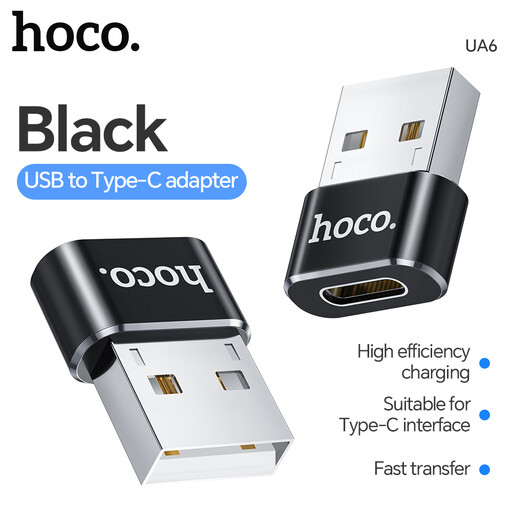
Why This Fits Their Persona: A straightforward option for students, home users and commuters who need to connect existing USB-A accessories to a USB-C device.
Its USB-A female to USB-C male layout is clearly specified, helping avoid buying the wrong connector direction. OTG support still needs to be confirmed on the host device.
Compact USB-A to USB-C conversion; suitable for basic peripherals and compatible OTG devices.

Why This Fits Their Persona: A practical choice for professionals, hybrid workers and presenters who need display, wired network and USB connectivity in one unit.
The specifications identify USB-C Alt Mode requirements, 4K HDMI output at 30Hz, VGA support and Single Stream Transport for one display.
Includes Gigabit Ethernet, two USB 3.0 ports, HDMI, VGA and a USB-C port with stated 100W PD pass-through.
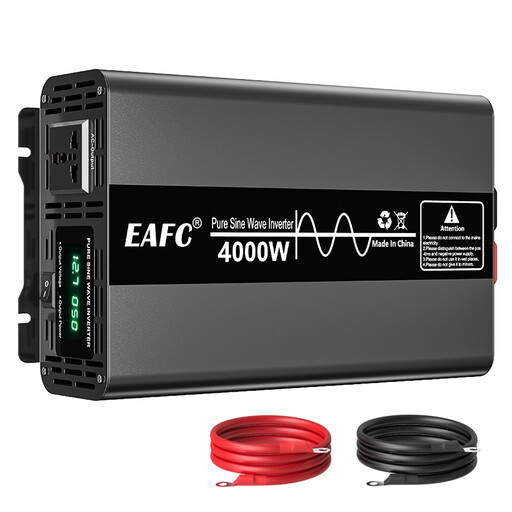
Why This Fits Their Persona: Suited to campers, motorhome users, work vehicles and backup-power applications requiring higher AC output from a 12V battery system.
It distinguishes 2,000W rated output from 4,000W peak output and states its 12V DC input, helping buyers assess continuous demand correctly.
Pure sine wave 220V AC output; listed protection includes overload, reverse polarity, low/high voltage and over-temperature protection.
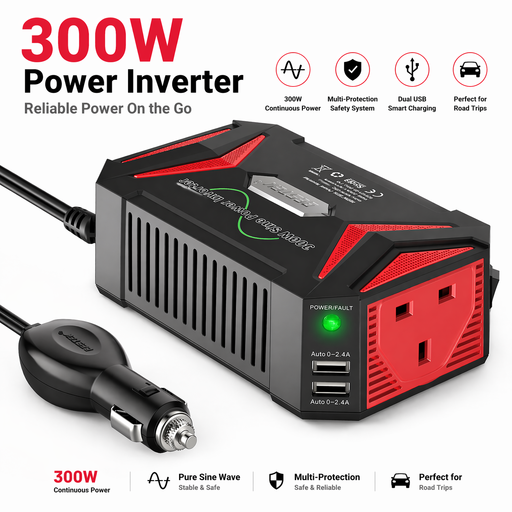
Why This Fits Their Persona: Useful for drivers who need compact AC power and USB charging for laptops, cameras, navigation equipment or other modest loads.
The product states that it is for 12V vehicles only and warns against using high-power appliances or exceeding the vehicle socket’s practical limit.
300W rated output with pure sine wave AC power; dual USB ports provide up to 4.8A total according to the listed specification.
We have compiled a complete, real-time list of products that fully satisfy these strict selection criteria and UK safety regulations.
No. USB-C describes the connector format, not every supported function. Check data speed, charging standards, video support, OTG compatibility and the required connector direction before ordering.
Only if the adapter and laptop support suitable USB-C Power Delivery specifications. A basic USB-C to USB-A adapter may transfer data or connect peripherals but may not provide laptop charging. For charging, verify the charger’s wattage, the hub’s pass-through rating and the cable specification.
They draw energy from the vehicle battery and alternator, so using one increases the vehicle’s energy demand. The amount depends on the connected load, operating time and conversion efficiency. Switch the inverter off when the engine is not running unless the battery system is specifically designed for the load.