
24/7 Customer Support

Free returns

Same-day & Next-day Delivery

Quality Guaranteed

Unlock Your Welcome Offers: FREE Delivery | Up to 80% OFF | Free 30-day JoyPlus trial
Download the APP
USB-C has become the standard connection for many iPhones, iPads, Android phones, laptops, cameras and gaming devices. However, not every USB-C accessory offers the same charging speed, data performance or compatibility. A low-cost purchase can become frustrating if it delivers power only, limits file transfers or fails to support your device’s display output.
This guide explains the specifications that matter when comparing USB-C adapters and chargers, including hubs, cables, media readers and car accessories.
A USB-C connector describes the shape of the port, not its capabilities. Two USB-C products may look identical while offering very different charging and transfer speeds.
For example, a USB-C to USB adapter may support only basic USB 2.0 data rates, while a USB-C data transfer adapter using USB 3.0 or USB 3.2 Gen 1 can reach up to 5 Gb/s, subject to the connected devices and cable. Check the USB standard rather than relying on phrases such as “high speed”.
A USB-C to HDMI adapter or multi-port USB-C hub requires the host device to support DisplayPort Alt Mode for video output. If the port supports charging and data only, an HDMI display may not work, even when the hub itself lists 4K capability.
This is particularly important for laptops, tablets and handheld consoles. Check the device specification before buying a hub advertised with 4K or dual-display support.
A USB-C Power Delivery charger rated at 100W does not automatically charge every device at 100W. The phone, tablet or laptop determines how much power it can accept, while the cable must also support the required rating. A fast charging USB-C cable with a suitable current rating is essential for higher-power charging.
In a car, the vehicle socket, charger and cable all affect the result. A charger marked 65W or 45W may provide that output only through a particular port and charging protocol.
For phones and tablets, a compact 20W to 45W charger may be suitable. Larger laptops and gaming handhelds can require considerably more. Look for the charger’s USB-C PD output profiles, such as 5V, 9V, 12V, 15V or 20V, rather than focusing only on the headline wattage.
For pass-through charging hubs, also check whether the advertised wattage is the input rating or the power available to the connected device after the hub uses some power.
Photographers and videographers should check both the card-reader standard and the host connection. The Apple USB-C to SD Card Reader Adapter is described as supporting UHS-II SD cards, which is relevant when transferring large photo and video files. A slower reader can create a bottleneck even if the memory card itself is fast.
For a USB-C to USB adapter, look for USB 3.0, USB 3.1 or USB 3.2 Gen 1 specifications when moving large files or connecting external storage. Some small adapters are designed mainly for charging and may not support high-speed data.
A USB-C hub may include USB-A ports, HDMI, SD and TF card slots, Ethernet and a USB-C PD input. Count the ports you actually need, but also check their individual limits. A hub may include several USB ports while only one supports 10 Gb/s.
For travel, size and cable placement matter. A compact USB-C to SD card reader or USB-C to USB adapter is easier to carry than a full dock. For desk-based work, a multi-port USB-C hub may be more convenient.
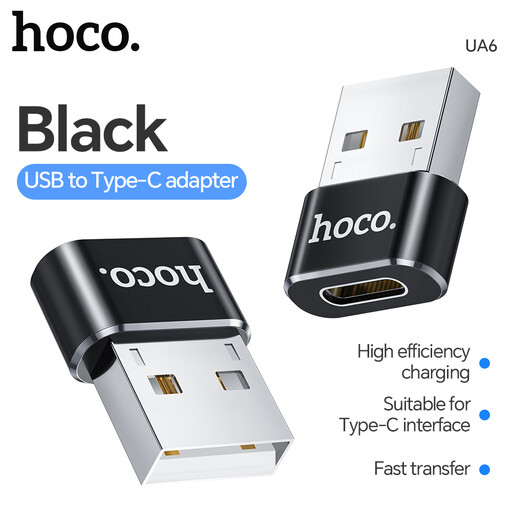
Why This Fits Their Persona: A small option for users who need to connect a USB-C device to an existing USB-A accessory or cable at home, in the office or while travelling in the UK.
Its stated OTG limitation makes it clear that compatibility should be checked before connecting high-power devices or external hard drives.
USB-A female to USB-C male format; compact design for simple accessory connections.
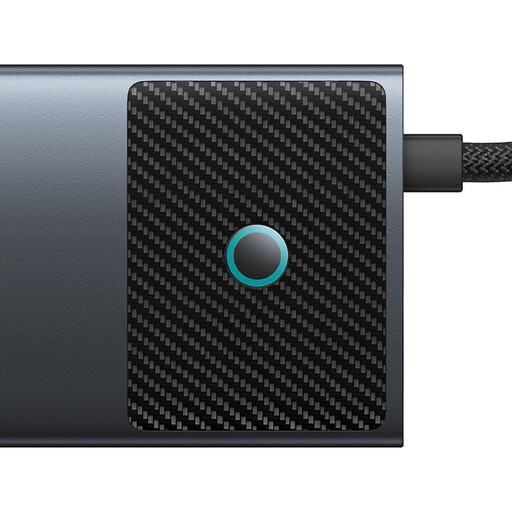
Why This Fits Their Persona: Suitable for remote workers and creative users who want one desktop connection point for displays, storage, networking and peripherals.
The specifications identify each port separately, reducing the risk of assuming that every connection supports the same speed or display resolution.
Includes HDMI, RJ45 Gigabit Ethernet, SD/TF, USB-A, USB-C and a USB-C PD input; listed SD/TF speed is up to 104 MB/s.
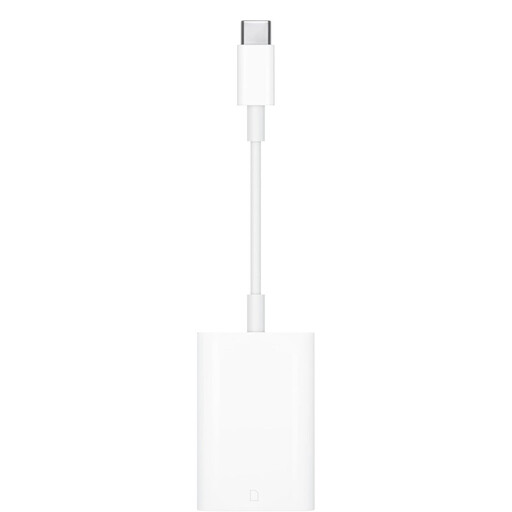
Why This Fits Their Persona: A focused choice for photographers, videographers and Apple users transferring images or video from SD cards to compatible iPad or Mac devices.
It is a dedicated reader rather than a general hub, with stated UHS-II support and no additional driver requirement.
Plug-and-play operation; compact format for travel and direct SD-card file access.
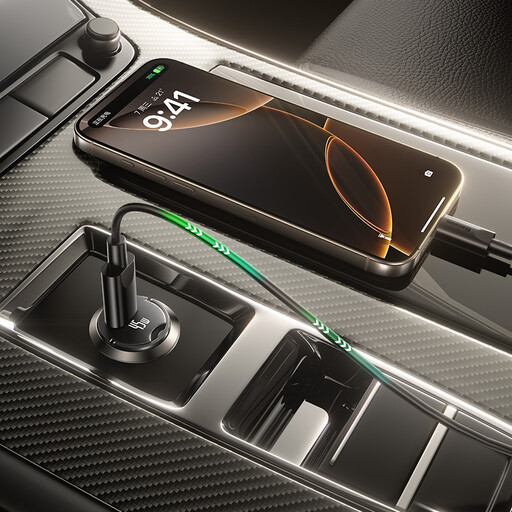
Why This Fits Their Persona: A practical USB-C car charger for commuters who want to charge a phone, tablet or compatible device from a standard 12–24V vehicle socket.
Its output is stated as a maximum of 45W, helping buyers compare the actual USB-C port rating rather than a vague “fast charging” description.
Supports 12–24V input; supplied with a 1m USB-C to USB-C cable rated at 60W.
We have compiled a complete, real-time list of products that fully satisfy these strict selection criteria and UK safety regulations.
They can. A basic adapter may support charging but not the same current or Power Delivery profile as a direct cable. For fast charging, check the adapter’s stated power rating and use a cable designed for the required wattage.
Lifespan depends on connector quality, bending, heat and daily handling. Keeping cables loosely coiled, avoiding sharp bends and removing adapters by the plug rather than the cable can reduce strain. Replace accessories showing fraying, loose connections or heat damage.
A hub itself normally draws a small amount of power, but connected displays, storage and peripherals increase total consumption. During pass-through charging, the hub also uses part of the charger’s input, so the device may receive less than the charger’s headline wattage.