
24/7 Customer Support

Free returns

Same-day & Next-day Delivery

Quality Guaranteed

Unlock Your Welcome Offers: FREE Delivery | Up to 80% OFF | Free 30-day JoyPlus trial
Download the APP
The USB-C port is now the standard for everything from the latest iPhone 15 and Samsung Galaxy phones to the MacBook Pro and countless other laptops and tablets. While this universal connector simplifies our lives, choosing a replacement or upgraded USB C to USB C cable has become surprisingly complex.
Not all cables are created equal. Many are sold with vague promises that lead to disappointment and wasted money. Before you make a purchase, it is crucial to understand the common pitfalls that catch out unwary buyers.
To avoid these traps, focus on a few core parameters. Understanding these will help you select a cable that meets your needs for years to come.
This is the single most important factor for charging speed. The power a cable can handle is measured in watts (W). Your cable must be able to deliver the wattage your device requires.
Always match the cable's wattage to your charger and device. A 100W-rated cable will work safely with a 30W phone, but a 30W cable will severely limit the charging speed of a 100W laptop.
A cable's lifespan is determined by its materials and construction, especially at the stress points where the cable meets the plug.
If you only use your cable for charging, this may be less of a concern. However, for syncing files, the difference is significant.
We have filtered through the options to find cables that address the common pitfalls, matching them to specific user needs.
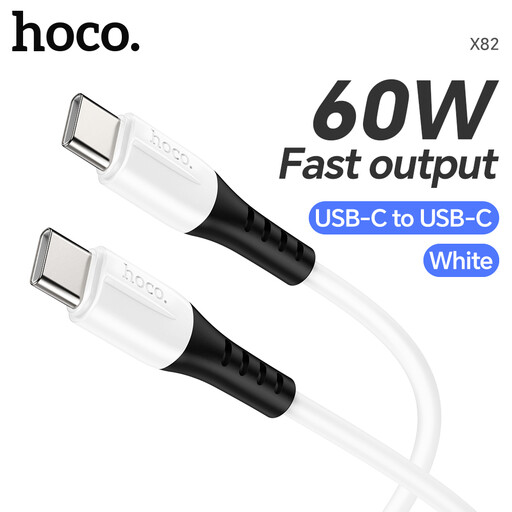
Why This Fits Their Persona: This is a practical choice for charging a smartphone, such as a USB C cable for iPhone 15, or a tablet. The silicone material is flexible and resists tangles, making it ideal for carrying in a bag or using at a desk without creating clutter.
It clearly states its 60W power rating, avoiding the vague "fast charge" trap. The soft silicone construction and reinforced joints are designed to resist the fraying that plagues basic cables.
Tangle-resistant and flexible silicone jacket. Supports up to 60W Power Delivery, suitable for phones, tablets and some ultrabooks.
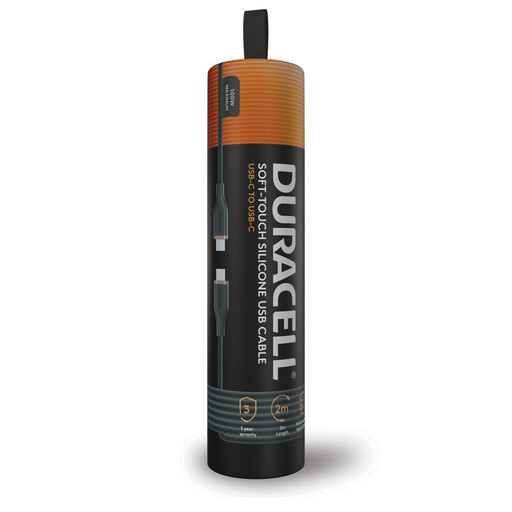
Why This Fits Their Persona: Perfect for professionals and students who rely on a powerful laptop. The 100W output is ideal for a MacBook Pro charging cable, and the generous 2-metre USB C cable length provides flexibility for use at a desk, in a meeting room or by the sofa.
Its construction, featuring a double-braided nylon outer and Dupont Kevlar fibre, directly counters the durability pitfall. The 100W rating is clear and powerful, avoiding any charging speed ambiguity.
High 100W power output for laptops. Extra-durable materials and a convenient 2-metre length for versatile use.
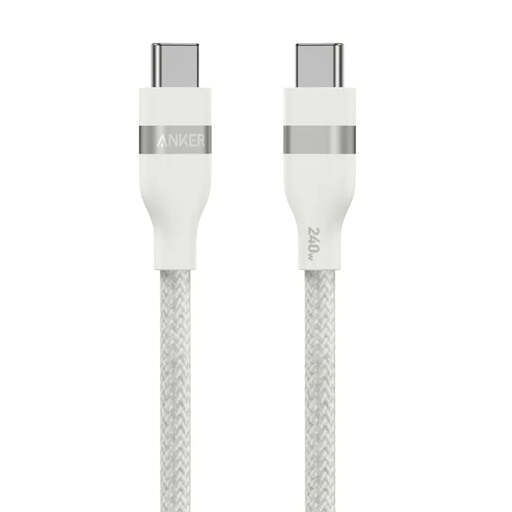
Why This Fits Their Persona: For those who own the latest high-power devices or want a cable that will remain relevant for years. This cable's 240W capability ensures it can handle the most demanding laptops and future gadgets without breaking a sweat.
It offers a massive 240W capacity, eliminating any power bottlenecks for current and future devices. The braided design is rated for a high bend lifespan, directly addressing the durability trap.
Supports up to 240W for maximum charging speeds. The braided exterior is made from post-consumer recycled materials.
We have compiled a complete, real-time list of products that fully satisfy these strict selection criteria and UK safety regulations.
No. A cable's power output can vary significantly. To ensure fast charging, you must check that the cable supports the Power Delivery (PD) standard and is rated for the wattage your device needs (e.g., 60W, 100W). The cable, charger and device must all be compatible to achieve the highest speeds.
A braided USB C cable generally offers better resistance to fraying and tangling than a basic plastic one. However, the overall quality still matters. A well-made silicone cable with reinforced connectors can be just as durable. Look for details on the materials and construction rather than just the "braided" label.
Yes, this is perfectly safe. The USB-C Power Delivery system allows the charger, cable and device to communicate and negotiate the correct amount of power. The device will only draw the wattage it is designed for. Using a higher-rated cable is a good way to future-proof your purchase for when you get more powerful devices.