
24/7 Customer Support

Free returns

Same-day & Next-day Delivery

Quality Guaranteed

Unlock Your Welcome Offers: FREE Delivery | Up to 80% OFF | Free 30-day JoyPlus trial
Download the APP
As a Product Recommendation Officer at Joybuy, I often see how a simple purchase, like a new charging cable, can lead to frustration. You buy a USB C cable advertised with impressive speeds, only to find it charges your phone at a snail's pace or, worse, frays and stops working within a few months. It’s a common story, but one that is entirely avoidable.
Before you add another cable to your online basket, let’s look at the three most common pitfalls that catch UK shoppers out and how to sidestep them to find a cable that genuinely meets your needs.
To avoid these traps, you don't need to be a tech whizz. You just need to check three core parameters that determine a cable's performance and longevity.
This is the single most important factor for charging speed. The power a cable can handle is measured in Watts (W). Mismatching this can lead to slow charging or even an inability to charge larger devices at all.
The "C" in USB-C refers only to the physical shape of the connector. The technology inside can vary.
A cable's lifespan is directly related to its construction.
Instead of a one-size-fits-all approach, we've matched some reliable options to specific user needs.
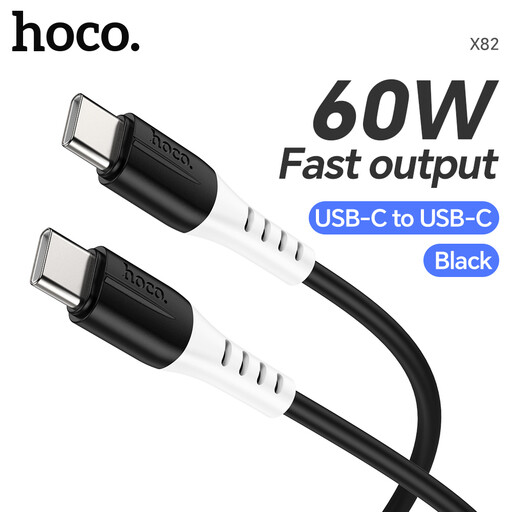
Why This Fits Their Persona: This is a practical choice for anyone needing a reliable replacement or spare cable for their Android phone, tablet or lightweight laptop. It balances cost with features that matter for daily use.
Its food-grade silicone jacket directly counters the "fragile cable" pitfall by being highly flexible and resistant to tangling and fraying at the connection points.
Supports up to 60W Power Delivery, making it a versatile fast charging cable for a wide range of devices, not just phones. Also supports 480Mbps data transfer.
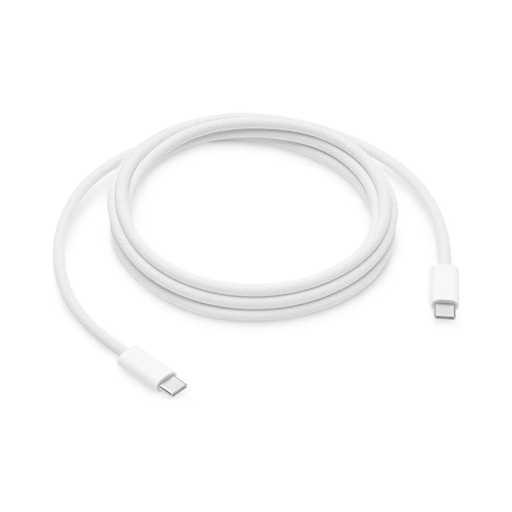
Why This Fits Their Persona: For those invested in the Apple ecosystem, this official cable ensures seamless compatibility and performance for fast-charging an iPhone or iPad, or syncing with a Mac.
As an MFi-certified product, it guarantees it will work with Apple's fast-charging protocols and won't be rejected by the device, sidestepping the "fast charging illusion" common with uncertified cables.
The generous 2-metre length provides excellent convenience for use around the home or office. It also supports reliable USB 2.0 data transfer for syncing.
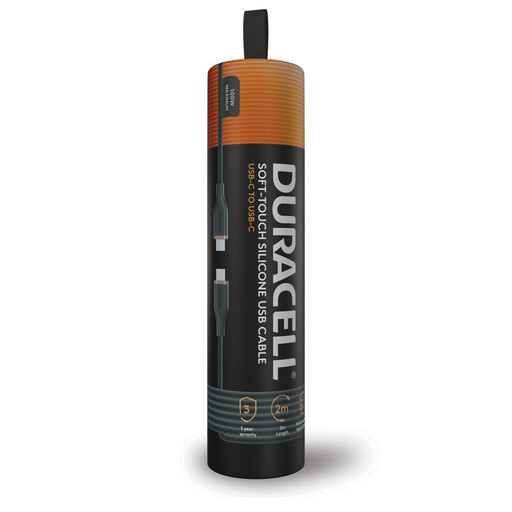
Why This Fits Their Persona: This is for the person with a powerful laptop, a flagship Samsung fast charger cable need and other high-demand gadgets. They need one cable that can handle everything without compromise.
It is built with a double-braided nylon outer and incorporates Dupont Kevlar fibre, directly addressing the durability pitfall and ensuring it withstands heavy, long-term use.
Its 100W Power Delivery support ensures it can charge even the most demanding devices, like a MacBook charger cable replacement, at full speed. The 2m length adds practical convenience.
We have compiled a complete, real-time list of products that fully satisfy these strict selection criteria and UK safety regulations.
For most smartphones, no. A 30W or 60W cable is more than sufficient to achieve their maximum fast-charging speed. However, a 100W cable is backwards-compatible and will safely charge your phone. It's a good purchase if you also own a powerful laptop and want one cable for all your devices.
This is almost always due to a lack of adequate strain relief. Cheaper cables use short, rigid plastic collars at the connector joint. Repeated bending concentrates stress on this single point, causing the internal wires to snap. Look for cables with longer, more flexible collars or materials like braided nylon that distribute stress more effectively.
Not necessarily. While most reputable cables support both charging and data, some very cheap, unbranded cables are "charge-only" to save on manufacturing costs. If transferring files is important to you, always confirm that the cable supports data transfer (e.g., at 480Mbps or higher) before purchasing.