
24/7 Customer Support

Free returns

Same-day & Next-day Delivery

Quality Guaranteed

Unlock Your Welcome Offers: FREE Delivery | Up to 80% OFF | Free 30-day JoyPlus trial
Download the APP
As our devices become more powerful, the humble USB C cable has become an essential accessory for everything from your iPhone 15 and MacBook to your Nintendo Switch. Yet, buying a replacement or an upgrade can be a frustrating experience. A cable that promises fast charging might barely trickle power to your laptop, while another might fray and fail within months.
As the Joybuy Product Recommendation Officer, my role is to help you navigate the market and avoid common purchasing mistakes. Before you spend your money, be aware of these frequent pitfalls:
To choose a cable that performs well and lasts, you need to look past the marketing and check a few key parameters.
The single most important factor for charging speed is the cable's power rating, measured in watts (W). This determines how much power it can safely deliver to your device.
iPhone 15 charging cable requirement), tablets and smaller devices.Remember, to achieve these speeds, your power adapter (the plug) and your device must also support the same wattage.
A cable's lifespan is dictated by its construction. To avoid the dreaded fraying, look for these features:
Finally, ensure you get the right connections for your devices.
For those with a mix of old and new tech, a simple USB C adapter or a comprehensive USB C hub for MacBook can bridge the gap without needing a whole new set of cables.
Based on these practical criteria, here are a few options tailored to different user needs.
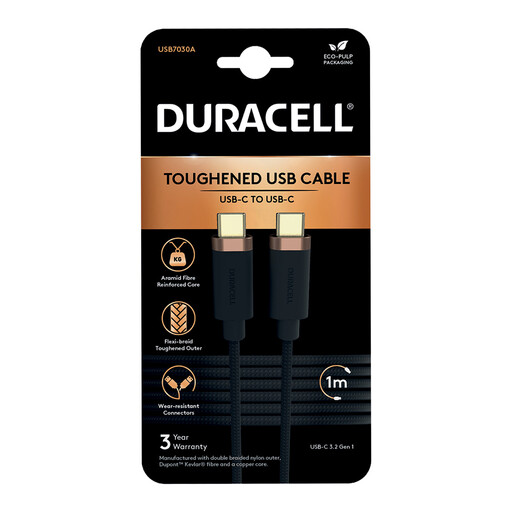
Why This Fits Their Persona: This user needs a reliable, no-fuss cable for charging their phone and tablet at home, in the office or on the train. It needs to be tough enough to be thrown in a bag daily without failing.
Its construction features a double-braided nylon exterior and an internal core with Dupont Kevlar fibre, directly addressing the common pitfall of fraying and premature failure.
Delivers a solid 65W of power, more than enough for fast-charging phones and tablets. It also supports Super-Speed 5Gbps data transfer, making it a versatile all-rounder.
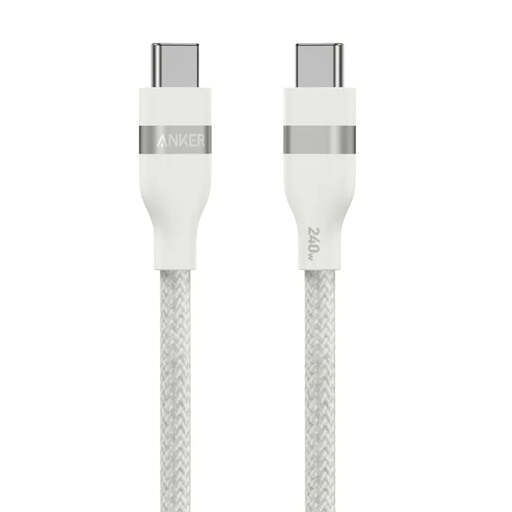
Why This Fits Their Persona: This professional or creative relies on a high-performance laptop (like a MacBook Pro) and cannot afford downtime. They need a cable that can deliver maximum power reliably to keep their machine running under heavy load.
It bypasses the "fast charging" myth by offering a clearly stated 240W power capacity, certified by USB-IF. This ensures it can handle the most demanding laptops without being a bottleneck.
Its 240W capability is future-proof and handles top-tier devices with ease. The build quality is exceptionally high, with a stated 30,000+ bend lifespan for long-term reliability.
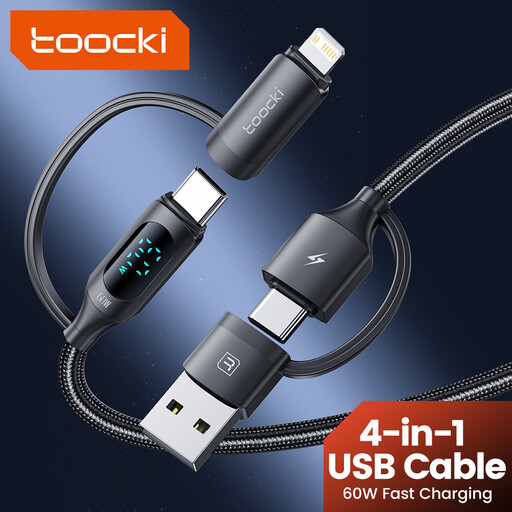
Why This Fits Their Persona: Ideal for the traveller or household with a mix of Apple and Android devices. They want to pack a single multi charger cable that can handle an iPhone, a Samsung phone, an iPad and a power bank without carrying a tangled mess of different wires.
It solves the problem of incompatible connectors by design. Instead of forcing a user to buy multiple cables, its clever 4-in-1 head provides USB-A/C to USB-C/Lightning options in one unit.
Unmatched versatility for charging multiple device types from various power sources. The braided design also ensures it is durable enough for travel.
We have compiled a complete, real-time list of products that fully satisfy these strict selection criteria and UK safety regulations.
Not necessarily. To fast charge an iPhone 15 or newer, you need a USB C to USB C cable that supports USB Power Delivery (PD) and a compatible USB-C power adapter of at least 20W. A basic cable without PD support will only charge at a slower rate.
Look for clear specifications on the product page. A reputable cable will list its maximum power delivery in watts (e.g., 60W, 100W) and its data transfer speed (e.g., 480Mbps, 5Gbps). Also, check the materials—a braided nylon jacket and descriptions of reinforced connector housings are good indicators of a durable build.
While most modern USB C cables handle both charging and data, they are not all the same. Some ultra-cheap cables are "charge-only" and cannot be used to sync files. A good Type C data cable will specify its transfer speed (e.g., USB 2.0's 480Mbps). If you only need to charge your device, this may not matter, but for transferring files between your phone and computer, it is a critical feature.