
24/7 Customer Support

Free returns

Same-day & Next-day Delivery

Quality Guaranteed

Unlock Your Welcome Offers: FREE Delivery | Up to 80% OFF | Free 30-day JoyPlus trial
Download the APP
A charging cable can look suitable on a product page yet prove frustrating in daily use. It may charge a laptop slowly, fail to fit an older USB-A charger, or become unreliable after repeated bending near the connector. For UK households, where one cable may be used at home, in the office, in the car and while travelling, checking the technical details matters more than a headline such as “fast charging”.
The Joybuy Product Recommendation Officer’s practical approach is simple: match the connector, power rating and construction to the device and charger you already own.
USB-C describes the connector, not the maximum charging speed or data performance. A USB-C to USB-C cable may support 60W, 100W or 240W, while another cable with the same plugs may be intended for lower-power phones and accessories.
Also check the other end. A USB-C to USB-C cable will not connect directly to a traditional USB-A wall charger without an adapter. For an iPhone or iPad with a Lightning port, you need a USB-C to Lightning cable, preferably one with clearly stated Apple MFi certification where applicable.
A 240W USB-C cable does not make a phone or laptop charge at 240W automatically. Actual performance depends on three components:
For example, a 100W USB-C cable is appropriate for many tablets, laptops and gaming devices, but it will not increase a device’s charging speed beyond its own limit. A compatible USB-C Power Delivery charger is also required.
Some charging cables are suitable for power but only offer USB 2.0 data speeds of up to 480Mbps. That is generally adequate for syncing photos, documents and music, but less suitable for moving large video files or connecting high-speed storage.
If data transfer is important, look for a stated USB 3.x specification and a quoted transfer rate rather than relying on the phrase “charging and data cable”.
For phones, a 20W fast charging USB-C cable may be sufficient when paired with a suitable charger. A 60W cable offers broader support for phones, tablets and some lightweight laptops. For higher-demand laptops, gaming equipment and docking arrangements, consider a 100W USB-C cable or 240W USB-C cable, provided the charger and device support the required standard.
Power ratings indicate what the cable can support; they do not guarantee a particular charging time.
Choose based on the ports at both ends:
If your existing charger uses USB-A, a USB-C-only cable may require an adapter. A compact USB-A to USB-C adapter can help with accessories, but check its data and charging specifications before purchase.
A 1m cable is convenient for desks, bedside tables and travel bags. A 2m cable provides more flexibility near a sofa, hotel bed or hard-to-reach socket, although extra length can add clutter.
For frequent commuters, travellers and gamers, a braided charging cable or silicone cable with reinforced connector housings can be easier to manage. Braiding and bend-resistance features may help reduce visible wear, but they do not make a cable indestructible. Avoid tight knots, sharp bends and pulling the cable by its wire.
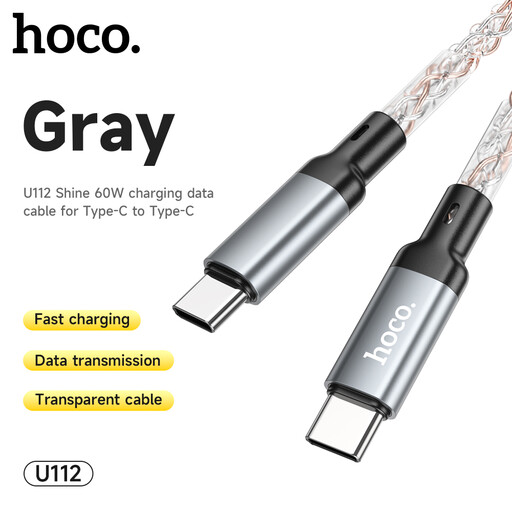
Why This Fits Their Persona: A straightforward 1m USB-C to USB-C option for everyday phone, tablet and compatible laptop charging at home, work or in a bag.
Its stated 60W capacity makes the power ceiling clear, avoiding vague fast-charging language. The connector type is also unambiguous.
USB-C connectors at both ends; 60W support for compatible devices.
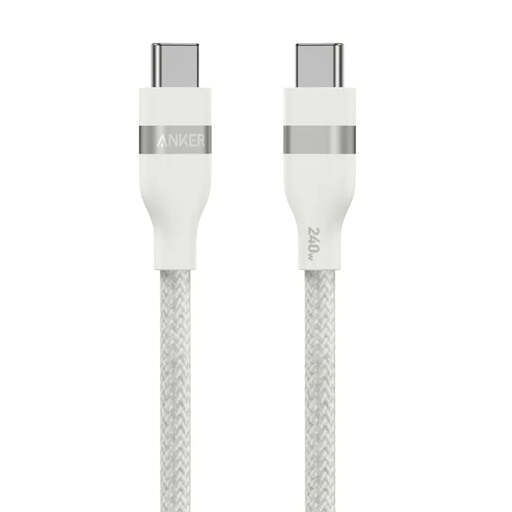
Why This Fits Their Persona: A compact braided cable for professionals, laptop owners and commuters who want a high power rating in a manageable 0.9m length.
The listed 240W USB-IF certification and stated bend rating provide more useful information than an unqualified “super-fast” label.
Braided outer construction; supports up to 240W for compatible USB-C PD equipment.
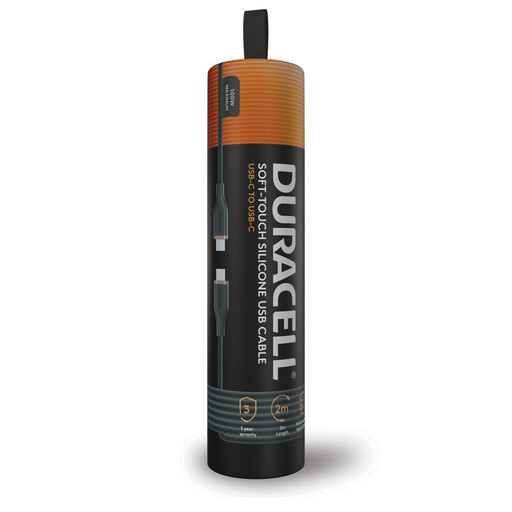
Why This Fits Their Persona: The 2m length suits bedside charging, gaming setups, office desks and sockets positioned away from seating areas.
It states both the 100W power limit and USB 2.0 data speed, helping buyers avoid assuming that high charging power also means high-speed file transfers.
2m reach; up to 100W USB-C Power Delivery support with a flexible silicone and braided construction.
If you need both a power adapter and a cable, a USB-C charger set can simplify compatibility. The Baseus Super Si 20W set includes a USB-C charger and 1m USB-C to Lightning cable, making it suited to compatible Lightning devices and lower-power accessories. Its 20W output is not intended for most laptops, so check your device requirement first.
For mixed-device households, a multi-device charging cable can reduce the number of accessories in a travel bag. However, detachable or shared connectors may not provide the same power performance as a dedicated cable. Select one only when convenience matters more than maximum charging or data-transfer speed.
Use a cable with a compatible, reputable charger and inspect it regularly. Stop using it if the insulation is frayed, wiring is exposed, or a connector becomes unusually hot. Hold the plug rather than pulling the cable, keep it away from liquids and heat sources, and coil it loosely for storage.
Charging speed also depends on the mains adapter, device and protocol. Replacing a cable alone will not resolve every slow-charging problem.
We have compiled a complete, real-time list of products that fully satisfy these strict selection criteria and UK safety regulations.
They may fit physically, but their charging and data capabilities vary. Check the cable’s wattage, data specification and the requirements of both the device and charger.
It can be useful for high-power laptops or for buyers who want a cable with a high stated capacity. For a phone or tablet with a lower input limit, it will not automatically charge faster than a suitable lower-rated cable.
Lifespan depends on bending, pulling, heat and storage conditions. A durable charging cable with braided or reinforced construction may withstand regular handling more effectively, but replace any cable showing damage rather than continuing to use it.