
24/7 Customer Support

Free returns

Same-day & Next-day Delivery

Quality Guaranteed

Unlock Your Welcome Offers: FREE Delivery | Up to 80% OFF | Free 30-day JoyPlus trial
Download the APP
USB-C charging cables and accessories can look almost identical while offering very different charging, data and durability performance. A low-priced cable may charge a phone adequately but struggle with a laptop, while a multi-port hub may have impressive port numbers but limited simultaneous output.
For UK households, offices, university bags and cars, the right choice depends on your devices and daily routine rather than the largest wattage printed on the packaging. This guide explains the key specifications, common purchasing traps and suitable options for different user profiles.
USB-C describes the connector shape, not the cable’s maximum capability. A USB-C to USB-C cable may support 60W, 100W or 240W charging, while another may be designed mainly for basic charging and USB 2 data speeds.
Your charger, cable and device work as a chain. If one part has a lower rating, the system normally operates at that lower level. A 240W USB-C cable will not make a phone charge at 240W if the phone or charger does not support that input.
A cable can support high-power charging but only USB 2 data transfer at up to 480Mbps. That may be suitable for syncing documents or photos, but it is less suitable for large video files, external storage or fast device backups.
If data transfer matters, check for a stated standard such as USB 3.2 Gen 1 or a specified speed such as 5Gbps or 10Gbps. Do not assume that a cable marketed as a fast charging USB-C cable is also a high-speed USB-C data transfer cable.
Frayed insulation, loose connectors and excessive heat are warning signs. Cables should be kept away from liquids, sharp edges and extreme heat, and you should stop using any cable that shows exposed wiring or unusual heating.
For chargers and hubs, check the product’s stated input and output limits. A USB-C hub with several ports may share available power and bandwidth between connected devices. For PD pass-through charging, use a compatible, certified USB-C charger and avoid exceeding the hub’s rated capacity.
USB-C Power Delivery (PD) allows compatible devices and chargers to negotiate an appropriate power level. Common cable ratings include:
A higher rating provides headroom, but it does not guarantee faster charging on every device. Check the power requirement of your laptop or tablet before paying extra for a 240W cable.
For everyday charging and occasional syncing, USB 2 speeds may be sufficient. For external drives, photography workflows and larger files, look for a stated 5Gbps or 10Gbps capability. Also check whether the cable is intended for charging only, as some basic cables offer limited or unspecified data functionality.
A 1m cable is practical for desks and bedside tables. A 2m cable gives more freedom around sofas, hotel rooms and hard-to-reach sockets, but may be less tidy in a travel bag.
A braided USB-C cable can resist everyday abrasion, while silicone cables are often soft and easy to coil. Reinforced connectors, strain relief and a clear warranty can be useful indicators when comparing a durable USB-C cable. They do not make a cable indestructible, so avoid tight bends and pulling on the wire.
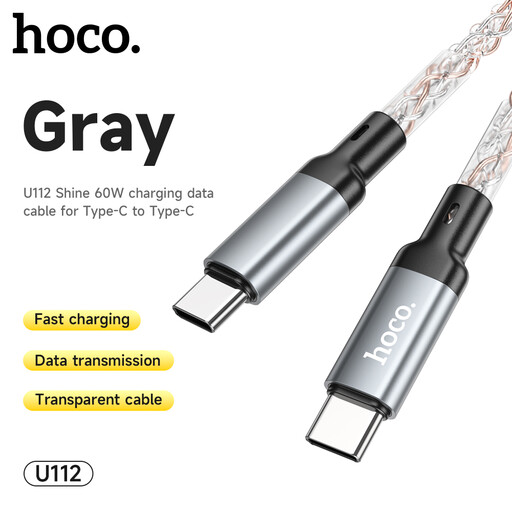
Why This Fits Their Persona: A straightforward 1m USB-C to USB-C cable for everyday phone, tablet and compatible laptop charging at home, in a study space or office.
Its stated 60W and 3A capability makes the intended use clearer than an unspecified generic cable. Inspect the cable regularly and avoid excessive bending.
Supports PD and QC 3.0, with a silicone braid and aluminium alloy plugs.
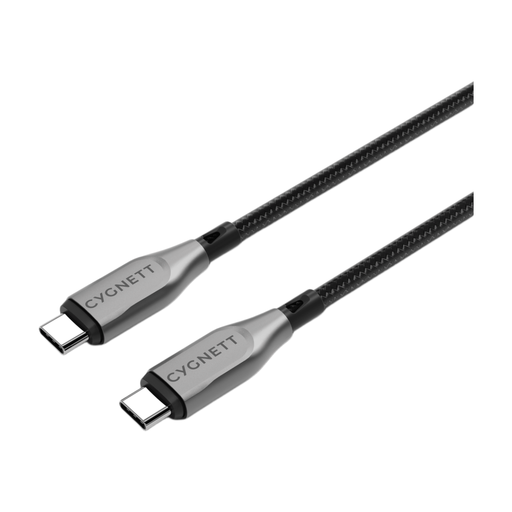
Why This Fits Their Persona: Suitable for users who want one cable for a USB-C laptop, tablet and smartphone, with faster file movement as well as charging.
The listing specifies both 100W charging and 10Gbps transfer, avoiding the assumption that high wattage automatically means fast data.
Double-braided nylon, aramid-fibre reinforcement, metallic alloy connectors and a stated 5-year warranty.
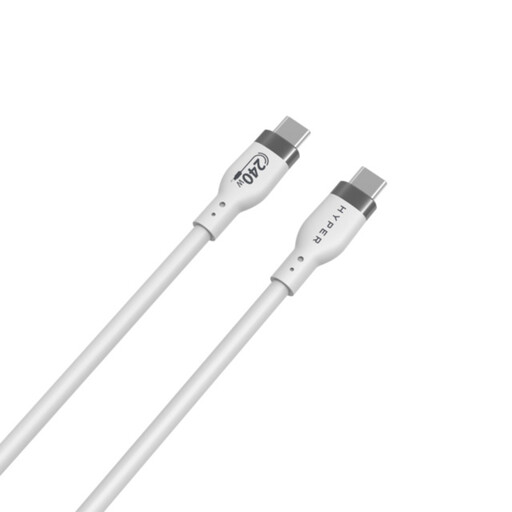
Why This Fits Their Persona: A high-capacity option for compatible high-demand laptops, gaming equipment and users who want a cable prepared for newer PD 3.1 devices.
Its 240W rating is paired with a stated 480Mbps data speed, making the charging and transfer limits visible before purchase.
1m silicone jacket, stated 25,000-plus bend rating and over-temperature protection specification.
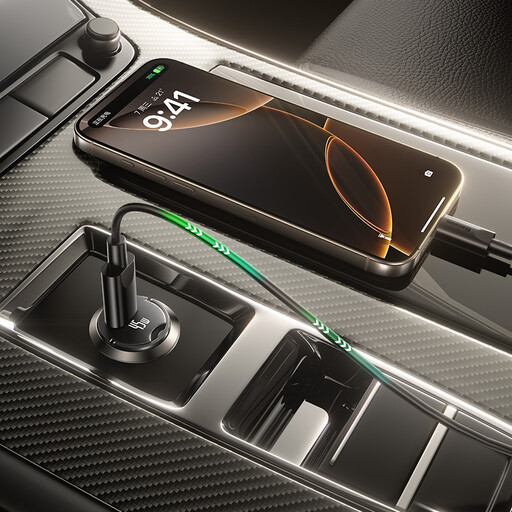
Why This Fits Their Persona: A compact USB-C car charger supplied with a 1m cable for commuting, delivery work, road trips and charging from a 12–24V vehicle socket.
The input is specified for DC 12–24V and the USB-C output is listed up to 45W. Use only with an undamaged vehicle socket and ensure the charger is fully inserted.
45W maximum USB-C output, compact format, handle design and included 60W USB-C cable.
We have compiled a complete, real-time list of products that fully satisfy these strict selection criteria and UK safety regulations.
A USB-C hub is useful when a laptop has fewer built-in ports. Before buying, identify the exact connections required: HDMI, DisplayPort, USB-A, Ethernet, SD or audio. Confirm the supported display resolution and refresh rate if you are connecting a monitor, particularly for gaming or office work.
A compact USB-C adapter can bridge older USB-A accessories such as keyboards, mice, printers and gamepads. The ACEFAST J1 supports USB-A female to USB-C male connectivity and up to 5Gbps data transfer, while the ACEFAST J2 provides USB-C female to USB-A male conversion. Choose based on the port on your host device and the connector on your accessory.
For travel, a multi-device charging cable can reduce cable clutter by combining USB-A, USB-C and Lightning connections. However, each connector may have its own power and compatibility limits, so check the product specifications rather than assuming every branch charges at the same rate.
It is worthwhile if you own, or expect to use, a compatible high-power laptop, docking setup or charger. For a phone or tablet with a lower input limit, a 60W or 100W cable may be sufficient. The charger and device must also support the relevant USB PD standard.
Length can affect electrical performance, particularly with high-power or high-speed data connections, but the product’s stated rating is the practical starting point. Choose a suitable, specification-led cable and avoid unverified extensions or damaged connectors.