
24/7 Customer Support

Free returns

Same-day & Next-day Delivery

Quality Guaranteed

Unlock Your Welcome Offers: FREE Delivery | Up to 80% OFF | Free 30-day JoyPlus trial
Download the APP
Buying a charger can seem straightforward until a phone charges slowly, a laptop refuses to power up or a supposedly compact plug occupies half a travel bag. With so many power ratings and charging standards available, choosing between a USB-C wall charger, GaN charger or multi-port USB charger requires more than comparing headline wattage.
This guide explains the specifications that matter, the common buying traps to avoid and which types of USB-C chargers suit different UK lifestyles.
A charger labelled “100W” may not provide 100W to every connected device. For example, the Anker Prime 100W charger offers up to 100W when one USB-C port is used, but its total output is listed as 89W when all three ports are in use.
Likewise, a dual-port charger may divide power between two devices. Always check:
A fast USB-C charger only reaches its potential when the device and cable support compatible standards. USB-C Power Delivery (PD) is widely used for phones, tablets and laptops, while PPS can support compatible smartphones with more flexible voltage control.
A basic or damaged cable may reduce charging speed, even when the wall plug has a high wattage rating. For laptop charging, check that the cable is rated for the required power and that the charger supports the laptop’s PD input.
A compact charger is not automatically suitable for UK travel. Check whether it has a UK plug, a supplied UK power cord or an EU-standard plug requiring an adaptor. An adaptor can add bulk and may be unsuitable for some sockets or travel situations.
For business trips, also consider foldable pins, cable storage and input compatibility. Several compact models support AC 100–240V or 110–240V, which can be useful abroad, but the destination socket still needs the correct physical adaptor.
Match the charger to the device rather than choosing the largest number available.
Higher wattage does not force extra power into a device. Compatible equipment negotiates the required level, although using a charger with a suitable output gives more flexibility.
A single-port charger keeps the specification simple and often offers the full advertised output to one device. A dual-port charger is more useful for charging a phone and earbuds together, while a three- or four-port charger can replace several plugs at a desk.
Look for clearly stated output figures. For example, the Baseus GaN5 Pro 40W charger provides two USB-C ports, with up to 20W + 20W when both are used. That is different from a charger offering 40W to one port and only a reduced output to the second.
Useful features include overcurrent, overvoltage, overheating and short-circuit protection. These features should be listed in the product information rather than assumed from the charger’s appearance.
For UK use, check the plug type and available compliance information, such as UKCA marking where applicable. Use chargers indoors and keep them away from moisture, heat and covered spaces. Stop using any charger with a cracked casing, loose pins, unusual noise or excessive heat.
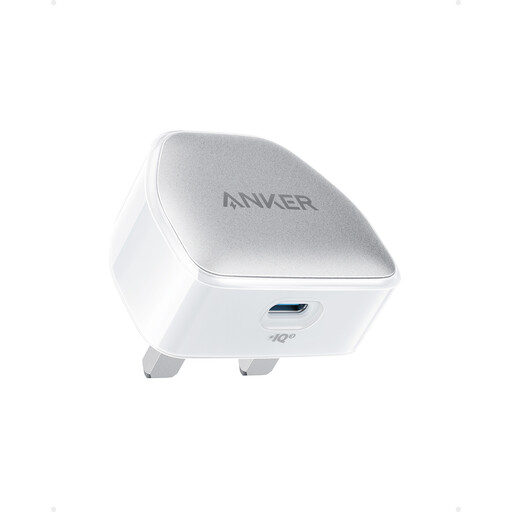
Why This Fits Their Persona: A straightforward single-port option for everyday phone charging at home, work or university.
Its stated 20W output avoids paying for unused laptop-level power when the main requirement is phone or accessory charging.
Compact design, USB-C output and Power Delivery support in a simple single-device format.
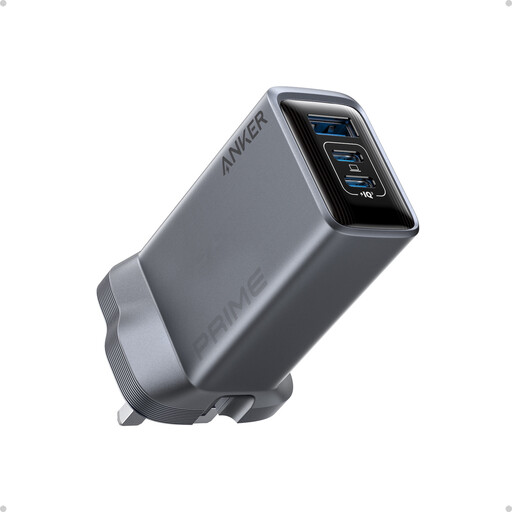
Why This Fits Their Persona: Suitable for professionals who want one compact charger for a laptop, phone and smaller accessory.
The product information specifies output for one, two and three ports, making power sharing easier to plan.
Two USB-C ports, one USB-A port, 100W maximum USB-C output and foldable pins.
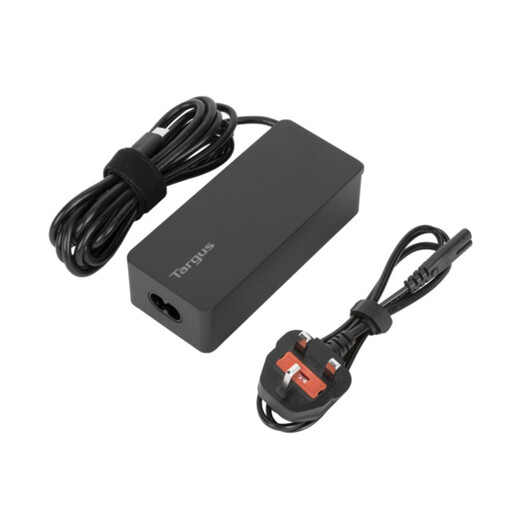
Why This Fits Their Persona: A practical laptop charger for business travellers carrying a USB-C laptop, tablet and phone.
Its 65W rating is clearer for laptop use than a phone-focused 20W or 30W plug, while the supplied UK and EU power cords reduce plug-format surprises.
Up to 65W USB-C PD output, 1.8m cable and listed overcurrent, overheating and overvoltage protection.
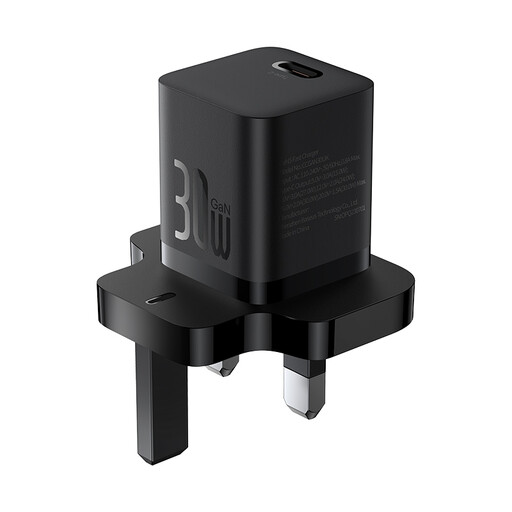
Why This Fits Their Persona: A pocket-sized UK plug charger for commuters, students and travellers who mainly carry a phone or tablet.
The UK version is identified with a 30W output and compact dimensions, rather than relying only on vague “mini” or “fast” wording.
51.5g listed weight, 30W USB-C PD output and input support from AC 110–240V.
We have compiled a complete, real-time list of products that fully satisfy these strict selection criteria and UK safety regulations.
A wireless charging base can also suit a desk or bedside table. It offers cable-free convenience, but it generally charges more slowly and may produce more heat than a wired USB-C PD charger. Check phone alignment and compatibility before buying.
Not always. USB-C describes the connector shape, not the charging capacity. A 20W charger may suit a phone but be insufficient for a laptop. Check the device’s required wattage, PD support and cable rating before purchasing.
Lifespan depends on build quality, heat exposure, cable strain and daily use. Keep the charger dry and ventilated, avoid pulling it from the socket by the cable and replace it if the casing, pins or cable become damaged.
Charging costs depend mainly on the device battery capacity, charging frequency and electricity tariff. A higher-rated charger does not continuously draw its maximum wattage; the device normally requests the power it needs. Unplugging unused chargers can reduce standby consumption and keeps the socket clear.