What to check before buying
Start with the laptop, then match the charger and cable to its documented charging requirements. A compact setup only works when the available output remains suitable for the way you plan to use it.
| Priority |
What to check |
Your needs |
| USB-C charging input |
Check the exact laptop manual or support page for inbound USB-C Power Delivery. Treat port markings as an initial clue, not confirmation. |
I need to know that this port can receive power, not just transfer data or video. |
| Available wattage |
Find the manufacturer’s minimum and recommended wattage. Compare it with the charger’s single-port output and its output when other devices are connected. |
I want the laptop to charge adequately while I work, rather than assuming any USB-C charger will keep up. |
| Cable capability |
Choose a USB-C-to-USB-C cable explicitly stated to support charging at the required power. Check its stated power rating and any model-specific cable requirement. |
I need a cable that suits the laptop-and-charger combination instead of reusing an unknown USB-C lead. |
| UK mains suitability |
For direct-plug equipment, check that it is intended for the GB market and compatible with BS 1363 socket outlets. Do not use damaged plugs, cables or charger housings. |
I want a travel charger that is suitable for the sockets I will use and arrives with an appropriate mains connection. |
Joybuy product options
Joybuy product options for compact USB-C laptop charging, including multi-port travel chargers, USB-C charging cables and a 65W USB-C PD charger. Confirm your laptop’s USB-C PD support and wattage requirement before selecting a charger.
 No image available
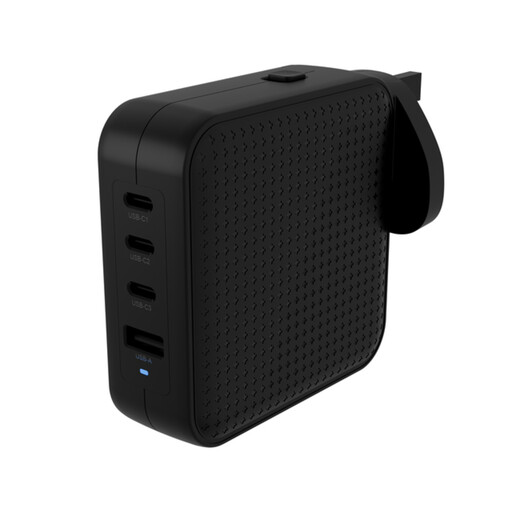
Hyper HyperJuice 100W USB-C GaN Travel Charger (3C+1A)
For a laptop-plus-phone travel setup where the laptop’s documented USB-C PD requirement fits the available output.
Three USB-C ports, one USB-A port, up to 100W total PD output, and a stated 65W + 30W two-device configuration. Check the exact output allocation for all devices you plan to connect.
Joybuy
 No image available
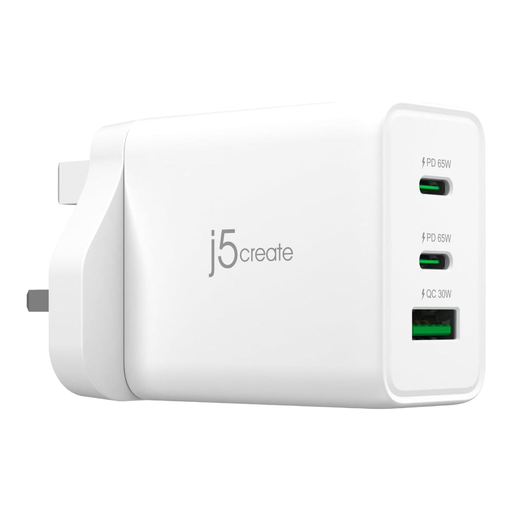
j5create JUP3365F 65W USB-C 3-Port Charger
For carrying one charger for a compatible laptop, tablet and phone, subject to the laptop’s required wattage.
PD 3.0, up to 65W through one USB-C port, and a stated laptop output of up to 45W when other devices are powered. Check plug type and GB-market suitability before buying.
Joybuy
 No image available
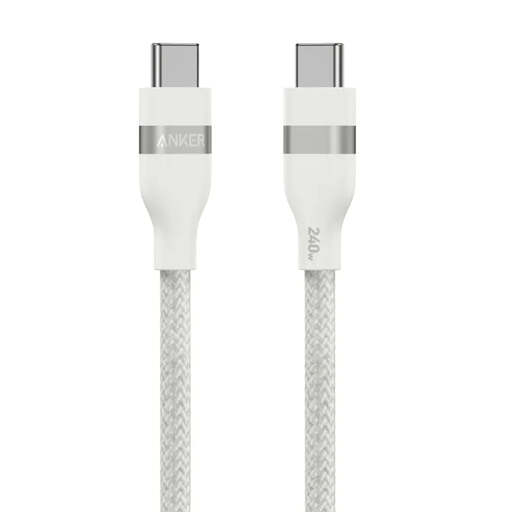
Anker USB-C to USB-C Braided Cable, 0.9m, 240W
For replacing an unknown USB-C lead in a compact laptop charging setup where 0.9m provides enough reach.
USB-C-to-USB-C cable with a stated 240W charging capability, USB-IF certification and braided construction. Check whether the laptop and charger require a particular cable or e-marker specification.
Joybuy
 No image available
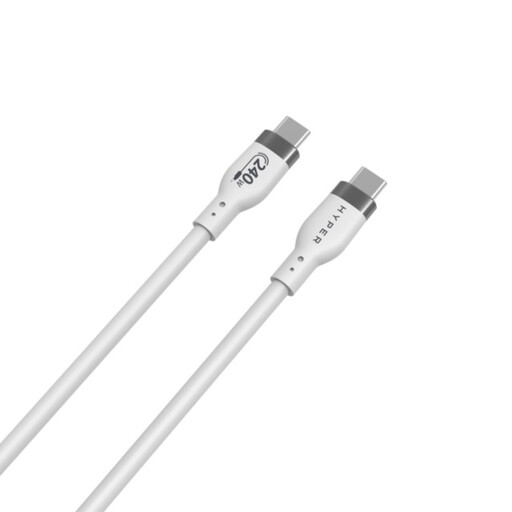
Hyper 1m Silicone USB-C to USB-C Cable, 240W
For a high-power USB-C laptop setup where a 1m cable is long enough for the intended charging position.
USB-C-to-USB-C construction with stated PD 3.1 EPR support, up to 240W charging capability, a 1m length and 50g weight. Confirm any cable or e-marker requirement for your laptop and charger.
Joybuy
 No image available
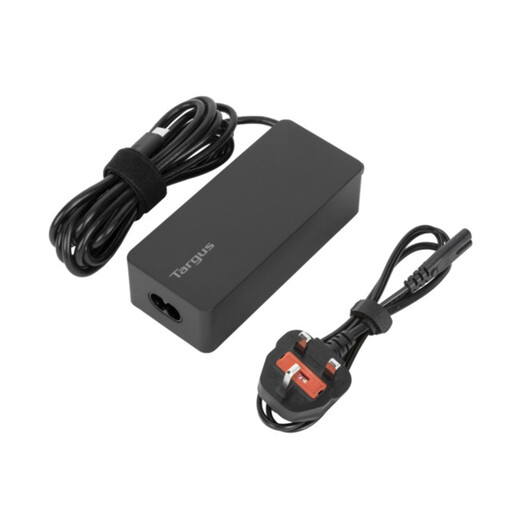
Targus 65W USB Type-C Charger
For commuting with a USB-C PD-capable laptop whose documented charging requirement can be met by 65W.
Stated USB-C Power Delivery output of up to 65W, plus UK and EU power cords. Confirm whether a USB-C charging cable is included and whether its rating suits the setup.
Joybuy
Frequently asked questions
Is a USB-C port proof that my laptop can charge through USB-C?
No. USB-C describes the connector rather than every function enabled on that port. Dell documents that USB-C ports can have different capabilities, so check the exact model manual or specifications for inbound USB-C Power Delivery before buying a replacement charger.
How do I confirm the minimum charger wattage for my laptop?
Start with the exact-model manufacturer documentation, original adapter label or support utility. Use the documented minimum wattage as the baseline, and use the recommended wattage where normal performance or fast charging matters; Apple Support (UK) and Microsoft Support both provide model-specific guidance.
Do I need a special USB-C cable for laptop charging?
Use a USB-C cable that explicitly supports charging and is rated for the required power level. Apple Support (UK) notes that some USB-C cables are data-only, while USB-IF says compliant USB-C-to-USB-C cables are labelled with 60W or 240W power capability; check the cable maker’s specification for high-power requirements.
When should I keep using the supplied laptop charger?
Keep using it when the laptop has no documented USB-C PD input, uses a proprietary charging connector or does not charge correctly from a compatible third-party setup. Apple advises trying the supplied adapter and cable when a non-Apple adapter is involved in a charging issue, while Microsoft recommends genuine or Microsoft-licensed Surface accessories.
What UK check matters when buying a compact mains charger?
Check that the charger is intended for the GB market and is supplied by an identifiable seller or manufacturer. The Electrical Equipment (Safety) Regulations 2016 require direct plug-in devices intended for UK domestic use to be compatible with BS 1363 socket outlets.


