What should you check before buying?
Identify the device and its charging input first. Then check the complete path from wall adapter to cable to device, including what changes when several devices share one charger.
| Priority |
What to check |
Your needs |
| Device compatibility |
Find the exact model and its manufacturer-specified charging input. Check whether the intended USB-C port accepts PD power, or whether the device needs a model-specific adapter or connector. |
I’m replacing a laptop charger and need to know that the new adapter will power this model, rather than merely fit a socket. Microsoft’s Surface guidance notes that lower-wattage USB-C charging may be slow or may not work. |
| Charging power |
Compare the device’s minimum or recommended wattage with the charger’s supported output. For a particular fast-charging mode, check the device, adapter and cable requirements together. |
If I want the charging mode my phone supports, I need the right combination of parts. Samsung UK says its supported 45W charging mode requires a 45W adapter and a 5A cable; that does not make the mode available on every Galaxy model. |
| Cable capability |
Match the connectors at both ends and check the cable’s stated power capability against the intended charger and device. Do not assume that every USB-C cable carries the same power. |
A replacement cable needs to reach my device and suit the power it requires. The USB Implementers Forum notes that cables have different capabilities; a cable cannot increase what the charger or device supports. |
| Shared output |
Read the multi-port charger’s total-output and per-port figures for simultaneous use. Confirm that the intended laptop port still meets the laptop’s requirements when other devices are attached. |
I’d like one station for my laptop and phone, but I need to know what each receives when both are plugged in. The station’s headline output alone does not answer that question. |
| Product traceability |
Check the seller’s identity, appropriate product marking, the manufacturer’s name and address, and the instructions and warnings before use. |
When ordering a replacement online, I want to identify who made and sold it and how to use it as instructed. GOV.UK advises checking appropriate marking and manufacturer details on electrical goods. |
Brand guidance for specific devices
These brand references help with model-specific checks; they do not establish that a charger suits every device made by that brand.
Apple
Apple’s USB-C adapter information is a useful starting point when replacing an iPhone or iPad adapter, but a Mac or another device may have different power requirements.
- Apple UK describes its 20W USB-C Power Adapter as supporting fast charging with iPhone 8 or later.
- The charging cable is sold separately. Check your device’s connector and charging guidance rather than treating 20W as a requirement for every Apple device.
Samsung
Galaxy charging modes depend on the particular device as well as the adapter and cable.
- Samsung UK lists PD 3.0 PPS support for its 25W USB-C adapter.
- Samsung says its supported 45W charging mode requires both a 45W adapter and a 5A cable. Check the exact Galaxy model before choosing parts for that mode.
Microsoft Surface
Surface owners should use the charging requirements for their exact model, whether considering Surface Connect or USB-C PD.
- Microsoft provides model-specific charging guidance and recommends genuine Microsoft or Microsoft-licensed accessories.
- USB-C charging applies only to models that support it; Microsoft warns that a lower-wattage charger may charge slowly or not at all.
Joybuy charger and cable options
These options cover USB-C charging cables, a manufacturer-branded phone adapter and other USB-C chargers. Match any candidate to your exact device and charging setup before buying; the selection is not a substitute for a model-specific laptop power adapter.
 No image available
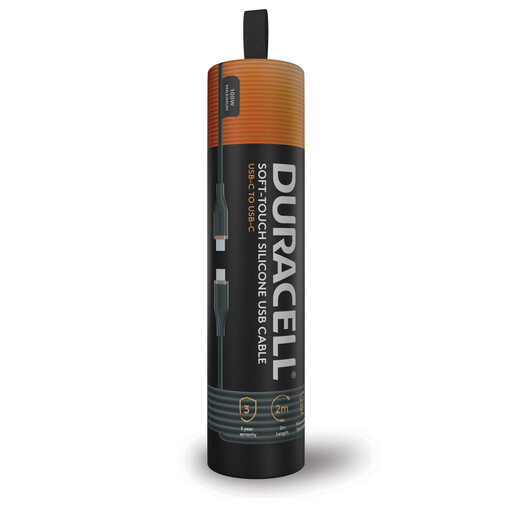
Duracell USB-C to USB-C 2m charging cable, 100W
A 2m replacement cable for a USB-C-to-USB-C charging setup. Its stated 100W capability does not mean your device will charge at 100W: check the charger and device requirements as well. Confirm the cable’s construction if that matters to your choice.
View on Joybuy
 No image available
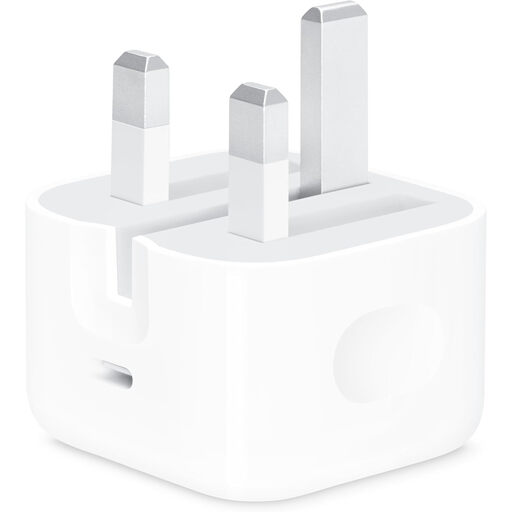
Apple 20W USB-C Power Adapter
A manufacturer-branded adapter to consider for a compatible iPhone or iPad. Apple UK describes fast charging with iPhone 8 or later. The cable is sold separately, so check whether your device needs a USB-C-to-USB-C or USB-C-to-Lightning cable; do not assume this adapter meets a laptop’s requirements.
View on Joybuy
 No image available
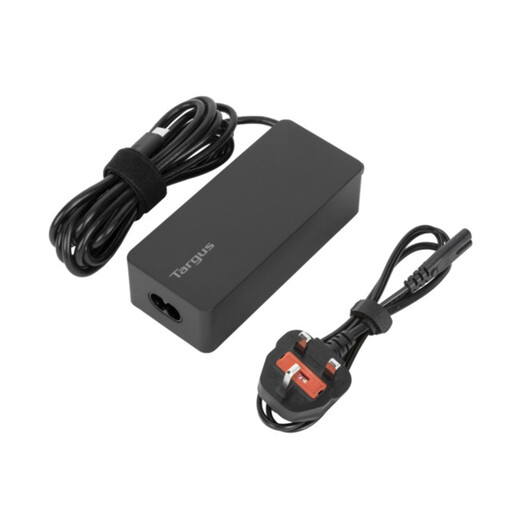
Targus 65W USB Type-C Charger
A USB-C charger to consider where the device supports this charging route. Compare its supported output with your laptop’s required charging input rather than relying on the 65W maximum alone. Confirm the included leads and cords for the way you intend to use it.
View on Joybuy
 No image available
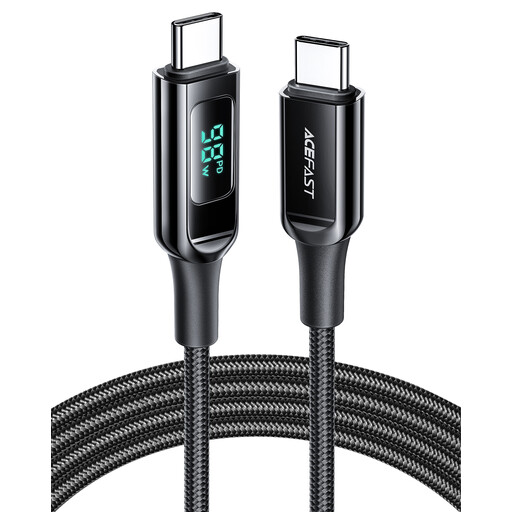
ACEFAST 100W USB-C to USB-C cable, 1.2m, black
A shorter replacement cable for a USB-C-to-USB-C setup. Check that its stated power capability meets your intended charging requirement; a 100W cable does not make an underpowered charger or incompatible device charge at 100W.
View on Joybuy
 No image available
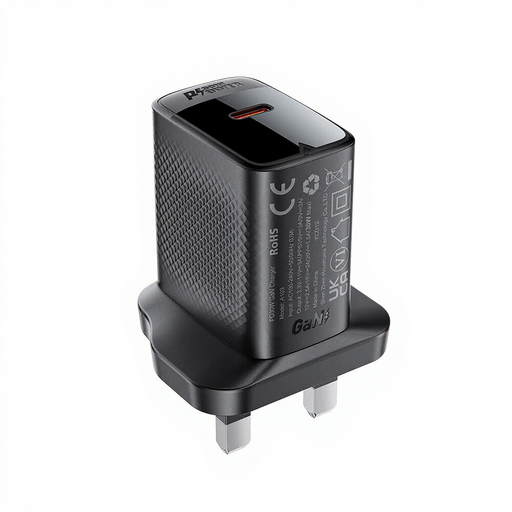
ACEFAST PD30W GaN USB-C Charger, black
A USB-C wall-charger option for a device whose charging requirements match it. Check the device’s supported protocol and required output rather than assuming the 30W figure establishes compatibility. Check the product marking and manufacturer details before buying.
View on Joybuy
Questions about replacement chargers
Can I use any USB-C charger with my phone or laptop?
No. A USB-C connector does not establish that the device accepts power through that port or that the charger supplies what it needs. Check the exact model’s manufacturer guidance for USB-C PD support and required or recommended wattage; Microsoft warns that a lower-wattage charger may charge a supported Surface slowly or not at all.
How do I choose a replacement USB-C cable for a laptop?
Match the connectors and choose a cable whose stated power capability meets the intended charging setup. The USB Implementers Forum says USB-C cables have different capabilities. A higher-rated cable cannot increase the power supported by the charger or laptop.
Is a higher-watt charger automatically suitable?
No. For USB-C PD charging, compatibility depends on the device’s supported charging input and the charger’s output, as well as the cable. If the device uses a proprietary connector or model-specific power supply, follow its manufacturer’s replacement guidance rather than choosing from wattage alone.
What should I check when ordering a charger online?
Check who is selling it, the manufacturer’s name and address, appropriate product marking, and the instructions and warnings. GOV.UK identifies marking and manufacturer details as checks for electrical goods; a product listing’s performance claims do not establish its safety or suitability for your device.
What if a battery swells or charging equipment appears damaged?
Stop using and charging the affected equipment. London Fire Brigade advises stopping charging immediately if a battery swells, turning off the device and contacting the manufacturer or a certified technician. Do not use a visibly damaged cable or charger as your replacement.


