
24/7 Customer Support

Free returns

Same-day & Next-day Delivery

Quality Guaranteed

Unlock Your Welcome Offers: FREE Delivery | Up to 80% OFF | Free 30-day JoyPlus trial
Download the APP
Replacing a charging cable can seem straightforward until a new cable charges slowly, fails to fit your adaptor or stops working after a few months. UK households often have a mixture of USB-C phones, Lightning accessories, tablets, laptops, gaming devices and older USB-A power supplies, so connector choice matters as much as price.
Before buying USB-C charging cables, watch for three common traps:
For a wider overview of connector formats and everyday applications, see our guide to types of USB cables.
A USB-C to USB-C cable is suitable for newer iPhones, Android phones, iPads, power banks, laptops and other USB-C devices, provided the charger also has a USB-C port. It is the usual choice for modern USB Power Delivery setups.
A USB-C to Lightning cable is designed for iPhones, iPads and AirPods cases that still use Apple’s Lightning port. If you have an older USB-A wall plug, choose a USB-A to Lightning cable instead. An Apple Lightning cable can be a practical replacement when compatibility certification is a priority.
Multi-device households may prefer a multi-device charging cable with interchangeable or integrated connectors. These are convenient for travel, but check the exact output of each connector before using one with a laptop.
A 20W charging cable is generally suited to compatible smartphones and smaller accessories when paired with a suitable USB-C Power Delivery adaptor. A 60W charging cable provides more headroom for tablets and some lightweight laptops. A 100W charging cable may be appropriate for compatible laptops, gaming devices and high-power USB-C chargers.
The cable’s rating is only one part of the system. The wall adaptor, device and charging protocol must also support the stated output. For example, a cable rated at 60W cannot create 60W charging if the adaptor supplies 20W.
Look for clearly stated figures such as 20V/3A, 20V/5A or 100W Power Delivery. Avoid listings that use “fast charging” without explaining the wattage or supported standard.
Some cables are intended mainly for charging and offer only USB 2.0 data transfer, commonly up to 480Mbps. That is sufficient for syncing contacts, photos and documents, but it is slower for large video files or external storage.
If you need a data transfer cable for a laptop, camera, monitor or fast external drive, check for a stated USB 3.x specification and transfer rate. The Cygnett armoured cable listed below states 10Gbps transfer, while several 60W cables in this range specify USB 2.0 speeds. A higher charging wattage does not automatically mean faster data transfer.
Cable length also affects convenience. A 1m cable suits a desk or bedside table; a 1.2m cable gives extra flexibility for travel or a gaming setup; and a 2m cable is useful where the socket is behind furniture or away from the sofa. Longer cables may be less tidy, so choose according to the location rather than buying excess length.
The following options match different buying situations. Product specifications reflect the supplied listings; confirm the charging requirements of your own devices and adaptor before ordering.
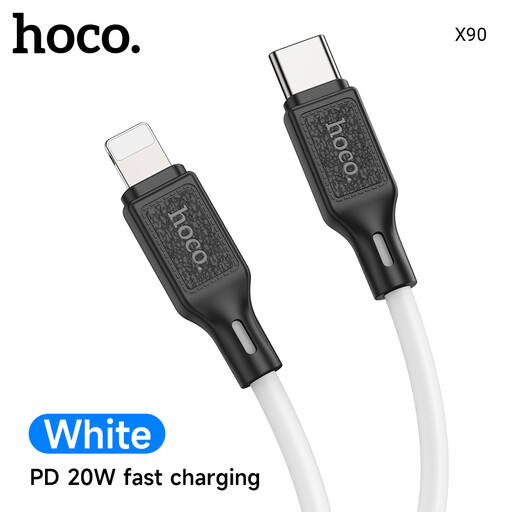
Why This Fits Their Persona: A practical 1m option for iPhone or iPad users moving to a USB-C wall charger without paying for a higher-power cable they may not need.
The listing states USB-C to Lightning, up to 20W, Power Delivery and a maximum current of 3A, rather than relying only on a generic fast-charge label.
20W rating; 1m length; suitable for compatible Lightning devices and USB-C chargers.
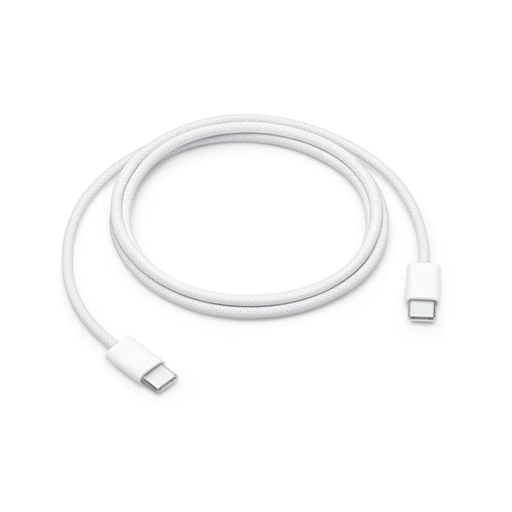
Why This Fits Their Persona: A straightforward choice for users who want a woven Apple cable for a USB-C iPhone, iPad, Mac or AirPods case at a desk or while travelling.
The listing separates charging from data performance: it supports up to 60W but specifies USB 2 data speeds, avoiding an assumption that high wattage means high-speed file transfer.
Woven construction; up to 60W charging; USB-C connectors at both ends.
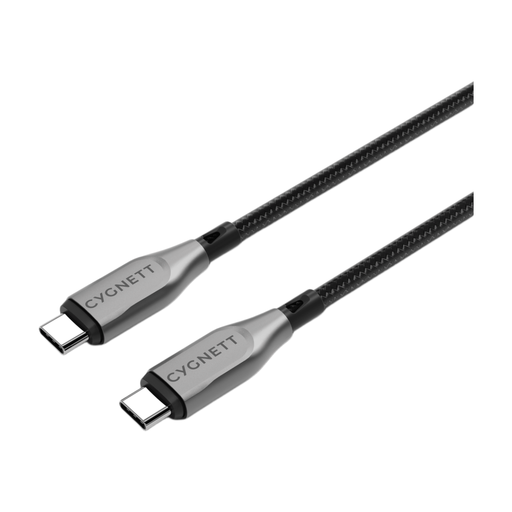
Why This Fits Their Persona: Designed for USB-C laptops, tablets and smartphones, it suits office desks, home workstations and users transferring larger files.
Its listing states both charging and data figures, with up to 100W charging and 10Gbps transfer, rather than presenting one figure as evidence of everything.
Up to 100W; stated 10Gbps transfer; double-braided nylon and aramid-fibre reinforcement.
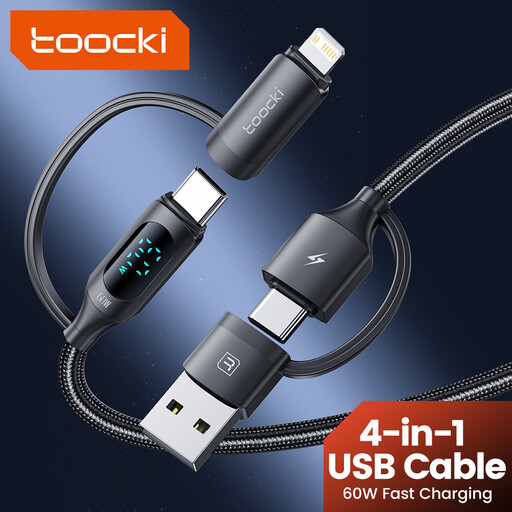
Why This Fits Their Persona: Useful for UK travel bags and shared households containing Lightning and USB-C devices, where carrying several separate leads is inconvenient.
The connectors are stated clearly as USB-C, USB-A and Lightning, while the listing advises using a compatible charger and not exceeding the cable’s maximum rating.
Four-in-one design; 1.2m length; braided nylon and digital charging display.
We have compiled a complete, real-time list of products that fully satisfy these strict selection criteria and UK safety regulations.
No. The connector may fit, but charging wattage, data speed and supported protocols vary. Check the cable rating, charger output and device requirements together.
There is no fixed lifespan. Handling, bending, heat, moisture and connector strain all affect service life. A braided charging cable or reinforced cable may resist everyday abrasion, but careful storage remains important.
The cable itself does not normally add a significant running cost. Electricity use is mainly determined by the device, charger efficiency and charging time. A higher-rated cable does not force a device to draw its maximum wattage; the device negotiates power with a compatible charger.