
24/7 Customer Support

Free returns

Same-day & Next-day Delivery

Quality Guaranteed

Unlock Your Welcome Offers: FREE Delivery | Up to 80% OFF | Free 30-day JoyPlus trial
Download the APP
Buying USB-C charging cables can look straightforward until a new cable charges slowly, fails to connect reliably or transfers files at an unexpectedly low speed. The connector shape is only one part of the decision. Power delivery, data standards, length and construction all affect whether a cable suits your phone, laptop, tablet or gaming setup.
This guide explains the main buying pitfalls and highlights suitable options for different UK households, workplaces and travel routines.
A USB-C connector does not automatically mean high-power charging. Some cables support only basic charging, while others are designed for 60W, 100W or 240W USB-C Power Delivery. Your charger and device must also support the required power level.
For example, a 240W USB-C cable cannot make a device charge at 240W if the laptop, phone or power adaptor accepts less. The cable’s rating indicates its maximum supported capacity, not a guaranteed charging speed in every setup.
Many high-wattage cables use USB 2.0 data transfer, which can be limited to 480Mbps. That is generally adequate for synchronising photos, documents and backups, but it is not ideal for moving large video files or using a fast external drive.
If file transfer matters, check for a stated data standard and speed. A cable supporting 5Gbps or 10Gbps may be more suitable for professionals, photographers and gamers than a high-power cable with USB 2.0 data performance.
A very short cable can be inconvenient beside a bed or behind a desk, while an excessively long cable may become difficult to manage. A 1-metre charging cable is practical for desks and travel bags; a 2-metre cable gives more flexibility around sofas, bedside tables and hard-to-reach sockets.
Construction also matters. Braided nylon, silicone jackets, reinforced connectors and strain relief can help a cable withstand regular bending. However, no cable should be sharply folded, pulled by the wire or used after its insulation has split.
A USB-C to USB-C cable is suitable for most newer Android phones, tablets, laptops, USB-C power banks, gaming devices and newer Apple products with USB-C ports.
A USB-C to Lightning cable is designed for older iPhones, iPads and accessories that still use a Lightning port. Apple device owners should look for MFi certification where applicable, particularly when buying a replacement Apple charging cable.
Some MacBook models use a dedicated MagSafe 3 connection for charging. A USB-C to MagSafe 3 cable is not interchangeable with a standard USB-C cable, so check the charging port on the laptop before ordering.
Match the cable to your highest-power device:
A USB-C PD cable should be used with a compatible USB-C PD charger and device. Charging performance is controlled by the complete combination of cable, adaptor and electronics.
For everyday charging and occasional syncing, USB 2.0 at up to 480Mbps may be sufficient. If you regularly transfer large folders, videos or game files, look for a stated USB-C data cable speed such as 5Gbps or 10Gbps.
A braided charging cable can offer useful resistance to surface wear and tangling, while soft silicone is often easier to coil and pack. Product specifications are more useful than vague terms such as “high speed” or “heavy duty”, which do not state a measurable performance level.
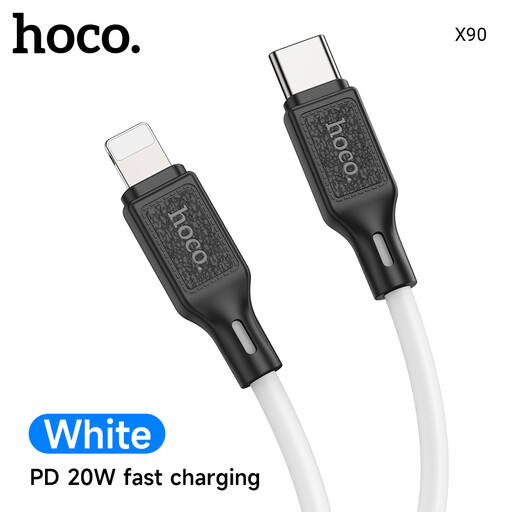
Why This Suits Their Persona: A practical option for everyday USB-C phones, tablets and compatible smaller laptops at home, in the office or while travelling around the UK.
Its stated 60W PD and QC 3.0 support gives a measurable reference point instead of relying on an unspecified “fast” label.
1-metre length, silicone braid and aluminium alloy plugs; supports charging and data synchronisation.
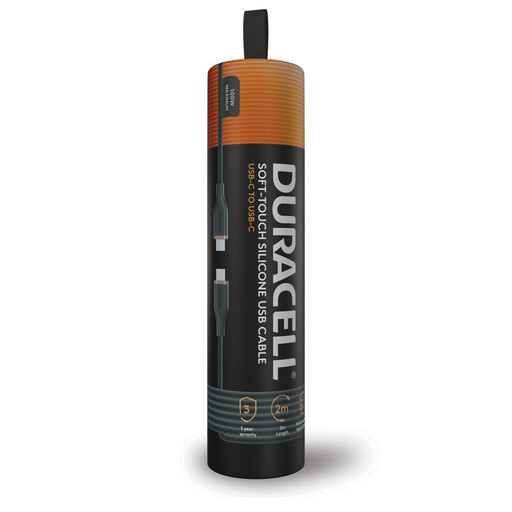
Why This Suits Their Persona: The 2-metre length suits bedside tables, gaming areas, office desks and UK hotel rooms where sockets may be inconveniently placed.
The specification separates 100W PD charging from USB 2.0 data transfer up to 480Mbps, making its limits clear.
Soft-touch silicone handling, kink-resistant design and double-braided nylon with Kevlar fibre; includes a 3-year warranty.
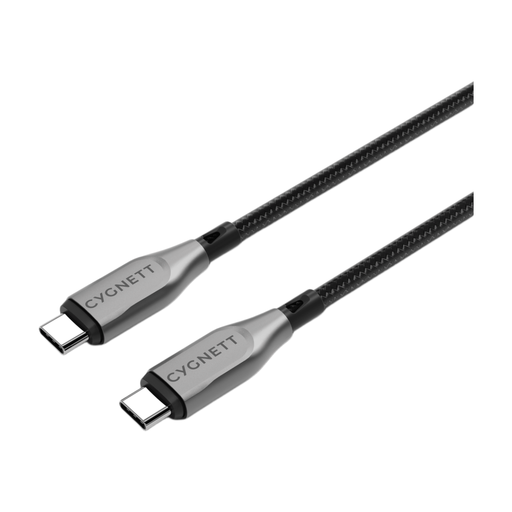
Why This Suits Their Persona: Suitable for users connecting laptops, external storage and high-demand devices who need both power and quicker file transfers.
It states both 100W charging and 10Gbps data transfer, avoiding the assumption that a high-wattage cable is automatically fast for files.
DuPont Kevlar aramid fibre, double-braided nylon and metallic alloy connectors; supplied with a 5-year warranty.
If your iPhone or iPad has a Lightning port, select a USB-C to Lightning cable rather than a USB-C to USB-C model. The REMAX 30W Zinc Alloy Braided Data Cable offers a 1.2-metre length, 30W stated power support and 480Mbps data transfer. Its braided exterior and zinc alloy connectors are suited to everyday handling.
For an Apple-designed option, the Apple USB-C to Lightning Cable (1m) supports charging and USB 2.0 data transfer. A 2-metre version is also available for greater reach. Check the product listing carefully to confirm the length and certification details you require.
For compatible MacBook Air and MacBook Pro models with MagSafe 3, consider the Apple USB-C to MagSafe 3 Cable (2m). Its magnetic connector and charging-status LED are specific to MagSafe 3 devices.
We have compiled a complete, real-time list of products that fully satisfy these strict selection criteria and UK safety regulations.
Often, but not always. The connectors may fit, while charging speeds differ according to the device, charger and cable rating. Check the required wattage and whether the cable supports USB-C PD before using it with a laptop.
No. A 240W rating describes the cable’s maximum supported power. The device and charger negotiate the available output, so a phone designed for lower wattage will not necessarily charge faster with a 240W cable.
Lifespan depends on bending, heat, storage and connector care. Choose reinforced or braided construction for frequent use, coil cables loosely and disconnect by holding the plug. Stop using any cable with exposed wires, damaged connectors or frayed insulation.