
24/7 Customer Support

Free returns

Same-day & Next-day Delivery

Quality Guaranteed

Unlock Your Welcome Offers: FREE Delivery | Up to 80% OFF | Free 30-day JoyPlus trial
Download the APP
A USB-C cable may look like a simple accessory, but choosing the wrong one can lead to slow charging, failed file transfers or premature fraying. UK shoppers often focus on length or price while overlooking the specifications that determine whether a cable suits a phone, tablet, laptop or mixed-device household.
Before buying USB-C charging cables, watch for three common pitfalls:
Charging capacity is shown in watts. A 65W USB-C cable is generally suitable for many phones, tablets and compact laptops, while a 100W USB-C cable provides more headroom for compatible laptops and high-power USB-C chargers. A 240W USB-C cable is designed for devices that support USB Power Delivery 3.1 Extended Power Range, including some higher-demand laptops.
The cable rating is only one part of the setup. The charger, device and cable must all support the required output. Connecting a 240W cable to a lower-rated charger will not make that charger deliver 240W.
For everyday phone or tablet charging, a lower wattage may be sufficient. Laptop users should check the original power adapter’s output before selecting a replacement.
A cable marketed as a USB-C data cable may support anything from USB 2 speeds to much faster USB 3 specifications. This matters if you regularly transfer backups, videos or large work files.
For example:
The Cygnett Armoured cable combines up to 100W charging with stated 10Gbps transfer performance. By contrast, the Apple USB-C to USB-C Woven Charge Cable supports up to 60W but specifies USB 2 data speeds. Neither is inherently right for every user; the practical choice depends on whether charging or file transfer is your priority.
A braided USB-C cable can offer additional resistance to everyday abrasion, although construction quality still depends on the strain relief and connector joints. Nylon, woven fabric and silicone jackets each have different handling characteristics:
A 1m cable works well at a desk or bedside table. Lengths around 1.2m provide a little more flexibility, while 2m cables are useful when the wall socket is further away. Longer cables may be less convenient to store, so consider where you will use them most.
Also confirm the connector arrangement. A USB-C to USB-C cable is needed for devices with USB-C ports at both ends. Older chargers may require USB-A to USB-C. For older Apple devices with a Lightning port, choose a USB-C to Lightning cable rather than assuming any USB-C lead will fit.
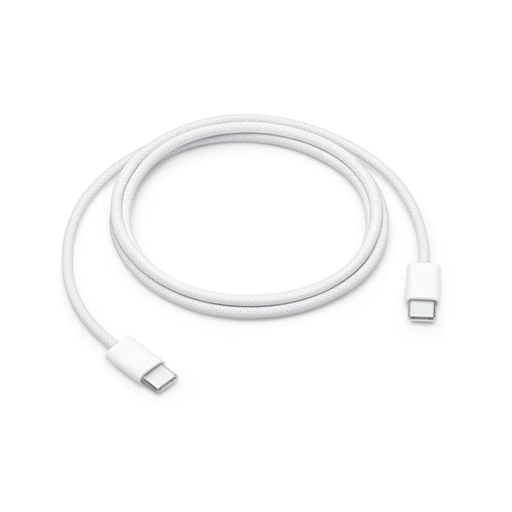
Why This Fits Their Persona: A straightforward option for shoppers who mainly need dependable charging and everyday syncing for USB-C phones, tablets or laptops at home, in the office or while travelling.
Its stated specifications clearly separate 60W charging from USB 2 data performance, helping buyers avoid paying for transfer speeds they do not need.
Woven construction, 1m length and support for up to 60W charging.
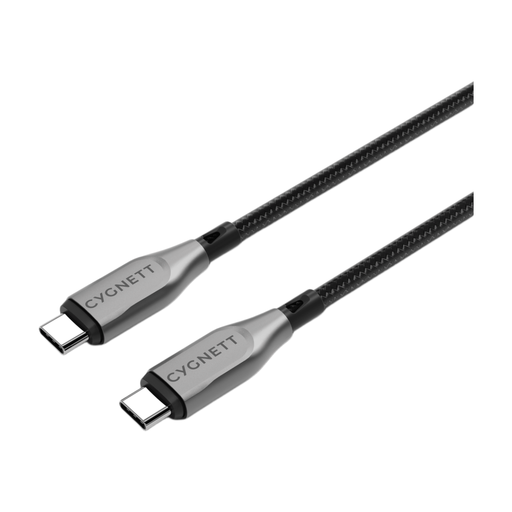
Why This Fits Their Persona: Suitable for professionals moving between a USB-C laptop, tablet and phone who want one cable for charging and regular high-speed file transfers.
The listed 100W charging and 10Gbps transfer specifications make its intended use clearer than a generic “fast” cable label.
Double-braided nylon, Kevlar aramid fibre reinforcement, metallic alloy connectors and a stated 5-year warranty.
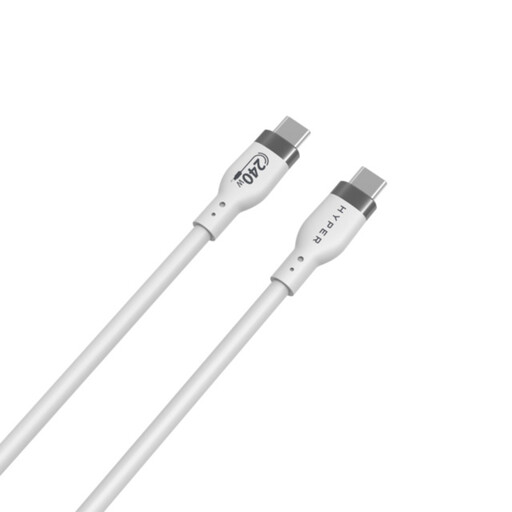
Why This Fits Their Persona: A practical match for users with high-demand USB-C laptops or other compatible equipment who prioritise maximum power capacity and easy packing.
It states both its 240W PD 3.1 EPR rating and its 480Mbps USB 2 data speed, so shoppers can distinguish charging capacity from transfer performance.
Soft silicone jacket, stated 25,000-plus bend rating, 1m length and over-temperature protection specification.
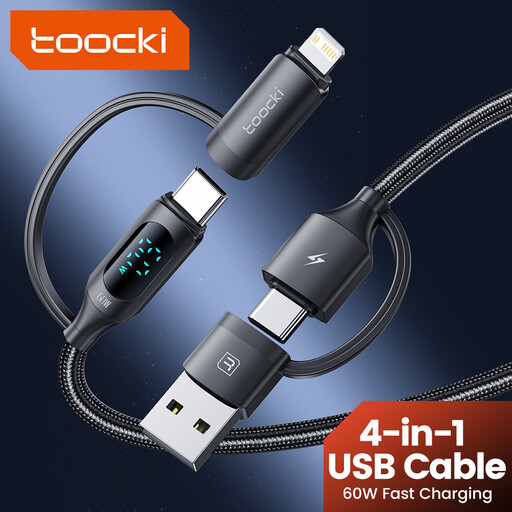
Why This Fits Their Persona: Useful for travellers and households carrying both USB-C and Lightning devices, especially when reducing the number of separate leads matters.
Its connector combination is specified as USB-A, USB-C and Lightning, reducing the risk of buying a USB-C-only cable for a mixed-device setup.
1.2m length, braided nylon construction, digital charging display and multi-device compatibility.
We have compiled a complete, real-time list of products that fully satisfy these strict selection criteria and UK safety regulations.
Not completely. The connectors may fit, but charging wattage, data speed and supported protocols differ. Check the product specification before using a cable with a laptop or other high-power device.
Lifespan depends on bending, storage, connector strain and power levels. Braided or woven designs may resist surface wear, but avoid sharply folding any cable. Coil it loosely and disconnect it by holding the plug rather than pulling the wire.
The cable rating does not determine household electricity use by itself. A compatible charger and device draw power according to their requirements. A 240W cable will not automatically consume more electricity than a 60W cable when connected to a device that needs less power.