
24/7 Customer Support

Free returns

Same-day & Next-day Delivery

Quality Guaranteed

Unlock Your Welcome Offers: FREE Delivery | Up to 80% OFF | Free 30-day JoyPlus trial
Download the APP
Buying USB-C charging cables can seem straightforward until a phone charges slowly, a laptop refuses to power up or a cable starts fraying after a few months. Product listings often highlight impressive wattage figures while leaving out important details such as connector type, data speed and charger compatibility.
For UK households, the right choice depends on where and how the cable will be used: beside the bed, at a work desk, in a travel bag or with a USB-C car charger. This guide explains the specifications that matter and highlights suitable options for different needs.
A cable marked 100W, 240W or 60W does not automatically make every device charge at that speed. The actual charging rate is limited by the device, charger and charging protocol. For example, a phone may only accept a fraction of the power available from a laptop charger.
A USB-C PD charging cable should be paired with a compatible USB-C Power Delivery charger and device. For high-power laptops, check that the cable supports the required current, particularly if the charger delivers up to 100W or more.
USB-C describes the physical connector, not the cable’s complete performance. A USB-C to USB-C cable is suitable for many newer phones, tablets, laptops, gaming devices and power banks. However, an iPhone charging cable for a Lightning-enabled model requires a USB-C to Lightning connection.
It is also worth checking the other end. A USB-C to USB-A cable will work with older wall plugs, computers and some car chargers, but it may not provide the same charging performance as a USB-C to USB-C cable.
Some cables are primarily designed for charging and only support USB 2.0 data speeds of up to 480 Mbps. This may be sufficient for syncing photos or documents, but it is slower for large video files or external storage.
If data transfer matters, check the stated USB standard and speed rather than relying on phrases such as “high speed” or “data cable”. A cable with 10Gbps support, for instance, is specified for substantially faster transfers than a 480Mbps model.
Choose the cable according to the most demanding device you plan to charge:
A lower-rated cable can still charge a high-power device, but charging may be slower or the device may show a reduced-power warning.
A braided charging cable can offer useful resistance to everyday rubbing, tangling and bending, although the braid alone does not guarantee a long service life. Look for reinforced connector housings, flexible strain relief and clear safety instructions.
Silicone coverings can feel soft and remain flexible, while nylon braiding may provide additional abrasion resistance. The best material for your setup depends on whether the cable is regularly packed into a bag, used beside a sofa or left permanently on a desk.
A 1m cable is generally manageable at a desk or bedside table. A 1.2m cable gives some additional reach without creating excessive slack. For hard-to-reach sockets, hotel rooms or gaming setups, a 2m charging cable can be more convenient.
Avoid tightly wrapping any cable around a charger or device. Sharp bends near the connector are a common source of internal damage, even when the outer covering remains intact.
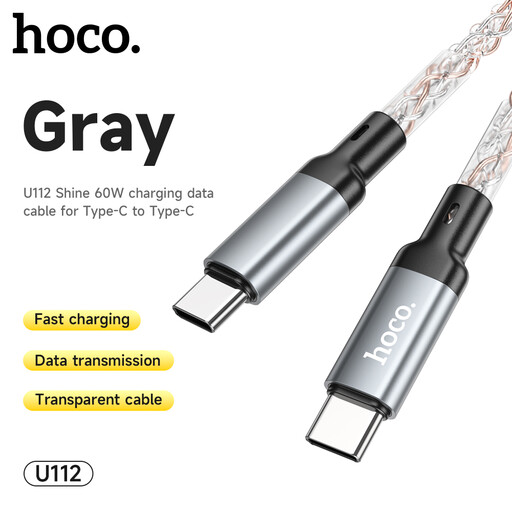
Why This Fits Their Persona: A straightforward USB-C to USB-C option for everyday phone, tablet and compatible laptop charging at home, in the office or while travelling.
The stated 60W rating is clearer than a vague fast-charging description. Buyers should still match it with a suitable PD charger and device.
USB-C to USB-C connection; 60W rating for a range of everyday USB-C devices.
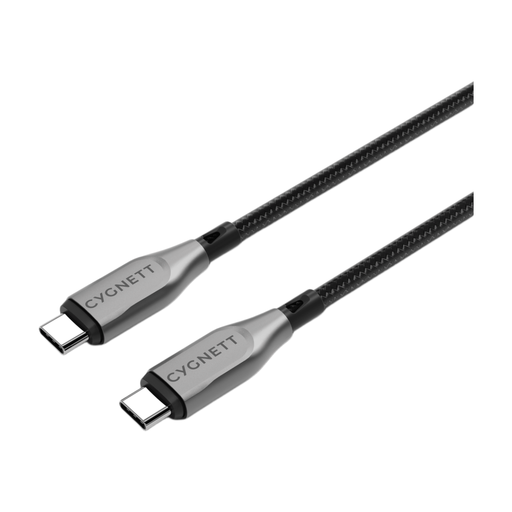
Why This Fits Their Persona: Suited to users who want one compact cable for a USB-C laptop, tablet and phone, with regular desk or travel use in mind.
The listing specifies both 100W charging and 10Gbps transfer, reducing uncertainty for buyers who need charging and file syncing.
100W power rating; 10Gbps stated transfer speed; reinforced aramid fibre and double-braided construction.
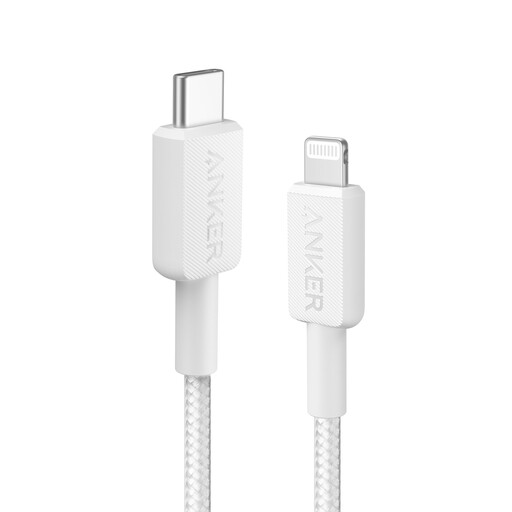
Why This Fits Their Persona: A practical match for Lightning-enabled iPhones and iPads used with a USB-C PD plug at home, work or while travelling.
The listing identifies Power Delivery compatibility and MFi certification, helping distinguish it from unspecified USB-C to Lightning alternatives.
USB-C to Lightning format; listed MFi certification; 0.9m length for low-clutter charging.
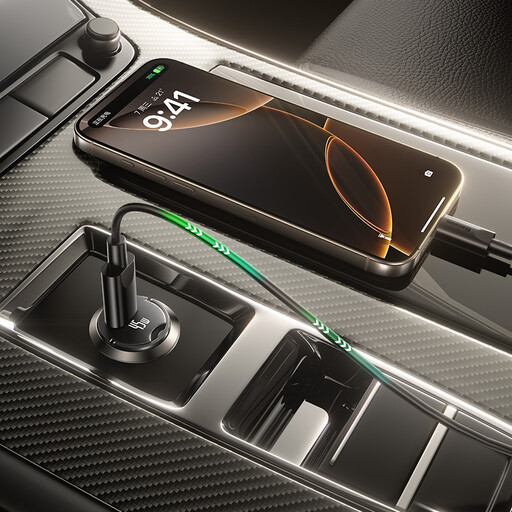
Why This Fits Their Persona: A useful combination for UK drivers who want a dedicated USB-C car charger and included cable for phones, tablets or compatible portable devices.
The charger states a 45W maximum output and 12–24V input range, while the included cable is identified as USB-C to USB-C and rated at 60W.
45W vehicle charging; included 1m USB-C cable; designed for 12–24V car sockets.
We have compiled a complete, real-time list of products that fully satisfy these strict selection criteria and UK safety regulations.
Not completely. Two cables may use USB-C connectors but support different power ratings, data speeds and charging standards. Check the cable specification alongside your charger and device before buying.
Service life depends on bending, heat, connector strain and storage. A reinforced or braided charging cable may be more resistant to everyday wear, but it still needs careful handling. Replace any cable with exposed wiring, split insulation or damaged connectors.
Cable length can affect performance in some circumstances, particularly with higher power or data requirements. A 1m or 1.2m cable is often suitable for desks and bedside use, while a 2m cable offers greater reach. For high-power laptop charging, choose a length and rating explicitly stated for that use rather than assuming every long cable performs identically.