What should you choose first?
Start with the task your current desk cannot handle: positioning the screen and inputs, reconnecting equipment, adding display space or clearing a shared surface. A monitor, dock and positioning accessory solve different parts of that task.
| Concern |
Buying checks |
Who this matters to |
| Screen and input position |
Decide whether to use a separate display or raise the laptop; with a raised laptop, allow space and connections for a separate keyboard and mouse. |
When I work for long periods at one desk, I need to place the screen without lifting the keyboard and mouse with it. About 33% of consumers put screen and input positioning first. |
| Desk connectivity |
Compare the laptop's video and charging capabilities with the dock or hub monitor, including its cable and required software. |
Moving my laptop between desks makes repeated connections the main inconvenience; approximately 27% of consumers prioritise consolidating those connections. |
| Display workspace |
Check the space available for a monitor, its adjustment options and the laptop's supported display output. |
If my work needs documents or applications visible side by side, the laptop screen may leave too little room. Display workspace is the primary need for about 20% of consumers. |
| Shared desk space |
Check whether a stand or arm fits the desk and display, and whether cables can move with the equipment. |
I need to put the work area away or reclaim part of a shared table; roughly 20% of consumers place that flexibility first. |
Joybuy products for the set-up
These selections cover external monitors for a fixed desk, a USB-C dock for repeated connections, and a separate keyboard-and-mouse set for laptop work. Match each item to the workstation task and your laptop's connections.
 No image available
ASUS ProArt PA278CV IPS WQHD monitor
Consider this external display if your main need is more screen workspace at a fixed laptop desk. The product name identifies an IPS WQHD monitor; check its USB-C video and charging specifications against your laptop before relying on a single connection.
View on Joybuy
 No image available
Samsung S40GD LS22D400GAUXXU 22-inch Full HD monitor
This is an external-screen option when a 22-inch display fits the planned desk position. It is identified as Full HD; check the laptop's video output and plan its charging connection separately unless the exact equipment supports another arrangement.
View on Joybuy
 No image available
Dell P2425H 24-inch Full HD monitor
Consider this model for a separate screen at a fixed laptop workstation. Its product name specifies 1920 × 1080 resolution, 100Hz, IPS, USB-C, DisplayPort, HDMI and VGA; confirm the USB-C video and charging functions required by your laptop rather than assuming the connector provides both.
View on Joybuy
 No image available
Targus USB-C Universal Dual HDMI 4K dock, 100W pass-through
Consider a dock if reconnecting desk displays and peripherals is your main task. This model's name specifies dual HDMI 4K and 100W power-delivery pass-through; check your laptop's video and charging support, the intended display arrangement and whether a suitable power adapter is supplied.
View on Joybuy
 No image available
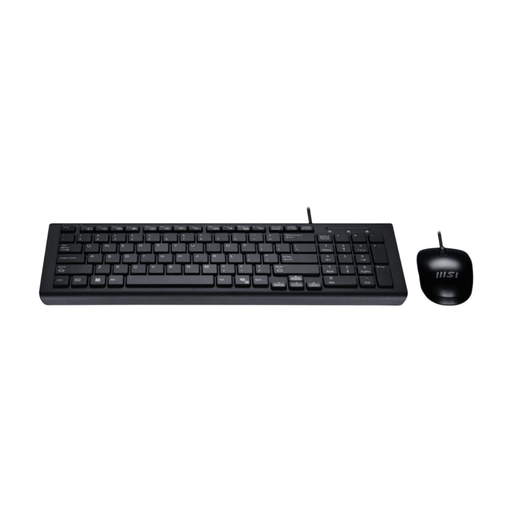
MSI GK-701 USB keyboard and mouse set, UK layout
A separate keyboard and mouse can complete a raised-laptop arrangement without using its elevated built-in inputs. This set is identified as USB with a UK keyboard layout and CoPilot key; check the connections available at your desk and whether the mouse suits the intended user.
View on Joybuy
Common questions
Do I need an external monitor for prolonged laptop work?
Not necessarily. HSE advises using a separate keyboard and mouse so a laptop screen can be raised, or using a separate display for prolonged laptop work. Choose between them according to the screen space and desk arrangement you need.
Should I ask my employer before obtaining a monitor or dock?
If display screen equipment duties cover your work, ask about a workstation assessment first. In Great Britain, HSE says employers must assess workers using display screens daily as part of normal work for continuous periods of an hour or more, and cannot charge a home worker for extra equipment the assessment identifies as necessary. In Northern Ireland, the Health and Safety Executive for Northern Ireland says home-working DSE risks may need assessment and additional equipment needs identified.
Will any USB-C dock charge my laptop and run two monitors?
No: the connector alone does not establish those functions. Check the laptop's supported video output and charging input, the dock's display arrangement, its power supply, the cable and any software requirements. The USB Implementers Forum says USB4 operates at the highest capability shared by connected equipment.
What matters when choosing a USB-C monitor?
Check its video input, power-delivery rating, resolution, adjustment options and ports against the exact laptop's display and charging specifications. A monitor's stated power delivery does not, by itself, establish that the laptop will charge or send video through that connection.
Can a monitor arm help on a small desk?
An arm can reposition a compatible display and free part of the desktop. Before choosing one, check the display mount and weight, the arm's supported load, the desk attachment and room for the cables to move.


