
24/7 Customer Support

Free returns

Same-day & Next-day Delivery

Quality Guaranteed
Download the APP
Categories
Modern laptops are marvels of engineering—powerful, slim and portable. Yet, this sleek design often comes at the cost of connectivity, leaving you with just one or two USB-C ports. If you're juggling a tangle of adapters for your monitor, mouse, keyboard and network cable, you know the frustration. A single, well-chosen USB-C docking station can transform your workspace, decluttering your desk and unlocking your laptop's full potential.
This guide is designed to help you navigate the options and find a device that seamlessly integrates into your workflow, whether you're a professional managing a multi-monitor setup, a content creator demanding high speeds or a frequent traveller needing versatile connections.
Selecting the right hub goes beyond just counting the number of ports. Consider these key factors to ensure you get a device that truly meets your demands.
The primary reason many people seek a docking station is to connect external displays. Pay close attention to the video ports offered.
dual monitor usb c adapter, check that the hub explicitly supports two simultaneous video streams. Be aware of the specifications, as some hubs may reduce the resolution or refresh rate when two displays are connected.usb c hub with vga port is invaluable. It ensures you can connect to older projectors and monitors without needing yet another adapter.A good docking station should do more than just connect peripherals; it should power your entire setup.
usb c hub with ethernet and hdmi provides both a reliable 1Gbps network connection and high-quality video output in one device.As a Joybuy Product Recommendation Officer, I've filtered through the market to highlight options that offer practical solutions for common user needs. Here are our recommendations.
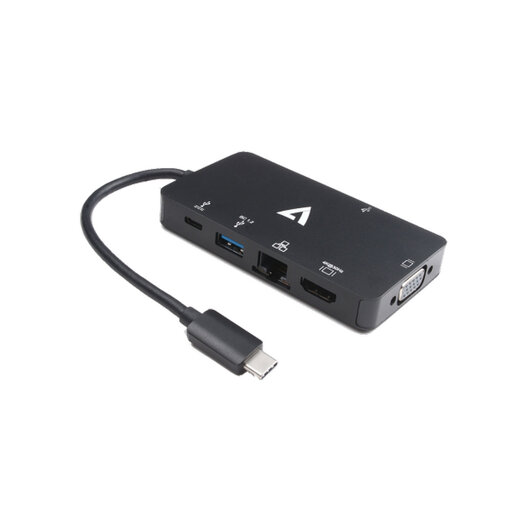
Why It Stands Out: This adapter is the definition of versatility. It uniquely combines a modern 4K HDMI port with a legacy VGA port, making it the perfect tool for professionals who need to connect to a wide variety of displays, from new office monitors to older conference room projectors.
Pros:
Who is it for? This is an ideal choice for the travelling consultant, mobile professional or educator who needs a reliable, all-in-one solution to ensure they can connect and present anywhere, regardless of the available display technology.
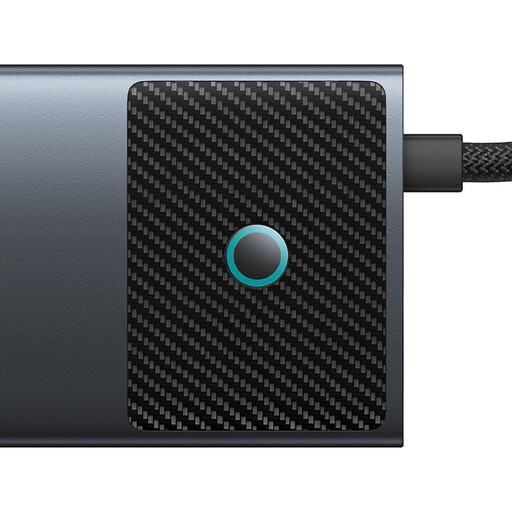
Why It Stands Out: This 10-in-1 usb c hub is a performance powerhouse built for the most demanding users. Its standout feature is the dual HDMI output, with one port capable of driving a display at a remarkable 4K 120Hz. Combined with 10Gbps data ports, it’s designed for a high-end workstation.
Pros:
Who is it for? Content creators, video editors, designers and power users who require a top-tier macbook pro docking station solution. If your workflow depends on a high-refresh-rate, multi-monitor setup and lightning-fast data access, this hub is built for you.
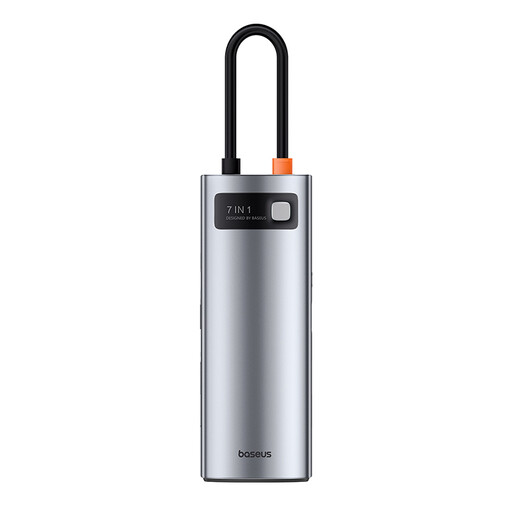
Why It Stands Out: This hub finds the sweet spot between functionality and portability. It packs the most essential ports—including 4K HDMI, multiple USB 3.0 ports and a card reader—into a compact and durable metal alloy body, making it an excellent everyday companion.
Pros:
Who is it for? The remote worker, student or general professional who needs to expand their laptop's connectivity for a single-monitor setup. It’s perfect for creating an efficient and clutter-free desk at home, in the office or at a co-working space.
If these recommendations don't quite match your specific requirements, don't worry. The world of connectivity is vast, with devices tailored to every possible need. Explore our full range of USB port solutions to find the hub or adapter that's the perfect fit for your setup.
A: Not necessarily. For video output, your laptop's USB-C port must support DisplayPort Alternate Mode (DP Alt Mode). For pass-through charging, it must support Power Delivery (PD). Most modern performance laptops from brands like Apple, Dell, HP and Lenovo include these features, but it is always a good practice to check your device's specifications before purchasing.
A: Generally, yes. These hubs are designed for simultaneous use. However, the total performance is limited by the bandwidth of the single USB-C connection to your laptop. Running multiple high-demand peripherals—like two 4K monitors and a high-speed SSD transfer—may cause the hub to become warm, which is normal. Using a hub with 100W Power Delivery and an appropriately rated power adapter ensures there is enough power for all connected devices and your laptop.
A: The vast majority of modern USB-C docking stations are plug-and-play. Operating systems like Windows, macOS and ChromeOS have built-in drivers that support most functions, including video output, USB ports, Ethernet and charging. In rare cases, a specific model might offer optional drivers to enable advanced features, but they are typically not required for standard operation.